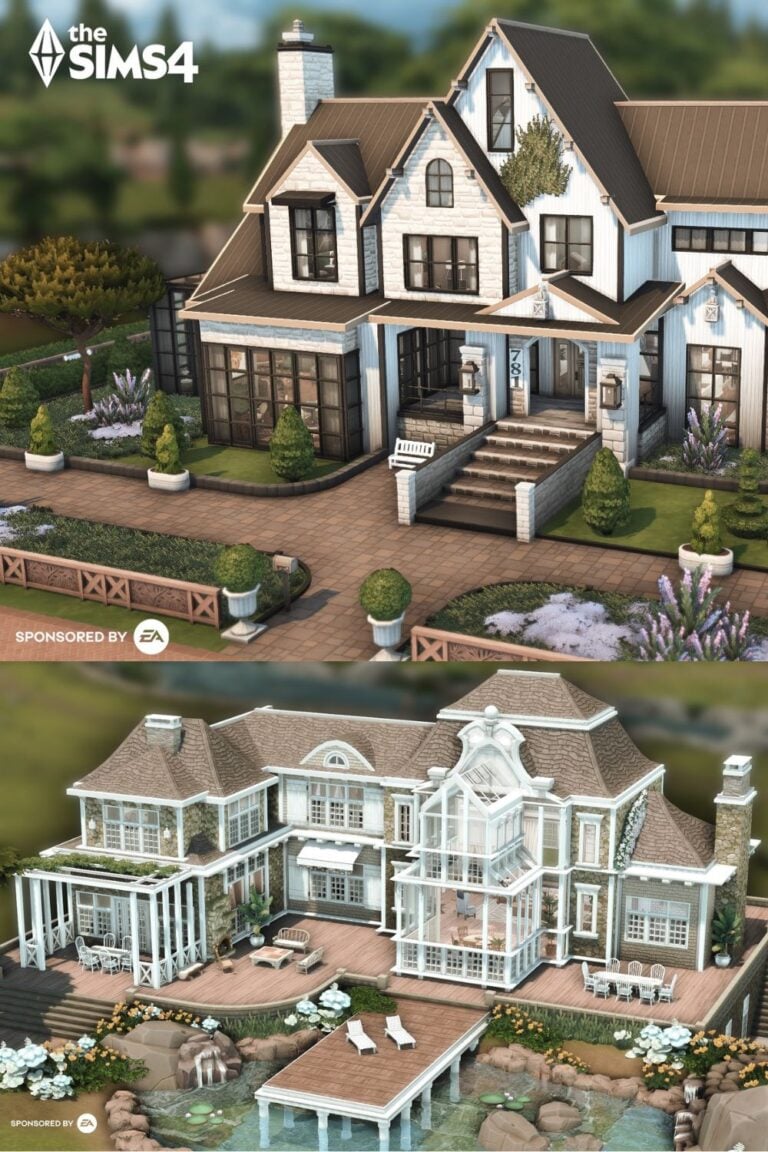

41 Sims 4 Floor Plan Ideas for Better Builds (Every Layout Style Covered)
Affiliate Disclosure
This post contains affiliate links. Pixels and Bloom may earn a commission when you purchase through these links, at no additional cost to you. All opinions are our own and we only recommend products we believe will genuinely benefit our readers.
Your Build Looks Off — And It’s Probably the Floor Plan
You place the walls. You add the furniture. You step back and look at the whole thing in camera mode.
Something’s wrong. The rooms feel awkward. The kitchen is too far from the dining room. The bedroom is oddly shaped and nothing fits in it right. The house looks like a series of disconnected boxes glued together rather than a home someone would actually live in.
This is a floor plan problem — and it’s the single most common reason builds don’t feel as good as the ones you see on TikTok or in the Gallery.
The difference between a forgettable build and one that stops people scrolling isn’t always the decor or the CC haul. It’s the bones — the underlying layout that determines how each room relates to the next, how natural light moves through the space, and whether your Sims can actually move through the house in a way that makes sense.
This post covers 41 Sims 4 floor plan ideas organized by household type, architectural style, and building challenge level. Whether you’re planning a starter home, a multi-generational family mansion, a rental property, or a fully themed dream build, there’s a layout here that fits.
Here’s exactly what we cover:
- The fundamentals of floor planning in Sims 4 (including the one tile rule that changes everything)
- Floor plans by household size — from solo starter to large family
- Floor plans by architectural style — modern, traditional, cottage, industrial, and more
- Multi-story and split-level layouts with platform tool guidance
- Specialty room layouts: home offices, gyms, studios, basements
- A complete FAQ targeting the most-searched Sims 4 building questions
- Tools and gear to make long build sessions more comfortable
Let’s fix those floor plans.
Before You Place a Single Wall: The Floor Planning Fundamentals
The One Tile = Three Feet Rule
The most useful insight for translating real-life floor plans into Sims 4 builds is this: one tile in The Sims 4 equals approximately three feet (about 90cm) in real life. A standard doorway is one tile wide. Most furniture — beds, sofas, dining chairs, appliances — fits in a one-tile footprint.
This means:
- A small 2-bed/1-bath starter home realistically needs around 20×15 tiles
- A comfortable family home (3-4 bed) works best on 30×20 to 40×30 tiles
- A large mansion or estate needs 50×50 or 64×64 tiles to breathe properly
When you try to fit a 4-bedroom house on a 20×15 lot, rooms feel cramped because they literally are — the proportions are off before you’ve placed a single sofa.
Functional Flow: The Kitchen-Dining-Living Triangle
In real-world residential design, architects follow the “kitchen work triangle” principle: the refrigerator, stove, and sink should form a triangle for maximum kitchen efficiency. In Sims 4, you can extend this to the kitchen-dining-living triangle — the three most-used social spaces in any home should be either connected (open plan) or adjacent (closed plan) so your Sims can move between them without routing across the entire house.
When these three zones are far apart, Sims spend huge amounts of time pathfinding between rooms — which kills the natural social gameplay that makes the game enjoyable.
Open Plan vs. Closed Plan: Choosing Your Approach
| Factor | Open Plan | Closed Plan |
|---|---|---|
| Visual feel | Spacious, modern | Intimate, traditional |
| Gameplay | More social interactions, easier to supervise children | More privacy, more distinct moods per room |
| Build difficulty | Easier — fewer walls to align | Requires careful room proportioning |
| Best for | Modern, minimalist, or contemporary builds | Victorian, cottage, farmhouse, historical |
| Lot size | Works on smaller lots | Needs more tiles to avoid cramped rooms |
Neither is objectively better — the right choice depends on the aesthetic you’re going for and the gameplay style you enjoy.
How to Use a Real Floor Plan as Reference
One of the most powerful building shortcuts in Sims 4 is using real-life house blueprints as your starting point. Here’s how experienced builders do it:
- Find a floor plan image (real estate sites, architecture sites, or Pinterest are great sources)
- Divide the real dimensions by half — a 44×28 ft plan becomes a 22×14 tile footprint in Sims 4
- Redraw the simplified version on grid paper, one square per tile
- Translate room by room into Build Mode, ignoring minor architectural details that don’t translate well (curved walls, bay window depths, closet alcoves)
This approach removes the blank-lot paralysis completely and gives your builds a realistic proportional logic that’s hard to achieve when designing from scratch.
The 41 Floor Plan Ideas
SECTION 1: Starter & Single-Sim Floor Plans
1. The Studio Starter (1 Room, All-in-One)
Lot size: 20×15 | Rooms: Studio | Difficulty: ⭐
The absolute beginner layout. One large room serves as bedroom, living area, and kitchen — divided purely by furniture placement rather than walls. A rug defines the sleeping zone. A kitchen island separates the cooking area. A sofa arrangement delineates the living space.
Layout formula: Entry → kitchen (left wall) → dining island (center) → living area (right) → sleeping nook (back corner, separated by a bookshelf or room divider object)
Pro Tip: Use bb.moveobjects to push the bed into a corner tight enough to feel intentional rather than just “the only place it fit.” Adding a half-wall or platform step to slightly raise the sleeping area transforms a studio into something that feels architecturally considered.
2. The Classic Starter Bungalow (1 Bed / 1 Bath)
Lot size: 20×15 | Rooms: 4 | Difficulty: ⭐
A simple rectangle divided into four zones: a combined kitchen/living area at the front, a bathroom and bedroom at the back, with a small entry hallway separating public from private.
Layout formula:
- Front half: open kitchen + living room (one large room)
- Back left: bathroom
- Back right: bedroom
- Optional: small front porch added outside the main rectangle
This is the layout that teaches you everything about proportion and flow. Get this one right and every future floor plan gets easier.
3. The L-Shaped One-Bedroom
Lot size: 25×20 | Rooms: 4 | Difficulty: ⭐⭐
An L-shape creates a natural division between public and private spaces without needing a long corridor. The long arm holds the open-plan living area; the short arm holds the bedroom and bathroom.
Why it works: The L creates an implied separation between the social zones (kitchen, dining, living) and the private zones (bedroom, bathroom) without walling them off completely. It also gives the exterior an interesting asymmetrical silhouette.
4. The Artist’s Loft (Open Plan + Mezzanine)
Lot size: 20×20 | Rooms: 3 | Difficulty: ⭐⭐
Ground floor is completely open — kitchen, dining, living, and a large creative workspace (easel, drafting table, instrument) all share one big room. A sleeping mezzanine above the living area is accessed by a spiral staircase or ladder.
Platform tool note: Build the mezzanine by placing a platform approximately 4–5 tiles above the ground floor level, spanning a 6×4 tile area over the back of the room. Add a ladder for access and a simple railing along the open edge.
Best for: Painter, writer, or musician Sims doing a creative career playthrough.
5. The Tiny Home Layout (Under 100 Tiles)
Lot size: 15×10 | Rooms: 2 | Difficulty: ⭐⭐
The Tiny Living Stuff lot bonuses require a Tiny Home lot type with a small enough footprint. The classic layout: one main room with kitchen, dining, and living combined, and a separate bathroom. Sleeping happens in a loft above, accessed by ladder.
Key principle: Every piece of furniture must justify its presence. Use the Murphy bed (from Tiny Living) to reclaim floor space when not sleeping. Build vertical — use the loft for storage and sleeping so the ground floor can be fully functional during daytime.
6. The One-Story Honeymoon Cottage (1 Bed / 1 Bath)
Lot size: 25×20 | Rooms: 5 | Difficulty: ⭐
A sweet, simple layout for a couple. Separate rooms but a short, logical flow between them. Entry leads directly to a combined kitchen/dining area; a doorway opens to a cozy living room; the bedroom and bathroom branch off a short hallway at the back.
Outdoor addition: A small garden patio off the living room dramatically extends the feel of the home without adding build complexity. Even a 4×6 tile outdoor terrace with a bistro table and a few potted plants makes this layout feel complete.
SECTION 2: Small Family Floor Plans (2–4 Sims)
7. The Craftsman Two-Story (3 Bed / 2 Bath)
Lot size: 30×20 | Rooms: 7 | Difficulty: ⭐⭐
Ground floor: open-plan kitchen, dining, and living room across the full width of the house; laundry room and a half-bath tucked to one side; a covered front porch. Second floor: master bedroom with en-suite, two secondary bedrooms, and a shared bathroom.
The Craftsman signature: Exposed wood ceiling beams on the ground floor, a deep covered porch with tapered columns, and a mix of stone and timber exterior details. The wide ground floor and narrower second floor is the classic Craftsman silhouette.
8. The Modern Split-Level (3 Bed / 2 Bath)
Lot size: 30×25 | Rooms: 8 | Difficulty: ⭐⭐⭐
The split-level uses different foundation heights across the house to create visual interest and zone separation without using a full second floor.
Layout formula:
- Entry level (standard foundation): living room and kitchen
- Half-level up (higher foundation or platform): dining room and family room
- Full second level: all three bedrooms and both bathrooms
Technical note: Build the lower section first on a standard foundation, then place the dining/family room section on a foundation set 2–3 steps higher. Use the platform tool to create the transition staircase between levels inside the house.
9. The Suburban Two-Story (4 Bed / 3 Bath)
Lot size: 40×30 | Rooms: 10 | Difficulty: ⭐⭐
The quintessential family home layout. Everything a family needs, cleanly organized across two floors.
Ground floor: Entry foyer → open kitchen/dining → family room → living room → laundry → half-bath → garage (decorative) Second floor: Master suite (bedroom + walk-in wardrobe + en-suite) → two secondary bedrooms → one shared bathroom → one kids’ bathroom
Pro Tip: Put the master bedroom at the opposite end of the second floor from the kids’ rooms. Even in a game, this separation makes the master suite feel like a private retreat rather than just another room off a corridor.
10. The Ranch-Style Single Story (3 Bed / 2 Bath)
Lot size: 40×20 | Rooms: 7 | Difficulty: ⭐⭐
A long, low, single-story layout where everything is spread horizontally across the lot rather than stacked vertically. Ranch layouts are excellent for players who find multi-story builds frustrating — all rooms are on one level, navigation is simple, and the footprint looks great with a wide, shallow exterior.
Layout formula: Bedrooms and bathrooms occupy one end of the rectangle; kitchen, dining, and living occupy the other; an entry/mudroom sits in the middle as a transition zone.
Exterior: Add a covered back patio running the full width of the house. Ranch homes live outdoors as much as indoors.
11. The Mid-Century Modern One-Story (3 Bed / 2 Bath)
Lot size: 40×25 | Rooms: 8 | Difficulty: ⭐⭐
Mid-century modern floor plans are characterized by a strong connection between indoor and outdoor spaces, open public zones, and private bedroom wings pushed to one end.
Layout formula:
- Public zone (front half): Large open living/dining/kitchen with floor-to-ceiling windows
- Private wing (back section): Three bedrooms and two bathrooms in a separate but connected wing
- Outdoor extension: A rear patio accessible from the living area through large sliding doors, with a pool or garden area
Signature details: Flat or low-pitched rooflines, large rectangular windows, exposed beam ceilings, and a palette of warm wood tones and white walls.
12. The A-Frame Layout (2 Bed / 1 Bath)
Lot size: 20×20 | Rooms: 5 | Difficulty: ⭐⭐⭐
The A-frame’s sloped walls mean the usable interior footprint narrows significantly on the upper level. Work with this constraint rather than against it.
Ground floor: Full-width living area and kitchen, one bathroom, one bedroom (or fold out bed nook) Upper loft (under the peak): One sleeping loft accessed by ladder — narrow but cozy, with the peak of the roof as the ceiling directly above the bed
Build challenge: The upper loft walls follow the roof pitch — use the slanted wall tool and set wall heights carefully to ensure the loft feels like a proper space rather than an awkward leftover area.
13. The U-Shaped Courtyard Home (3 Bed / 2 Bath)
Lot size: 40×30 | Rooms: 8 | Difficulty: ⭐⭐⭐
The U-shape wraps three sides of a central outdoor courtyard. This creates a private outdoor space that feels like an extension of the interior — perfect for Mediterranean, Spanish Colonial, or modern tropical aesthetics.
Layout formula:
- Left arm: kitchen, dining, living room
- Right arm: master bedroom + en-suite
- Back connector: two secondary bedrooms + shared bathroom
- Center: courtyard with a fountain, garden, or small pool
Key design move: Make the courtyard-facing walls of each room largely glass — sliding doors, large windows, or full glass walls. The value of a courtyard layout is the indoor-outdoor connection.
14. The Farmhouse Layout (4 Bed / 3 Bath)
Lot size: 40×30 | Rooms: 10 | Difficulty: ⭐⭐
A classic two-story farmhouse layout with warm, livable proportions.
Ground floor: Wraparound porch (exterior) → mudroom/entry → kitchen (with island) → open dining → living room with fireplace → laundry room → downstairs bathroom Second floor: Master suite (bedroom + walk-in + en-suite) → three secondary bedrooms → two shared bathrooms
Signature detail: A reading nook built into the landing at the top of the stairs — a window seat with bookshelves on either side. This small detail gives the second floor layout personality and makes the staircase arrival feel intentional.
15. The Cottage Layout (2 Bed / 1 Bath)
Lot size: 25×20 | Rooms: 6 | Difficulty: ⭐⭐
An asymmetrical layout that deliberately avoids the boxy rectangle. The main living area is a generous open room; a smaller kitchen is semi-separated by a half-wall; bedrooms and bathroom cluster in a back wing that sits slightly offset from the main rectangle.
Why the offset works: When the bedroom wing isn’t perfectly aligned with the living area, it creates an L or T-shaped footprint that looks far more interesting from the outside — and more like a house that grew naturally over time than one that was planned on a grid.
SECTION 3: Large Family & Generational Floor Plans
16. The Multi-Generational Two-Story (5 Bed / 4 Bath)
Lot size: 50×40 | Rooms: 14 | Difficulty: ⭐⭐⭐
Designed for the classic Sims 4 generational challenge — parents, children, and grandparents all living under one (large) roof.
Layout principle: Separate the adult/grandparent sleeping zone from the children’s zone. Put the grandparents’ suite on the ground floor (accessible, private, away from kid noise). Kids’ rooms go on the second floor or in a clearly separate wing.
Ground floor: Grandparents’ suite (bedroom + bathroom + small sitting room) → main kitchen/dining/living → family room → laundry Second floor: Master suite → three children’s bedrooms → two shared bathrooms
17. The Estate Manor (6+ Bed / 6+ Bath)
Lot size: 64×64 | Rooms: 20+ | Difficulty: ⭐⭐⭐⭐
A proper estate manor has distinct zones for different household functions rather than just more of the same rooms.
Wing structure:
- Family wing: Master suite + children’s bedrooms + family bathrooms
- Entertainment wing: Formal dining room + sitting room + library
- Service wing: Kitchen + laundry + butler’s pantry + staff quarters
- Recreation wing: Home gym + pool room/cinema + outdoor entertaining area
The key to avoiding a manor that feels like a random pile of rooms is the wing concept. Each wing has an architectural identity and flows logically from the central hallway or entrance hall.
18. The Generational Legacy Home (Growing Over Time)
Lot size: Start 30×20, expand to 50×40 | Difficulty: ⭐⭐
This is a floor plan strategy rather than a single layout — designed for legacy challenge players who want a home that can grow realistically as families expand across generations.
Gen 1: Basic 2-bed/1-bath bungalow on the left side of the lot. Gen 2: Add a second floor above the original footprint + extend the ground floor to the right for a new kitchen and living room. Gen 3: Add a full second floor above the extension, fill in the right side of the lot with a new wing for the grandchildren. Gen 4+: Add a basement, a detached garage/studio, or a guest cottage on the back of the lot.
Planning tip: When building Gen 1, leave room on the lot. Resist filling the lot immediately. The restrained start makes the generational expansion feel earned and visually logical.
19. The Large Modern Family Home (5 Bed / 4 Bath)
Lot size: 50×40 | Rooms: 14 | Difficulty: ⭐⭐⭐
A large contemporary home with a clean floor plan organized around an open social core.
Ground floor: Double-height entry foyer → open-plan kitchen/dining/living (the full width of the house) → dedicated family room → laundry → downstairs master suite (guest or in-law option) Second floor: Four bedrooms (one master, three secondary) → three bathrooms → a homework/study lounge in the upstairs hallway
Signature detail: The double-height entry foyer. Use a large room spanning two floors for the entry, with a floating staircase visible from the front door. This makes a big architectural statement from the moment guests arrive.
SECTION 4: Apartment & Urban Floor Plans
20. The Studio Apartment (City Living)
Lot size: Built within apartment lot | Rooms: 2 | Difficulty: ⭐
The most minimal urban floor plan. One main room handles everything except the bathroom. Use furniture placement to create zones: kitchen along one wall, dining island in the center, sofa arrangement facing a TV wall, bed in the far corner screened by a bookshelf.
Key trick: Use half-walls instead of full walls to separate the bathroom — it maintains the open feel while giving the bathroom visual privacy.
21. The City 1-Bed Apartment
Lot size: Built within apartment lot | Rooms: 4 | Difficulty: ⭐⭐
Layout: Narrow entry hallway → kitchen (galley-style, against one wall) → dining nook (small table + 2 chairs) → living room → bedroom → bathroom
Urban detail: City apartments have less outdoor space, so a balcony is essential. Even a 2×4 tile balcony off the living room with a bistro table and city-view railing makes the apartment feel complete.
22. The Two-Bedroom Apartment (For Rent)
Lot size: Built within For Rent lot | Rooms: 6 | Difficulty: ⭐⭐
Perfect for a couple, roommates, or a small family in an urban setting.
Layout: Entry hallway → open kitchen/dining → living room → two bedrooms flanking a shared bathroom (one bedroom on each side)
For Rent integration: Build this as one of two or three units in the same building — mirror the layout on the other side of the building for a realistic apartment block feel, with shared building entry and separate unit doors.
23. The Industrial Loft Layout
Lot size: 30×25 or apartment lot | Rooms: 3 | Difficulty: ⭐⭐⭐
Lofts are defined by what they don’t have — internal walls. The entire living space is one large open room with bathroom as the only enclosed space.
Zone division without walls:
- Kitchen zone: against one entire wall, with industrial open shelving above
- Dining zone: a large table in the center of the room, under an overhead industrial light
- Living zone: sunken or platform-raised area with a sofa arrangement facing a TV mounted on a brick wall
- Sleeping zone: mezzanine above the living area accessed by metal open-tread stairs
Platform use: The sleeping mezzanine is the key architectural feature. Set it 4 tiles high above the main floor, spanning about a third of the room’s total width.
24. The NYC Brownstone (Two-Unit)
Lot size: 20×30 | Rooms: 10 | Difficulty: ⭐⭐⭐
A narrow, tall building with two stacked residential units — classic New York rowhouse style.
Ground unit: Entry from street-level stoop → living/dining → kitchen → bedroom → bathroom (rear) Upper unit: Entry from internal staircase → same mirror layout, but with a roof terrace accessible from the upper bedroom
Width note: Brownstones are intentionally narrow (7–10 tiles wide). The long, narrow footprint is the defining characteristic — embrace it rather than fighting it.
SECTION 5: Multi-Story & Split-Level Layouts
25. The Classic Two-Story (Simple Stacked)
Lot size: 30×20 | Rooms: 8 | Difficulty: ⭐⭐
The most straightforward multi-story layout. The ground floor and second floor share the same footprint — the upper floor is simply placed directly above the lower floor.
Ground floor: Kitchen + dining + living + laundry + half-bath Second floor: All bedrooms + all full bathrooms
Why stacked works: Maximum efficiency with minimum building complexity. The staircase is in the same position relative to both floors, navigation is simple, and the exterior silhouette is clean.
26. The Offset Two-Story
Lot size: 40×25 | Rooms: 10 | Difficulty: ⭐⭐⭐
The second floor is smaller than the ground floor and positioned to one side — this creates an outdoor terrace or covered porch area on the roof of the ground floor extension.
Layout:
- Ground floor: Full-width living + kitchen + dining + one ground-floor bedroom + bathroom
- Second floor (offset, covering only 60% of the ground floor): Master suite + two secondary bedrooms + bathroom
- Terrace: The uncovered portion of the ground floor roof becomes an accessible outdoor terrace from the second floor
27. The Tri-Level Split
Lot size: 40×30 | Rooms: 10 | Difficulty: ⭐⭐⭐⭐
Three distinct floor levels — each separated by a small staircase — rather than two standard floors. This creates a cascading interior that looks highly architectural and works beautifully for hillside or sloped-lot builds.
Level 1 (lowest): Entry + living room Level 2 (mid, 4–5 steps up): Kitchen + dining + family room Level 3 (full floor above): All bedrooms + bathrooms
Technical approach: Build Level 1 on a low foundation. Build Level 2 on a noticeably higher foundation. Build Level 3 as a standard second floor above Level 2. Use interior staircases connecting each transition — placed against the wall where the foundation heights meet.
28. The Sunken Living Room Layout
Lot size: 30×25 | Rooms: 8 | Difficulty: ⭐⭐⭐
The sunken living room (also called a “conversation pit”) was a major mid-century modern design feature, and it translates beautifully into Sims 4 using the platform tool.
How to build it:
- Place the house on a foundation
- Build the living room as a separate room beside the main structure
- Delete the living room floor
- Lower this section by not using the foundation on this portion — the living room sits at ground level while the rest of the house sits elevated
- Connect with two or three steps down from the main floor
Effect: The sunken living room creates a cozy, intimate feel distinct from the rest of the house.
29. The Basement Floor Plan (Underground Expansion)
Lot size: Any | Rooms: 2–6 | Difficulty: ⭐⭐⭐
A properly designed basement adds significant liveable space without changing the exterior footprint. The key is giving the basement a purpose rather than just building it because you can.
Basement concepts:
- Teen hangout: gaming corner, TV area, small kitchenette, bathroom
- Home gym + spa: gym equipment + sauna + massage table + locker room bathroom
- Wine cellar + tasting room: racks of wine bottles (debug objects), a tasting table, stone walls
- Home cinema: curved seating, large screen, popcorn machine, dark moody lighting
- Underground lab or studio: perfect for scientist, writer, or criminal career Sims
Technical tip: Two basement levels are possible in Sims 4. The second basement is accessed via stairs from the first. Tall wall heights in the basement create a more dramatic, less claustrophobic feel.
30. The Attic Room Layout
Lot size: Any with a pitched roof | Rooms: 1–2 | Difficulty: ⭐⭐⭐
An attic room sits within the roof structure of a building, accessed via internal stairs from the floor below. Use dormer windows to bring light into the attic space.
Layout approach:
- The attic room must be positioned inside the roof footprint — smaller and set back from the edges compared to the floor below
- Dormer windows on the front and/or rear faces of the roof add natural light and exterior visual interest
- Ideal uses: a children’s playroom, a home office, a writer’s study, or a cozy reading room
SECTION 6: Specialty & Themed Floor Plans
31. The Home Office Layout (WFH-Ready Floor Plan)
A well-designed home office in Sims 4 isn’t just a desk shoved in the corner of the bedroom. Treat it as a proper room with its own dedicated space.
Ideal placement: Ground floor, away from the main social areas (kitchen/living), with a door that can be closed. Natural light from a window above the desk is a priority.
Room essentials: Desk + ergonomic chair, bookshelf, filing cabinet, a whiteboard or vision board decoration, good overhead lighting. For writer Sims, add a cozy armchair for reading. For tech-career Sims, add a second monitor and some server rack decor.
32. The Home Gym + Spa Wing
Minimum room size: 6×8 tiles for gym, 4×6 for spa
Adding a dedicated gym and spa wing is one of the most effective ways to give a large home build a luxurious feel. Keeping them adjacent creates a logical wellness zone.
Gym zone: Treadmills + weight machine + pull-up bar + yoga mat + water cooler + motivational poster art. Hard flooring (rubber tile or wood).
Spa zone: Sauna + massage table + soaking tub + steam shower. Warm lighting, plants, stone or tile walls. Connect to a small changing room with lockers.
33. The Master Suite Layout
A properly designed master suite is the most luxurious room in the house — and it’s where builders often either nail the details or miss them entirely.
Four-zone master suite:
- Sleeping zone: Bed + bedside tables + reading lamp + ceiling fan
- Dressing zone: Walk-in wardrobe — a separate room (minimum 3×4) with a full-length mirror, dressing table, and hanging rack decor
- Bathroom zone: Walk-in shower + soaking tub (both if space allows) + double vanity + toilet in its own enclosed nook
- Sitting zone: Two armchairs or a loveseat near a window — a private retreat within the retreat
34. The Chef’s Kitchen Layout
Kitchen layout has more impact on Sims’ daily routing than almost any other room in the house. A badly designed kitchen creates constant Sim traffic jams.
The working triangle: Refrigerator → stove → sink should form a compact triangle. Nothing should require your Sim to walk across the room between these three points.
Layout options:
- Galley: All appliances and counters on two parallel walls — efficient and works in narrow rooms
- L-shape: Appliances on two adjacent walls — good for open-plan spaces, leaves room for an island
- Island: L-shape or U-shape with a central island — the island doubles as prep space and informal dining. This is the most popular Sims 4 kitchen layout.
Counter continuity: Avoid leaving gaps between counter sections. Every gap forces your Sim to reroute around the counter, which breaks the cooking animation and looks unrealistic.
35. The Library / Reading Room Layout
A dedicated library is one of the most beloved specialty rooms in Sims 4 — especially for bookworm, writer, or knowledge-aspiration Sims.
Layout: Floor-to-ceiling bookshelves on at least two walls (use bb.moveobjects to stack bookshelf decor up to create a full wall of books). A comfortable armchair in the center with a side table and lamp. A large wooden desk for studying or writing. A rolling library ladder prop if you have CC.
Best placement: A quiet room away from the kitchen and social areas. Ground floor for easy access, or a dedicated upstairs room that becomes a private sanctuary.
36. The Creative Studio Layout (Art / Music)
For Sims pursuing creative careers (Painter, Musician, Writer), a dedicated studio dramatically improves both gameplay and aesthetics.
Painter’s studio: North-facing windows (for consistent light), an easel as the centerpiece, finished canvases displayed on the walls, art supply clutter on shelves, a drop cloth floor mat, a worn sofa for breaks.
Musician’s studio: A piano or guitar as the focal point, acoustic panels on the walls (use wood panel wall textures), microphone stand, instrument cases as decor, a recording console if available.
Writer’s studio: A large wooden desk with a computer and stacked papers, a wall of bookshelves, a comfortable reading armchair, mood lighting (avoid harsh overhead lights — use table lamps and floor lamps).
37. The Rental Multi-Unit Layout (For Rent Pack)
Lot size: 50×40 | Units: 3–6 | Difficulty: ⭐⭐⭐⭐
Designing a proper rental building for the For Rent pack requires thinking about the building as a whole rather than unit by unit.
Building structure:
- Shared ground floor entry lobby (mailboxes, a seating area, plants)
- Individual unit entrances off a shared corridor
- Each unit self-contained (kitchen, bathroom, living space, bedroom)
- Shared amenities: laundry room, rooftop terrace, or courtyard garden
Unit variety: Not all units need to be identical. A studio on the ground floor, a one-bedroom on the second, and a larger two-bedroom penthouse on the top floor creates a realistic, varied rental building.
38. The Horse Ranch Floor Plan
Lot size: 64×64 (use Chestnut Ridge lots) | Difficulty: ⭐⭐⭐
A horse ranch is as much about the land layout as the house.
Property zones:
- Main house: 3–4 bed farmhouse or ranch-style home, positioned at the front of the lot
- Stable building: Detached, positioned mid-lot — large open structure with individual stall spaces and a tack room
- Training paddock: Fenced arena area adjacent to the stables
- Back pasture: Open fenced area for horses to roam
- Utility area: Tool shed, water trough, hay storage, parking for a truck prop
Floor plan principle: Each zone of the ranch should have clear visual separation while still being functionally connected. The house looks out over the stables; the stables connect to the paddock; the paddock flows into the pasture.
39. The Haunted House / Dark Academia Floor Plan
Lot size: 50×40 | Difficulty: ⭐⭐⭐⭐
Dark and Gothic floor plans are all about creating atmosphere through architectural choices.
Layout principles:
- Long, narrow corridors rather than open hallways
- Rooms that feel slightly out of proportion (very tall ceilings, very narrow doorways)
- An unexpected central room — a grand library, a séance room, a portrait gallery
- A basement accessed by a hidden staircase (place behind a bookshelf for drama)
- A tower room at the top of a turret (use the Castle Estate Kit’s tower pieces)
Atmosphere details: Stained glass windows, stone floors, dark wood panelling, dramatic fireplace as the focal point of every main room, candelabra lighting throughout.
40. The Mixed-Use Commercial + Residential Layout
Lot size: 30×25 | Difficulty: ⭐⭐⭐
The Businesses & Hobbies expansion made mixed-use building a genuine gameplay option — your Sim lives above their business.
Ground floor (commercial): Shop front entrance → retail floor with display cases and product shelves → counter/register area → small stock room at the back Upper floor (residential): Private apartment — kitchen, living room, one or two bedrooms, bathroom. Accessed via a private staircase from the back of the commercial ground floor, separate from the shop entrance.
Pro Tip: Make the commercial and residential entrances completely separate — different doors on different sides or faces of the building. This creates a clean narrative separation between “work” and “home.”
41. The Grand Foyer + Symmetrical Mansion Layout
Lot size: 64×64 | Difficulty: ⭐⭐⭐⭐⭐
The ultimate floor plan challenge. A fully symmetrical mansion built around a central grand foyer — every room mirrored on both sides of the central axis.
Central axis: Grand entrance → double-height foyer with floating staircase → hallway connecting to all major rooms
Left wing: Formal dining room → kitchen → butler’s pantry → laundry Right wing: Formal sitting room → library → home office → music room
Second floor (symmetrical): Master suite on the central axis (directly above the foyer) → guest suites left and right → bathrooms flanking each suite
Build challenge: Maintaining symmetry requires constant reference to the ground floor as you build upward. Use the top-down camera view regularly to check alignment. The reward for getting this right is one of the most architecturally impressive builds possible in Sims 4.
Floor Plan Quick-Reference Guide
| Floor Plan | Size | Best For | Difficulty |
|---|---|---|---|
| Studio Starter | 20×15 | Single Sim | ⭐ |
| Classic Starter Bungalow | 20×15 | New players | ⭐ |
| L-Shaped One-Bedroom | 25×20 | Single Sim / couple | ⭐⭐ |
| Artist’s Loft | 20×20 | Creative Sims | ⭐⭐ |
| Tiny Home | 15×10 | Challenge players | ⭐⭐ |
| One-Story Honeymoon Cottage | 25×20 | Couple | ⭐ |
| Craftsman Two-Story | 30×20 | Small family | ⭐⭐ |
| Modern Split-Level | 30×25 | Intermediate builders | ⭐⭐⭐ |
| Suburban Two-Story | 40×30 | Family | ⭐⭐ |
| Ranch-Style Single Story | 40×20 | Casual builders | ⭐⭐ |
| Mid-Century Modern | 40×25 | Style-focused | ⭐⭐ |
| A-Frame | 20×20 | Intermediate | ⭐⭐⭐ |
| U-Shaped Courtyard | 40×30 | Mediterranean / tropical | ⭐⭐⭐ |
| Farmhouse Two-Story | 40×30 | Large family | ⭐⭐ |
| Cottage Asymmetrical | 25×20 | Aesthetic builders | ⭐⭐ |
| Multi-Gen Two-Story | 50×40 | Legacy players | ⭐⭐⭐ |
| Estate Manor | 64×64 | Advanced builders | ⭐⭐⭐⭐ |
| Generational Legacy | Grows over time | Legacy challenge | ⭐⭐ |
| Large Modern Family | 50×40 | Big families | ⭐⭐⭐ |
| Studio Apartment | Apartment lot | Urban Sim | ⭐ |
| City 1-Bed Apartment | Apartment lot | City Living | ⭐⭐ |
| Two-Bedroom Apartment | For Rent lot | Landlord players | ⭐⭐ |
| Industrial Loft | 30×25 | Style builders | ⭐⭐⭐ |
| NYC Brownstone | 20×30 | Urban builders | ⭐⭐⭐ |
| Classic Two-Story Stacked | 30×20 | All players | ⭐⭐ |
| Offset Two-Story | 40×25 | Intermediate | ⭐⭐⭐ |
| Tri-Level Split | 40×30 | Advanced | ⭐⭐⭐⭐ |
| Sunken Living Room | 30×25 | Style builders | ⭐⭐⭐ |
| Basement Expansion | Any | All players | ⭐⭐⭐ |
| Attic Room | Any pitched roof | Intermediate | ⭐⭐⭐ |
| Home Office Suite | Any | WFH-career Sims | ⭐⭐ |
| Gym + Spa Wing | Large homes | Luxury builds | ⭐⭐ |
| Master Suite | Large homes | Detail builders | ⭐⭐ |
| Chef’s Kitchen | Any | All builders | ⭐⭐ |
| Library / Reading Room | Any | Bookworm Sims | ⭐⭐ |
| Creative Studio | Any | Career Sims | ⭐⭐ |
| Rental Multi-Unit | 50×40 | Landlord players | ⭐⭐⭐⭐ |
| Horse Ranch | 64×64 | Horse Ranch pack | ⭐⭐⭐ |
| Haunted House / Dark Academia | 50×40 | Gothic builds | ⭐⭐⭐⭐ |
| Mixed-Use Commercial + Residential | 30×25 | Biz & Hobbies pack | ⭐⭐⭐ |
| Symmetrical Grand Mansion | 64×64 | Expert builders | ⭐⭐⭐⭐⭐ |
Advanced Floor Planning Techniques
The Platform Tool: Your Most Powerful Layout Asset
Added in the Snowy Escape patch (free for all players), the platform tool is one of the most transformative additions to Sims 4 Build Mode ever made. It creates raised or lowered surfaces within a room, allowing for split-level interiors, mezzanines, sunken areas, and custom staircases — all within a single floor level.
Where to find it: Build Mode → Walls and Empty Rooms → Platform Tool
How it works: Click and drag to place a platform, just like drawing a room. Use the up/down arrows to adjust height in steps. Each step equals the height of one stair. Add stairs from the platform tool’s catalogue to connect different platform heights.
Key platform applications for floor plans:
- Mezzanine sleeping loft above an open plan living area
- Sunken conversation pit in a living room
- Raised kitchen area above a lower dining zone
- Multi-step entrance foyer with a landing effect
- Decorative display shelving (non-accessible raised platforms)
Designing for Sim Pathfinding
The most beautiful floor plan in the world will frustrate you in gameplay if your Sims can’t navigate it efficiently. A few rules to keep in mind:
Doorway placement: Every room needs at least one doorway wide enough for a single Sim to pass through. Never block doorways with furniture — even furniture that’s technically beside the door can catch Sims’ routing if it overlaps the doorway tile.
Kitchen counter continuity: Leave a gap at each end of a kitchen counter run for Sim access. Counter islands need at least one tile of clear walkway on every accessible side.
Staircase clearance: Stairs need a minimum of one clear tile at the top and bottom for Sims to approach and exit. Don’t place furniture right at the base of stairs — Sims will get stuck.
Bathroom spacing: Toilets, showers, and bathtubs all need at least one clear tile in front of them for Sims to access. Check this carefully in the bathroom — it’s the room where access blocking most commonly happens.
🎮 Build Better with the Right Setup
Long floor-planning sessions — especially when you’re working on something complex like a symmetrical mansion or a multi-unit rental building — can run for hours. The experience is dramatically better with the right hardware.
For the serious Sims 4 builder on PC: Razer → gaming mice with precision sensors make the fine-grained work of Sims 4 Build Mode noticeably more accurate. Precise wall placement, furniture rotation, and platform tool work all benefit from a responsive, high-DPI mouse. A Razer gaming laptop also handles the memory load of running Sims 4 with CC packs loaded — no stuttering, no lag, just smooth building.
For your desk: If you’re spending 4–6 hours in a building session (and you will), a Flexispot → standing desk keeps you energized and physically comfortable. Switching between sitting and standing every hour or so during a long build session genuinely reduces fatigue. Flexispot’s electric height-adjustable desks are a popular choice among content creators and gamers who take their setup seriously.
🖨️ Your Floor Plans Are Portfolio-Worthy — Treat Them That Way
Here’s a perspective shift worth considering: the floor plans and builds you create in Sims 4 represent hours of creative design work. They’re not just game saves — they’re genuine creative output.
Printify → lets you turn your best Sims 4 build screenshots — overhead aerial floor plan shots, beautiful interior photography angles, dramatic exterior shots — into physical prints, canvases, mugs, or phone cases. If you’re building a social media presence around your Sims builds, Printify merch lets your audience carry a piece of your creative work with them in the real world. Zero upfront cost, ships on demand.
Frequently Asked Questions
What is the best floor plan for Sims 4 beginners?
The classic starter bungalow (Floor Plan #2) is the best starting point for new builders — a simple rectangle divided into four zones, with one bedroom, one bathroom, and a combined kitchen/living area. It teaches you the fundamentals of wall placement, doorway positioning, and room proportioning without any complex techniques. Once you can build this confidently and furnish it well, you have the foundation skills to attempt any layout on this list. Don’t underestimate simple floor plans — a beautifully decorated simple layout always outperforms a complex layout that’s poorly executed.
How do I make my Sims 4 floor plans look realistic?
The biggest gap between generic Sims builds and realistic-looking ones is usually room proportioning. Real homes don’t have perfectly equal-sized rooms — the living area is the largest room, bedrooms are medium, bathrooms are compact, and specialty rooms (office, laundry) are small. Use the one tile ≈ three feet rule to proportion rooms appropriately. Also avoid perfectly symmetrical room arrangements — real floor plans have slight asymmetries and irregularities that make them feel lived-in. An L-shaped or T-shaped footprint almost always looks more realistic than a pure rectangle.
What lot sizes work best for different floor plans?
As a general guide: single-Sim or couple’s homes work best on 20×15 to 25×20 lots; small family homes (3–4 Sims) suit 30×20 to 40×30 lots; large families and multi-generational households need 50×40 or larger; and full estate or mansion builds require 64×64 lots. Trying to build a large family home on a small lot results in cramped rooms and poor Sim pathfinding. When in doubt, go one lot size up from what you think you need — extra outdoor space is always useful and you can always landscape the remaining area.
How do I use the platform tool for split-level floor plans?
The platform tool is found in Build Mode under Walls and Empty Rooms. To create a split-level effect: place the main house on a standard foundation, then use the platform tool on the interior section you want to be lower or higher. Lower platforms are achieved by placing a platform on the ground level (without a foundation beneath that section). Raise other sections by adding platform steps. Connect different levels with stairs from the platform catalogue. The key limitation to know is that platforms can’t cross between different floor levels — all your split-level work happens within a single floor level using the platform height adjustments.
Can I follow real-life floor plans in Sims 4?
Yes — and this is one of the best building techniques available. The standard approach is to divide the real-world room dimensions by half (so a 40-foot room becomes a 20-tile room in Sims 4). Redraw the simplified plan on grid paper first, one square per tile, then translate room by room into Build Mode. Not every architectural detail translates perfectly — avoid real plans with curved walls, complex diagonal features, or tiny closet alcoves, as these are difficult to replicate. Focus on the overall room arrangement and proportions rather than exact architectural details.
What’s the most common floor planning mistake in Sims 4?
Making every room the same size. New builders often draw out a floor plan where all rooms are approximately equal — and the result looks like a row of storage units rather than a home. In reality, living areas should be significantly larger than bedrooms, which should be larger than bathrooms. The kitchen should be generous (it’s where Sims spend a lot of time). Hallways should be minimal — one tile wide for single-Sim traffic, two tiles for well-trafficked central corridors. A second common mistake is not testing Sim pathfinding before calling a build finished — what looks good in Build Mode can play horribly if doorways are blocked or corridors are too narrow.
How do I add a basement to my Sims 4 floor plan?
Access the basement tool in Build Mode under Walls and Empty Rooms. Draw the basement room below your existing ground floor — it will appear one level underground. Sims can only access a basement if you add a staircase connecting the ground floor to the basement level. Basements can have any wall height (taller heights feel less claustrophobic), windows can be placed by adding an interior wall one tile in from the basement perimeter wall, and two basement levels are possible for a total of six building levels. Plan for your basement during the initial floor plan stage rather than adding it afterward — it’s much easier to design with the basement in mind from the start.
Conclusion: Plan First, Build Better
Every great build starts before you place a single wall. It starts with a question: what kind of space am I creating, who lives here, and how will they move through it?
The floor plan answers those questions. Get the bones right, and the decorating, the landscaping, the roofline work, and the finishing details all fall into place more easily. Get the bones wrong, and no amount of CC or beautiful furniture can fully rescue a layout that doesn’t work.
Your action steps:
- Pick the floor plan from this list that matches your current build goal.
- Before opening Sims 4, sketch the rough layout on paper or a notes app — even five minutes of rough planning saves an hour of wall-demolition frustration in Build Mode.
- Use the lot size guide to make sure your chosen lot gives the floor plan enough room to breathe.
- Enable
bb.moveobjectsandbb.showhiddenobjectsbefore you start — you’ll need both. - Build the floor plan shell first (all rooms roughed in, stairs placed, all doorways positioned) before placing a single piece of furniture. Furnish only after the layout is working.
And if you want more Sims 4 build inspiration once you’ve nailed the floor plan, check out our guides below.
🔗 Recommended Tools & Affiliates
| Brand | What They Offer | Why Sims Players Love Them |
|---|---|---|
| Razer → | Gaming mice, keyboards, headsets, laptops | Precision and performance for long build sessions |
| Flexispot → | Ergonomic standing desks | Comfort during marathon Sims building sessions |
| Printify → | Print-on-demand merch | Turn your Sims build screenshots into real-world art |
| Shockbyte → | Game server hosting from $1.99/month | For Sims players who also love multiplayer gaming |
| GG Servers → | Game server hosting from $3.00/month | Alternative hosting for gaming communities |
Keep Exploring on Pixels and Bloom
These posts pair perfectly with your new floor plan skills:
- [Internal Link #1] — 31 Sims 4 House Ideas for Your Next Build — find the right style to match your floor plan
- [Internal Link #2] — 35 Sims 4 House Inspiration Ideas (coming soon)
- [Internal Link #3] — 39 Sims 4 Living Room Ideas — furnish that open-plan living zone beautifully (coming soon)
- [Internal Link #4] — Best Sims 4 Expansion Packs Ranked — know which packs unlock the best floor plan tools
Affiliate Disclosure: This post contains affiliate links. Pixels and Bloom may earn a commission when you purchase through these links, at no additional cost to you. All opinions are our own and we only recommend products we believe will genuinely benefit our readers.