
Cute Sims 4 Gaming Setup Ideas (In-Game CC + Real-Life Inspo)
Affiliate Disclosure
This post contains affiliate links. Pixels and Bloom may earn a commission when you purchase through these links, at no additional cost to you. All opinions are our own and we only recommend products we believe will genuinely benefit our readers.
There’s something quietly ironic about playing Sims 4 on a bare desk with a single monitor, a tangled USB cable, and a mug of cold tea threatening to topple your mousepad. Arghhhhhhh!
Your Sim, meanwhile, has a dedicated gaming room with dual monitors, a glowing LED headphone stand, a Sanrio-themed chair, cat-eared peripherals, and plushies on every shelf.
This post fixes both problems.
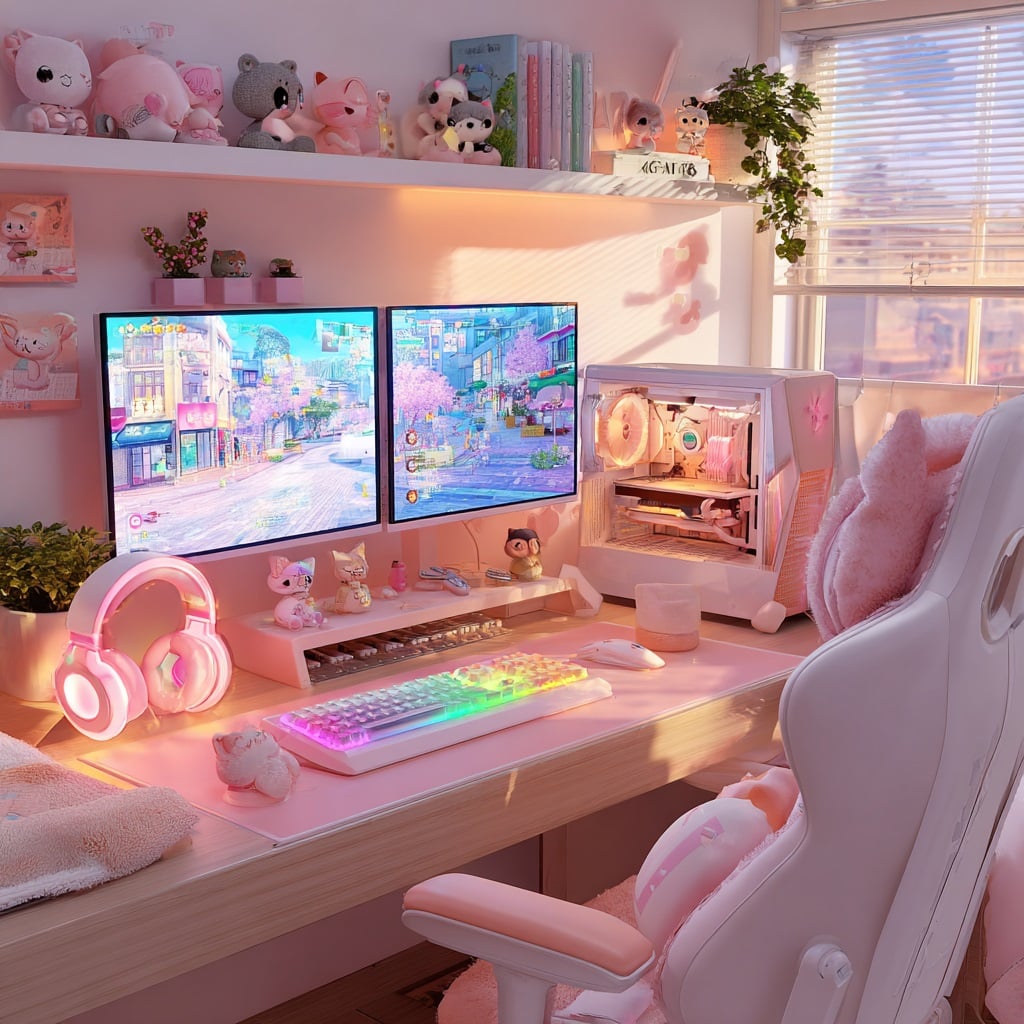
We’re covering cute Sims 4 gaming setup ideas from two angles that feed each other perfectly – what to build inside your game using CC, and what that same aesthetic looks like translated into your actual real-life desk space. If you’re here for the build inspiration, the CC finds, the IRL setup inspo, or all three, there’s a complete guide waiting for you.
What’s you’ll find in this post:
- 7 distinct cute gaming setup aesthetics, from kawaii pastel to dark academia gamer to cottagecore nerd
- The best Sims 4 gaming room CC for each aesthetic (specific sets, creators, download sources)
- Real-life counterpart ideas for each aesthetic: what desk, peripherals, and decor bring each look to life
- A build guide – how to construct the perfect in-game gaming room step by step
- How to bridge both worlds with Printify (turn your in-game screenshots into actual desk accessories)
- The Razer Quartz and Phantom White collections for players who want their real desk to match their Sim’s
- A full FAQ covering every question about Sims 4 gaming CC and aesthetic desk setups
Now let’s build something beautiful.
Why Cute Gaming Setups Are Having a Moment
The “serious gamer” aesthetic – black desk, RGB everything, aggressively angular peripherals, has dominated gaming spaces for years. But increasingly, the setups getting the most attention on TikTok, Pinterest, and YouTube are something else entirely: pastel, curated, personal, and cute.
Aesthetic gaming setups grew out of the same cultural moment that gave us cottagecore, maximalist bookshelf tours, and “desk setup” as its own content genre. Gamers and especially Sims 4 players, who skew heavily toward design-oriented, aesthetically minded audiences, started treating their desk the way they’d treat any other room in their home. With intention. With a color palette. With plushies. And I love this shift! So love it!
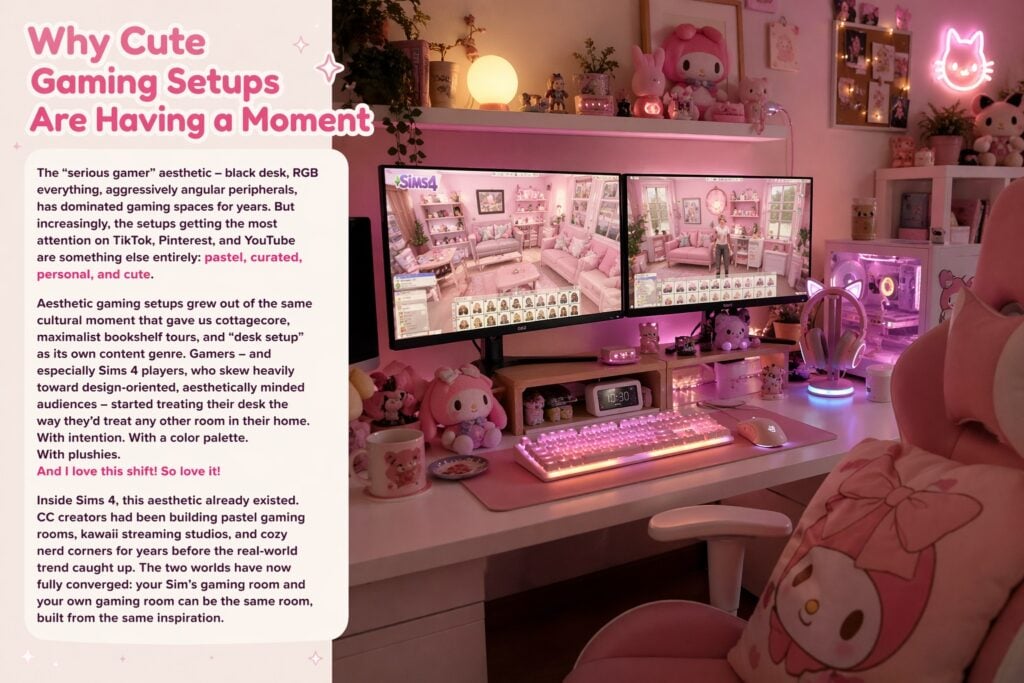
Inside Sims 4, this aesthetic already existed. CC creators had been building pastel gaming rooms, kawaii streaming studios, and cozy nerd corners for years before the real-world trend caught up. The two worlds have now fully converged: your Sim’s gaming room and your own gaming room can be the same room, built from the same inspiration.
The 7 Cute Gaming Setup Aesthetics – In-Game and IRL
1. Kawaii Pastel
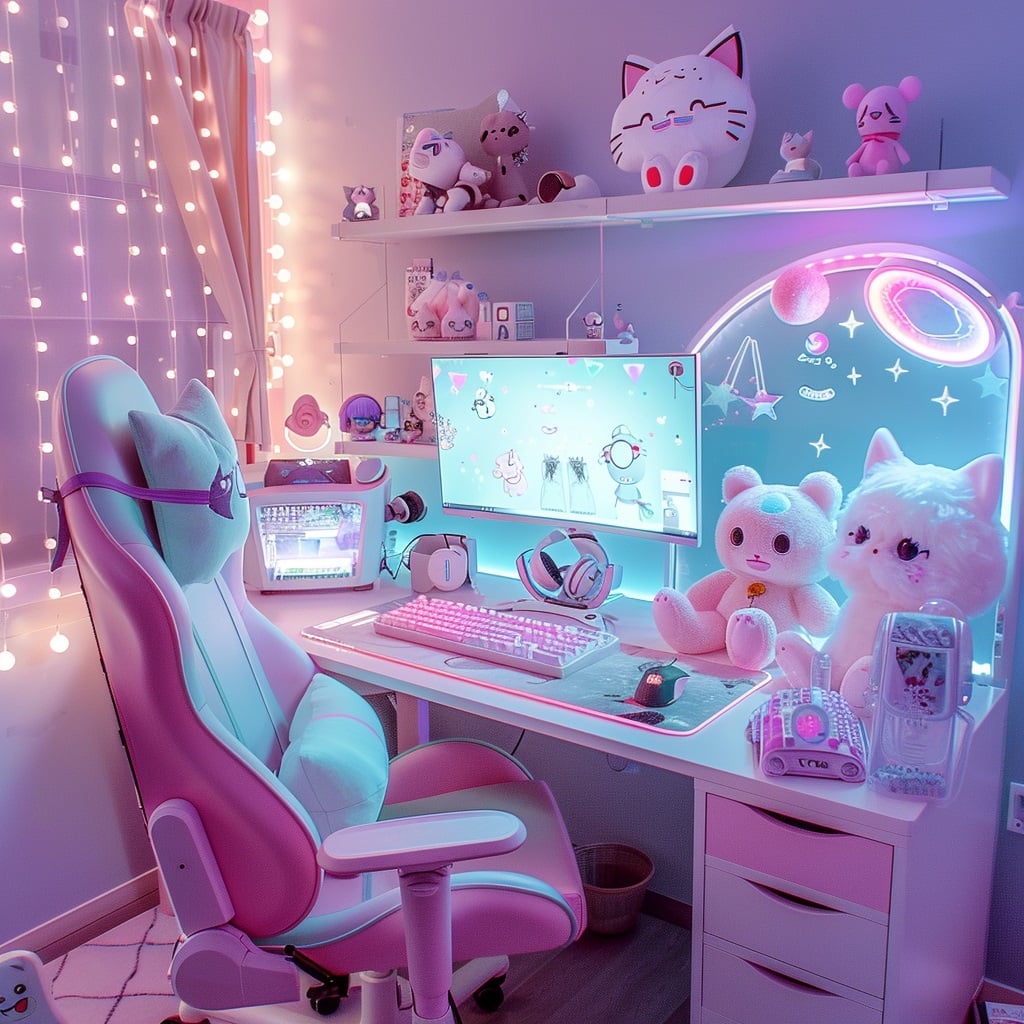
The vibe: Soft pinks, lavenders, and mint greens. Cat-eared headphones. Sanrio-adjacent energy. Plushies on every available surface. LED glow that feels like a sunset rather than a nightclub.
This is the most searched and most recreated gaming setup aesthetic in both Sims 4 CC and real-world inspiration boards. It’s also the aesthetic that the Sims 4 CC community has served most comprehensively.
In-Game: Kawaii Pastel Sims 4 Gaming CC
SnootySims – Cute Gamer Set (CurseForge, 361K+ downloads)
The single most-downloaded cute gaming room CC in the community. The Cute Gamer Set features a pastel-themed desk setup with dual monitors, a matching gaming chair, plushies arranged on and around the desk, and six swatch options that move through soft pink, lavender, mint, and white. Everything coordinates – this is one of those rare CC sets where you can place all the pieces and the room looks finished without additional decoration.
Find it: Search “SnootySims” in Build/Buy or download from CurseForge.
We Want Mods – Kawaii Gamer Set Parts 1 & 2
Two companion sets that together build the most complete kawaii gaming room available in Sims 4. Part 1 introduces bunny-eared streaming equipment (mic, webcam, ring light) in eight pastel color options. Part 2 adds a Sanrio gaming chair recolor, four computer variations, a decorative keyboard, and a pegboard, the combination of functional and decorative items is exactly right.
Find it: wewantmods.com – search “Kawaii Gamer.”
HYDRA – Kawaii Neko Gaming Station
Seven-piece base-game-compatible set built around a cat theme throughout. The standout feature is the snap-together assembly: place the station, snap the gaming setup into place, snap the chair to it. The chair functions as a standalone living chair too, making it versatile beyond just gaming rooms. The Nintendo DS deco piece and cat-ear monitor bring the kawaii theme to the technology itself, not just the surrounding decor.
Find it: HYDRA’s Patreon (public release) and TSR.
HYDRA – Nyanware Set
Fifteen items centered on an expanded cat theme for larger gaming spaces. Includes a functional PC, cat-ear monitor, the Nintendo DS deco piece, plus additional shelving, decor, and accessory items that give a kawaii gaming room genuine depth. This is the set for players who want the full room, not just a desk corner.
Find it: HYDRA’s Patreon and TSR.
IRL: Building a Kawaii Pastel Gaming Setup
The real-world counterpart to this aesthetic is the Razer Quartz collection – Razer’s dedicated pink peripheral line, which makes coordinating your entire desk in matching pastel pink genuinely achievable.
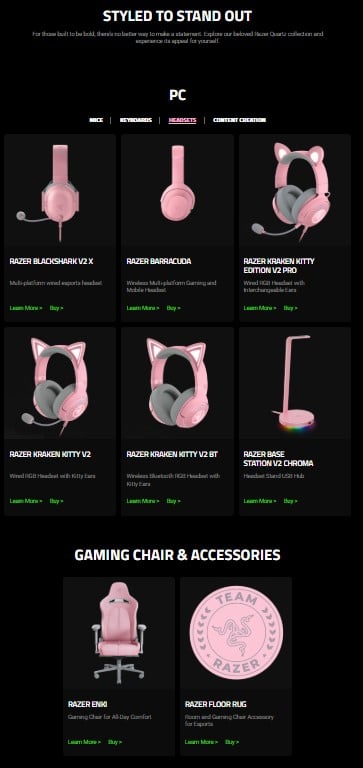
The Razer Quartz Core Build:
- Razer BlackShark V2 X Headset (Quartz Pink) – ~$38–60. Multi-platform wired esports headset in baby pink. Entry point to the collection and a great-sounding headset regardless of color.
- Razer Kraken Kitty V2 (Quartz Pink) – ~$74–90. The cat-eared headset. The mascot of the kawaii gaming aesthetic. USB wired with RGB ear cups and retractable mic. If you want one piece that communicates “kawaii gamer” immediately, this is it.
- Razer Huntsman V2 TKL Keyboard (Quartz Pink) – ~$159.99. Tenkeyless optical keyboard in matching pink with ergonomic wrist rest and Doubleshot PBT keycaps. Compact format frees up desk space for the plushies and accessories that complete the aesthetic.
- Razer Orochi V2 Mouse (Quartz Pink) – Wireless, compact, long battery life. Perfect for kawaii setups where desk real estate is precious.
- Razer Strider Mousemat (Quartz Pink) – ~$29.99. Hybrid soft/hard surface in matching pink. The detail that pulls the whole color story together.
Beyond the peripherals: Acrylic floating shelves above the desk for plushies and collectibles. Pastel LED strip lighting behind the monitor (not aggressively bright – warm, diffused glow). A custom desk mat with a Sims 4 screenshot or kawaii pattern from Printify. A plush gaming chair in blush or lavender.
The Desk: A Flexispot → electric standing desk in white provides the clean, light base that kawaii setups need – the pale surface lets the pink accessories read clearly rather than competing with a dark desk. The E6 model starts at approximately $340 and adjusts between sitting and standing with memory presets, which matters for the long Sims sessions that a beautiful setup naturally invites.
Pro Tip: Kawaii setups live or die by the plushie game. Don’t skip this. One shelf of coordinated stuffed animals, Funko-style figures, and small plant pots transforms a “pink desk” into a “kawaii gaming setup.”
2. Cozy Streamer
The vibe: Warm wood tones, soft lighting, dual monitors with a ring light, a visible bookshelf, plants, and the sense that this is someone’s actual creative workspace, not a staged photo. Inviting rather than impressive.
This aesthetic is the most popular among Sims 4 content creators in-game because it photographs well, tells a story about the Sim who lives in it, and works in apartments, bedrooms, and dedicated home studios equally well.
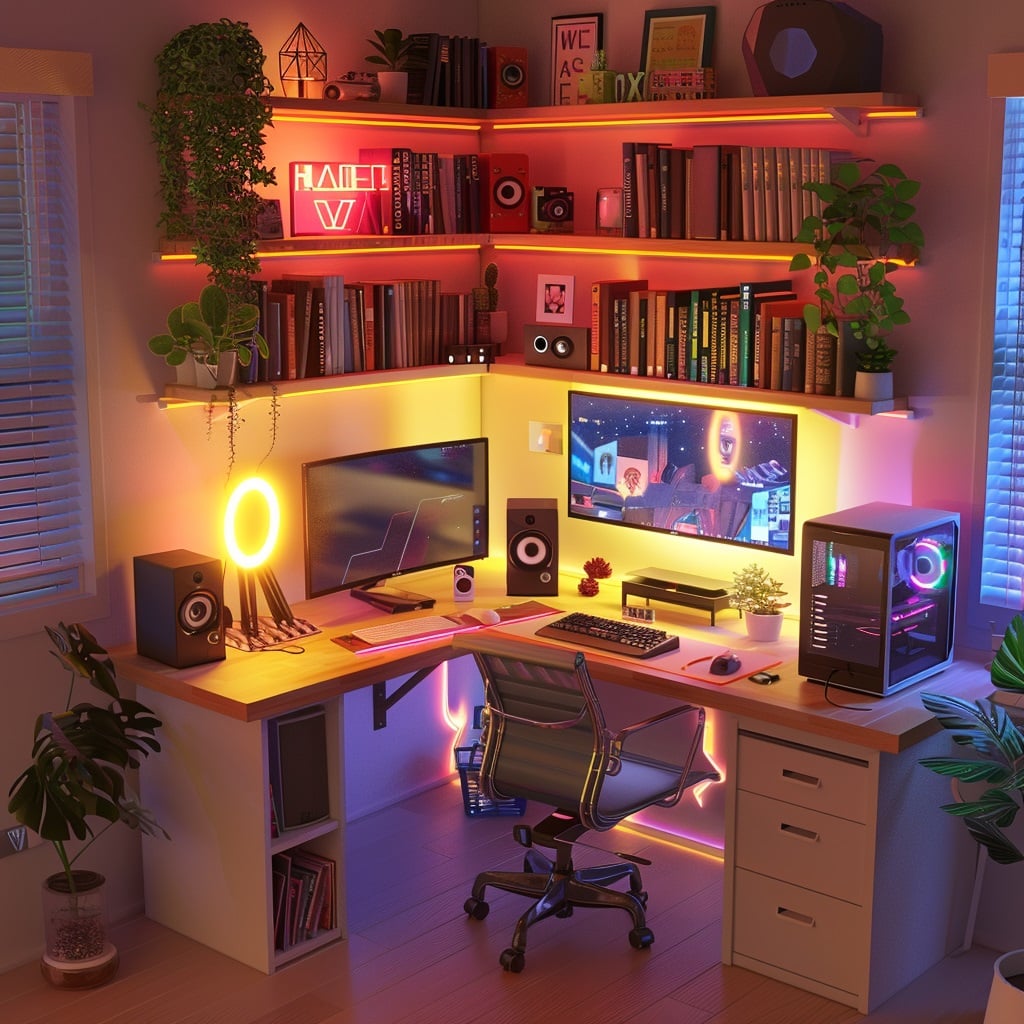
In-Game: Cozy Streamer Sims 4 Gaming CC
Syboubou – “The Perfect Night” Geek Set
Eight items – cube shelving, dual monitors, a gaming chair, a new desk, two neon lights, a headphone stand, and a speaker. The neon lights are the secret weapon: they provide exactly the warm-but-modern streamer aesthetic glow without feeling like a rave. Multiple swatches across warm and cool palettes. Base-game compatible.
Find it: TSR (search “Syboubou Geek Set”) or Syboubou’s Tumblr.
Bárbara Sims – Video Station
A streaming and editing station that combines both functions in one piece of CC. Ring light, monitor, editing deck, and multiple lighting options for the surrounding decor (including a small decorative moon). Designed specifically for content creator Sims, with a warm wood-and-glow aesthetic that reads immediately as “someone who makes things here.”
Find it: Bárbara Sims’s Patreon (public tier) and Tumblr.
ddaeng-sims – Aesthetic Gaming Set
A beautiful, cozy PC case setup centered on the aesthetic of the PC itself as a display object – glass-panel case, visible components with warm glow, desk integration. PC aesthetics have become their own design subcategory in real-world gaming setups, and ddaeng-sims translated this perfectly for Sims 4. The result is a gaming setup that looks grown-up and beautiful rather than generically “gamer.”-Find it: ddaeng-sims Tumblr.
IRL: Building a Cozy Streamer Setup
The key element: Warm, layered lighting. The cozy streamer look depends on not having harsh overhead light. A ring light behind the monitor, a desk lamp with warm bulb temperature, and ambient LED strip lighting in a warm white or amber tone create the right environment.
For streamers specifically: A boom mic arm keeps the mic in position without cluttering the desk. A ring light on the desk or wall behind the monitor gives your face soft, flattering illumination whether you’re going live or recording. These are the two functional items that also read as aesthetic in a streamer setup.
The desk: A Flexispot → standing desk is particularly useful for streamer setups because the height-adjust function means you can find the exact monitor distance and camera angle that works for you. Standing while streaming also keeps energy higher and posture more natural on camera.
Decor: The “personality shelf” is the defining element of a cozy streamer setup – a bookshelf or floating shelf visible in the background that tells the audience who you are. Books, figures, plants, awards, mementos. The background is part of the stream.
3. Dark Academia Gamer
The vibe: Deep navy, forest green, or charcoal color palette. Warm golden lighting. Books everywhere. Vintage-adjacent furniture. A chess set. The sense that your Sim is equally likely to be writing a novel or defeating a boss.
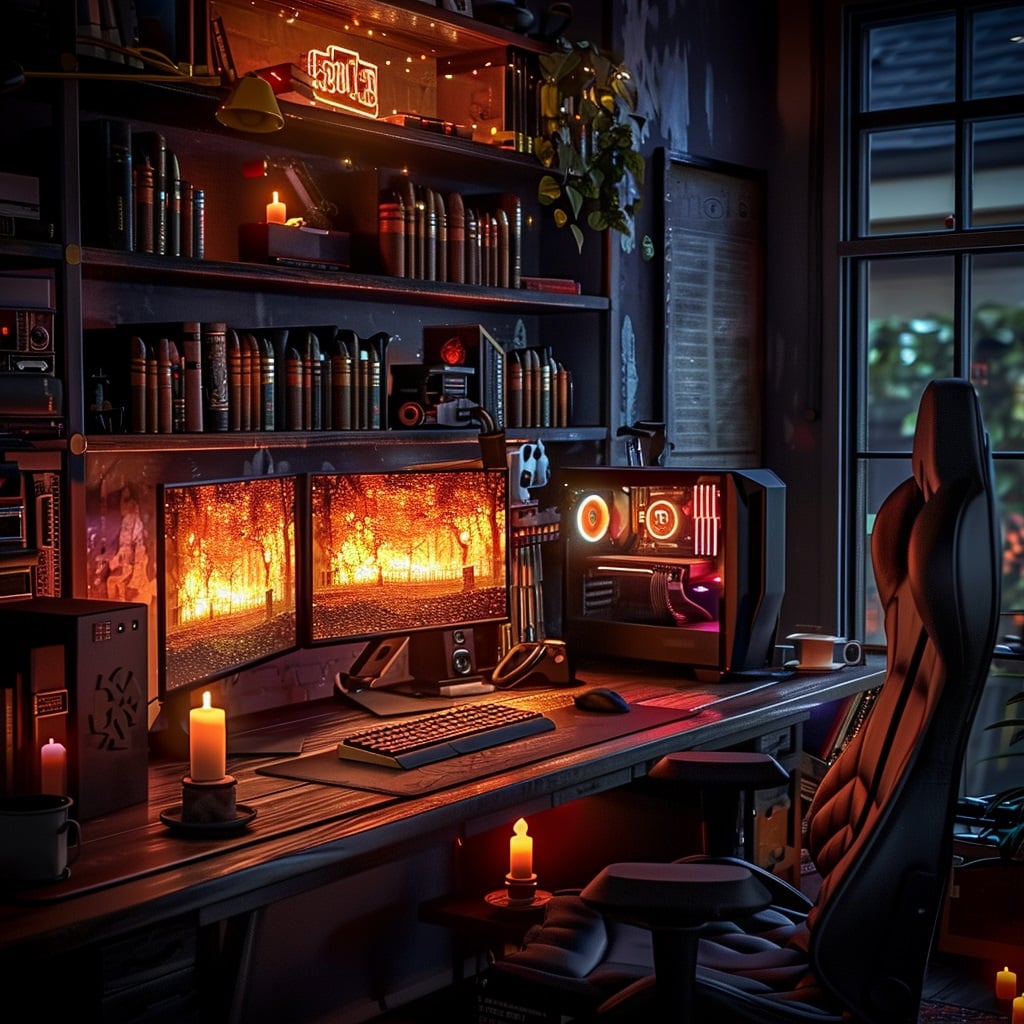
In-Game: Dark Academia Sims 4 Gaming CC
SnootySims – Battlestation Set (2025 Revamp)
The 2025 revamp of one of the most-downloaded gaming CC sets in Sims 4 history. Everything from an ultra gaming PC to Monster energy drink. It’s the “serious gamer who happens to be aesthetic” vibe. Available in darker palettes that work perfectly for dark academia or moody gaming rooms.
Find it: CurseForge (search “SnootySims Battlestation”).
We Want Mods – Gaming Room Furniture Pack
Twelve items covering gaming chairs, rugs, neon signs, streaming gear, and wall decor, with swatches in darker tones. The neon signs in this pack deserve specific attention – a well-placed neon sign is one of the most effective single items for defining a gaming room’s character, and the dark academia aesthetic particularly benefits from the warm glow of a neon word or phrase against a dark wall.
Find it: wewantmods.com – see the Sims 4 gaming room CC roundup.
Syboubou – Jules Bedroom (for the background)
Dark academia gaming rooms need a room, not just a desk. The Jules bedroom’s 15-piece set (available in deep, textured color options) provides the furniture language that makes a gaming nook feel like it exists within a thoughtful, book-filled living space rather than floating in an empty room.
Find it: TSR and Syboubou’s Tumblr.
IRL: Building a Dark Academia Gamer Setup
Color: Deep green, navy, or dark wood desk. This is the one aesthetic that benefits from a darker desk surface – a walnut-finish Flexispot → standing desk sits beautifully in a dark academia setup. The E6 model is available in walnut and black desktop options that match the aesthetic naturally.
Peripherals: The Razer Phantom White collection creates an interesting contrast here — translucent white peripherals with RGB lighting against a dark desk and green or navy walls create a deliberately striking visual tension. The keyboard, mouse, and headset all show their internal components through translucent chassis, making the technology itself feel like a display object.

Lighting: A single warm desk lamp (Anglepoise or similar) rather than ambient RGB. A few LED strips in very warm white behind shelving. The point of dark academia lighting is intentional warmth in targeted areas rather than room-filling glow.
Books: Non-negotiable. A visible bookshelf in the background transforms the aesthetic completely.
4. Cottagecore Nerd
The vibe: Wildflowers on the windowsill. A handmade desk mat. Fairy lights in a mason jar. A Nintendo Switch dock next to a pressed flower frame. Natural wood, cream whites, and soft green. Gaming that looks like it belongs in the same aesthetic as sourdough bread and herb gardens.
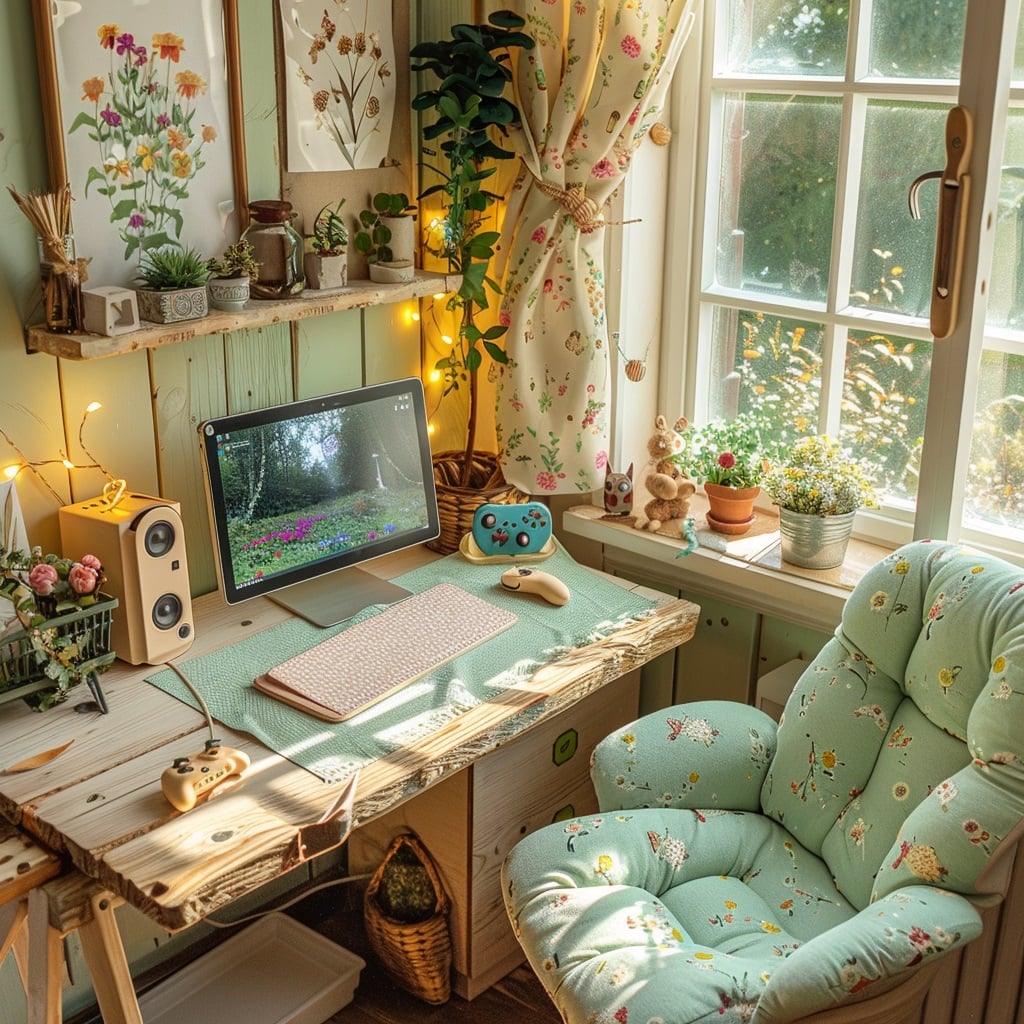
In-Game: Cottagecore Nerd Sims 4 Gaming CC
Simtendo Set (8bitdo inspired)
Six to sixteen swatches of gaming controller and console CC inspired by 8bitdo’s colorful controller aesthetic. Requires City Living for the full set; a base-game decorative controller version is available separately. The Simtendo set occupies the specific niche of “cute gaming tech that looks vintage and friendly” — exactly the energy a cottagecore gaming setup needs.
Find it: TSR and community CC sites. Requires City Living EP for functional versions.
Pierisim — Unfold Set
A multi-room space-saving furniture system (see our CC Furniture post) that includes Murphy bed options and foldable desk configurations. For small-space cottagecore gaming setups — a converted corner of a cottage bedroom, a gaming nook in a farmhouse kitchen — the Unfold Set creates the functional compact desk configuration that this aesthetic requires.
Find it: CurseForge and TSR (search “Pierisim Unfold”).
Cottage Living Build/Buy Items (Expansion Pack)
If you have the Cottage Living expansion, the build and CAS items in that pack are the perfect visual language for a cottagecore gaming nook – natural wood tones, cream walls, wildflower motifs on fabrics and wallpapers. Using these as the room’s base and adding a gaming desk CC set creates that specific “gaming PC in an English cottage” tension that defines the aesthetic.
IRL: Building a Cottagecore Nerd Setup
The desk: A light wood or cream-painted desk. Rounded edges preferred – cottagecore rejects the sharp geometry of typical gaming furniture. IKEA’s Linnmon in white or birch with Alex drawers is a popular foundation for this aesthetic.
The softening details: A floral or botanical desk mat (or a custom one from Printify → using your Sims 4 Cottage Living screenshots). A small potted plant or dried flower arrangement. Cream or off-white peripherals rather than stark white or bright colors. A knitted desk accessory pouch if you’re that committed.
Lighting: Warm Edison bulb desk lamp. Fairy lights around a nearby mirror or window. No harsh RGB.
The gaming hardware: This is the one aesthetic where hiding or softening the tech is part of the design. A white PC tower or pastel console sits better here than a glass-panel RGB battlestation. Nintendo Switch in a natural wood dock is inherently cottagecore.
5. Anime and Pop Culture Fan
The vibe: Funko Pop wall. Manga spines. A poster from your favorite series. Character plushies as desk companions. The kind of setup that instantly tells you exactly who this person is and what they love.
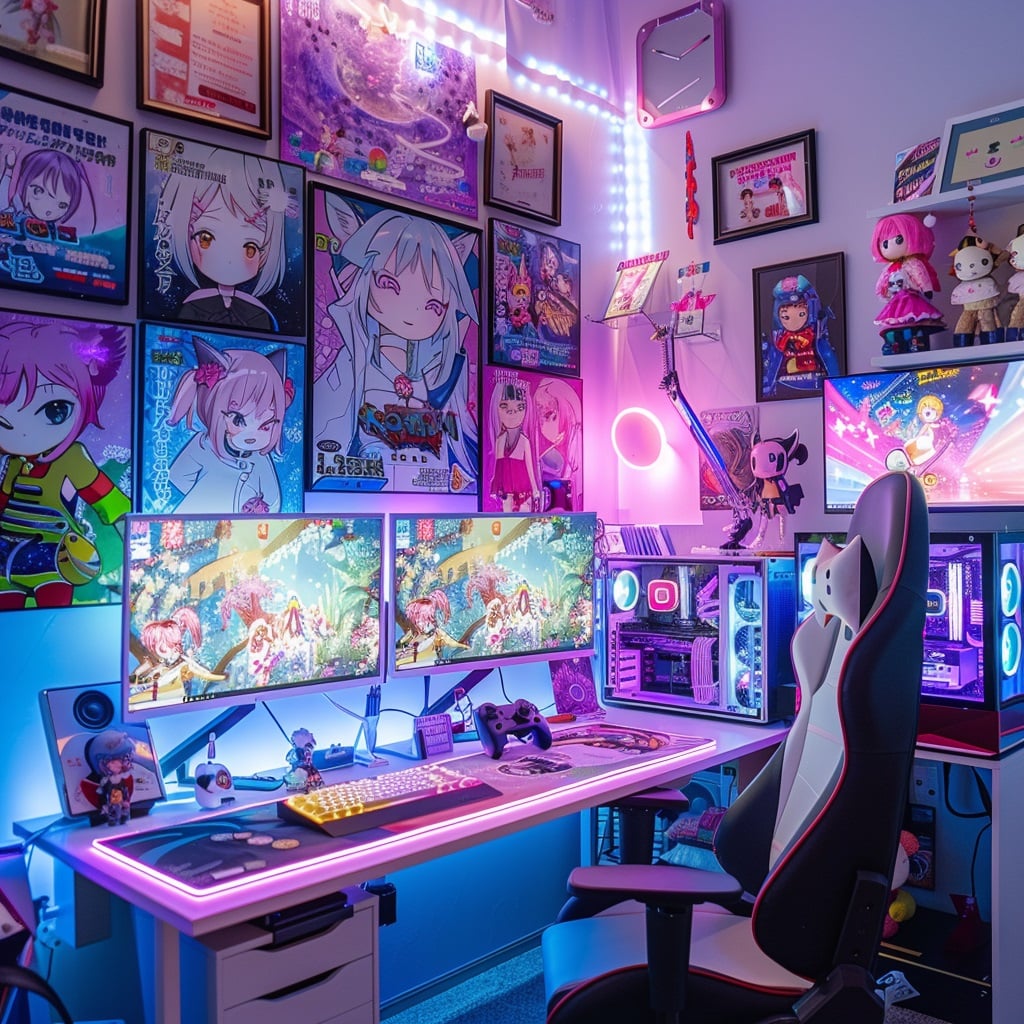
In-Game: Anime / Pop Culture Sims 4 Gaming CC
Jennifer Jennisims — Funko Pop Collection (19 figures)
Nineteen Funko Pop-style decorative figures including Care Bears, E.T., Monsters Inc., Hello Kitty, and others. Essential for any collector Sim’s gaming room — these go on shelves, desk corners, and wall units to build exactly the “I curate things I love” energy of an anime fan setup.
Find it: TSR (search “Jennisims Funko”).
xWISPAx — 20 Video Game Posters Set 2
Banner-style video game posters including Zelda, Skyrim, Crash Bandicoot, Minecraft, and others. Vertical poster format works well in narrow wall spaces beside desks, and the range of titles means most collector Sims will find their game represented.
Find it: TSR (search “xWISPAx posters”).
We Want Mods — Heart Mouse + Cat-Eared Headphones Stand
Two accessories — a heart-shaped mouse in four shades of pink and a cat-eared headphone stand in three color options. These are the detail accessories that anime-fan setups need: not the whole room, just the small coordinated touches that signal aesthetic literacy.
Find it: wewantmods.com.
IRL: Building an Anime / Pop Culture Fan Setup
The collection is the design. Floating shelves arranged with visible intention – Funko Pops, art prints, a couple of small plants to break up the figures. The key is curation rather than accumulation: everything visible should feel chosen.
Custom desk mat: Turn your favorite Sims 4 screenshot, fanart-style illustration, or game reference into a custom extended desk mat. A Sims 4 screenshot of your Sim in their perfectly decorated gaming room, printed as the desk mat for your actual gaming room, is the kind of detail that people notice and ask about.
Peripherals: This aesthetic tolerates more variety than most – the character of the setup comes from the decor, not from coordinating peripherals. Whatever gaming gear you already have looks right if the surrounding space is intentional.
6. Minimalist Clean Gamer
The vibe: White or light wood. Single monitor. Every cable hidden. Nothing on the desk that doesn’t need to be there. The peace of a surface where you can actually see what you’re doing.
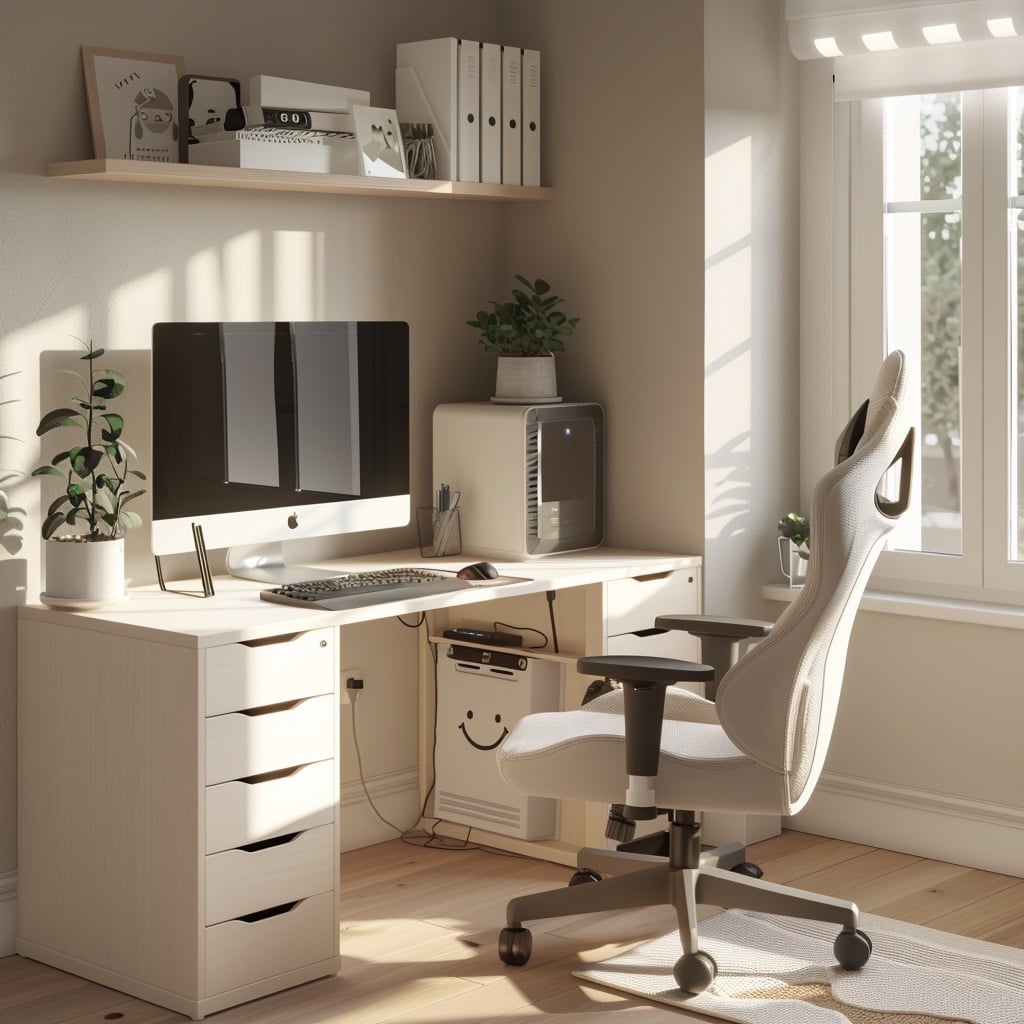
In-Game: Minimalist Sims 4 Gaming CC
SnootySims — My Smiley Corner Set
A matching desk-and-chair combination designed specifically for corner placement. Clean smiley face motif on the desk without overwhelming it. The cubby sections on either side are compact and cute without adding clutter visually. For small or minimalist gaming rooms, this set achieves the cute/minimal balance better than almost any other download.
Find it: CurseForge (search “SnootySims Smiley Corner”).
Illogicalsims Contemporary Series (Living/Office components)
The minimalist furniture system discussed in our CC Furniture post translates directly into gaming room contexts — clean-line desk, restrained accessories, architectural calm. The gaming CC sits in the context of a beautifully minimal room that makes the technology feel intentional rather than incidental.
Find it: TSR and Illogicalsims Patreon.
IRL: Building a Minimalist Clean Setup
Cable management is the whole game here. Under-desk cable trays, cable sleeves, and wireless peripherals (keyboard, mouse, headset) are what separates a minimalist setup from an austerity setup. Every visible surface should look like it was placed there deliberately.
The desk: A Flexispot standing desk in white or white-with-maple is the canonical minimalist gaming desk. Electric height adjustment is itself a minimalist choice — no clunky mechanism, just clean surface at the right height. The E6 model’s clean rectangular form fits this aesthetic perfectly.
Peripherals: The Razer Phantom White collection – translucent white keyboard, mouse, and headset, is the minimalist-gamer’s dream peripheral setup. The translucency shows the internal RGB components without needing anything flashy on the surface. Everything matches. Everything is wireless or near-wireless. The desk stays clear.
Decor: One plant. One framed piece of art. Nothing else.
7. Y2K / Retro Gamer
The vibe: Chrome, holographic, iridescent. Bold color in flashes rather than overall. CRT-adjacent nostalgia. The energy of a mid-2000s bedroom magazine spread reimagined with better taste and actual quality peripherals.
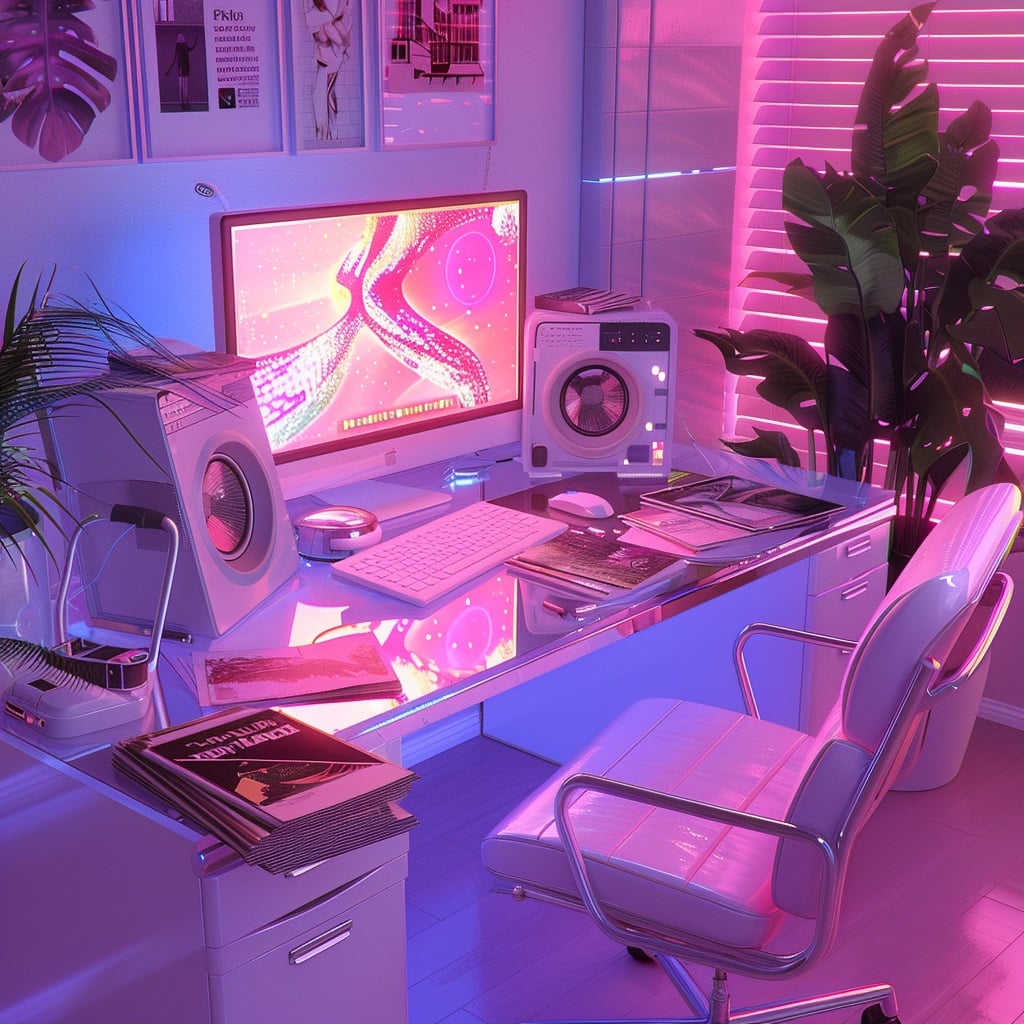
In-Game: Y2K Sims 4 Gaming CC
SnootySims – Cyber Pink Bedroom Set
A mini set of pink futuristic designs for a bedroom/gaming hybrid. The chrome and iridescent elements plus the bold pink combine to create exactly the Y2K revival energy that’s everywhere in 2025–2026 aesthetics.
Find it: CurseForge (search “SnootySims Cyber Pink”).
Simsi45 – Opposite Teens Stuff Pack (44 items)
While primarily a teen room pack, the neon plumbob sign and the bright, personality-forward aesthetic of this pack translate directly to Y2K gaming rooms. The neon sign is one of the most effective single CC items for establishing aesthetic identity in any gaming space.
Find it: TSR (search “Simsi45 Opposite Teens”).
IRL: Building a Y2K Retro Gamer Setup
Iridescent and holographic accessories are the distinctive material language of Y2K setups – holographic desk mats, chrome-finish headphone stands, iridescent mouse pads. These are inexpensive accent pieces that instantly read as intentional.
LED: Y2K setups use LED differently from other aesthetics, instead of ambient glow behind monitors, think LED strips inside transparent or translucent elements (PC cases, shelving) to create an interior light source effect.
Razer’s RGB capabilities are genuinely perfect here. The Chroma RGB lighting system can be programmed to cycle colors in patterns that lean into the Y2K aesthetic – cycling through pink, purple, and white, or a holographic rainbow sweep.
How to Build the Perfect Gaming Room in Sims 4: Step-by-Step
Step 1: Choose Your Room Type and Size
Gaming rooms in Sims 4 can be:
- A dedicated room — 4×4 to 6×6 tiles for a full gaming setup with shelving and seating
- A bedroom corner — 2×3 tiles as a designated gaming nook within a larger bedroom
- A studio apartment setup — gaming desk as the primary workstation in a single-room living space
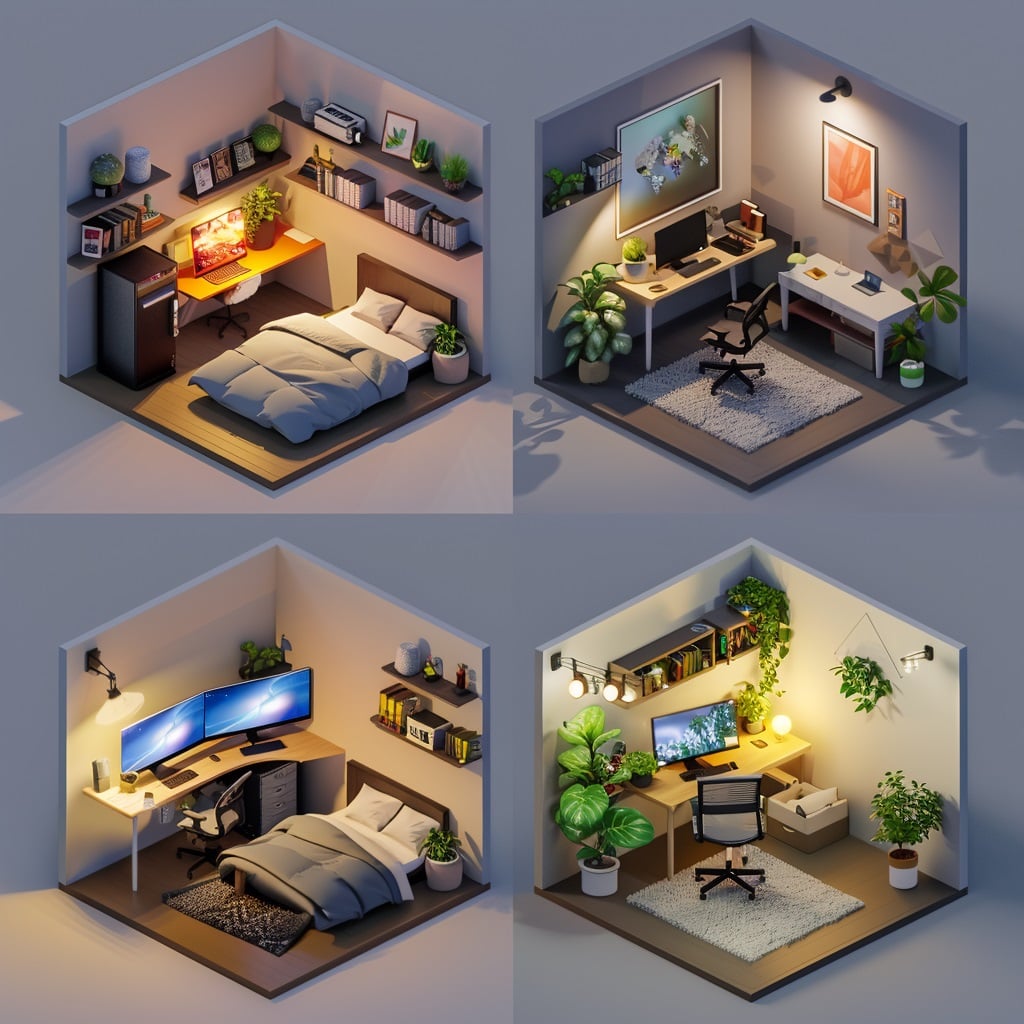
The single biggest mistake in Sims 4 gaming room builds is making the room too large for the furniture. A 4×4 room with well-chosen CC feels intentional and cozy. A 6×8 room with the same furniture feels abandoned.
Step 2: Establish the Desk and Chair First
The desk and chair are the focal point and should be placed first. Face the desk toward the room’s main light source (window) or toward the room’s entrance so the setup reads clearly when you walk in.
Use bb.moveobjects from the start. Gaming room CC frequently requires off-grid placement for overlapping items (headphone stands on desk surfaces, plushies tucked beside monitors, cable accessories mounted to desk edges).
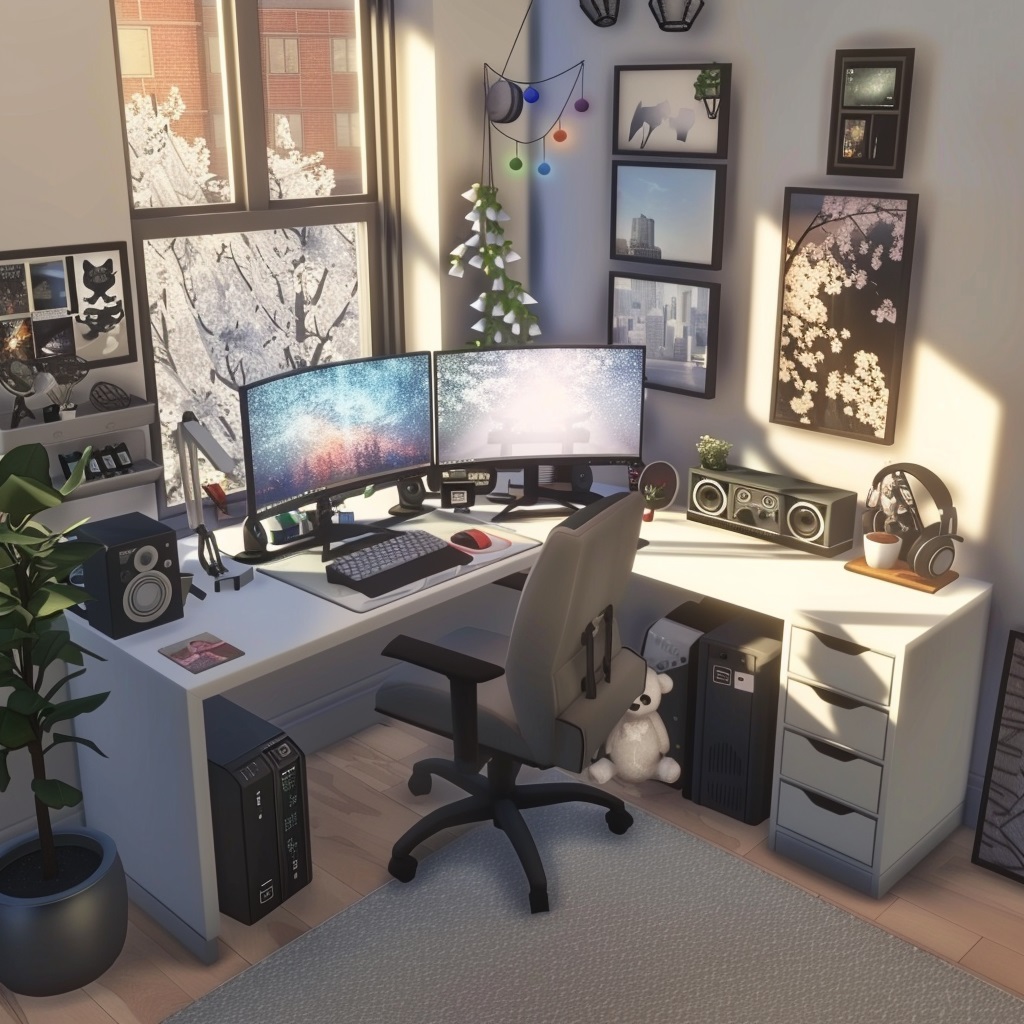
Step 3: Build Up, Not Out
Gaming rooms have limited floor space but unlimited vertical space. Layer the room:
- Desk level: Computer, peripherals, immediate accessories
- Eye level: Floating shelves, wall-mounted monitor arms, neon signs
- Upper level: Higher shelves with figures, plants, and less-accessed storage
- Floor level: A rug to define the space, a gaming chair mat
The best Sims 4 gaming room screenshots use all four levels. Rooms that only use the desk level feel flat.
Step 4: Add the Personality Layer
This is where gaming rooms become your Sim’s gaming room rather than a generic setup:
- Posters and wall art specific to the Sim’s interests
- Plushies and figures that reference the Sim’s personality traits
- Lighting color that matches the Sim’s aesthetic (the color of LED strips and neon signs is a character choice)
- Plants – even one small succulent on a desk makes a room feel inhabited
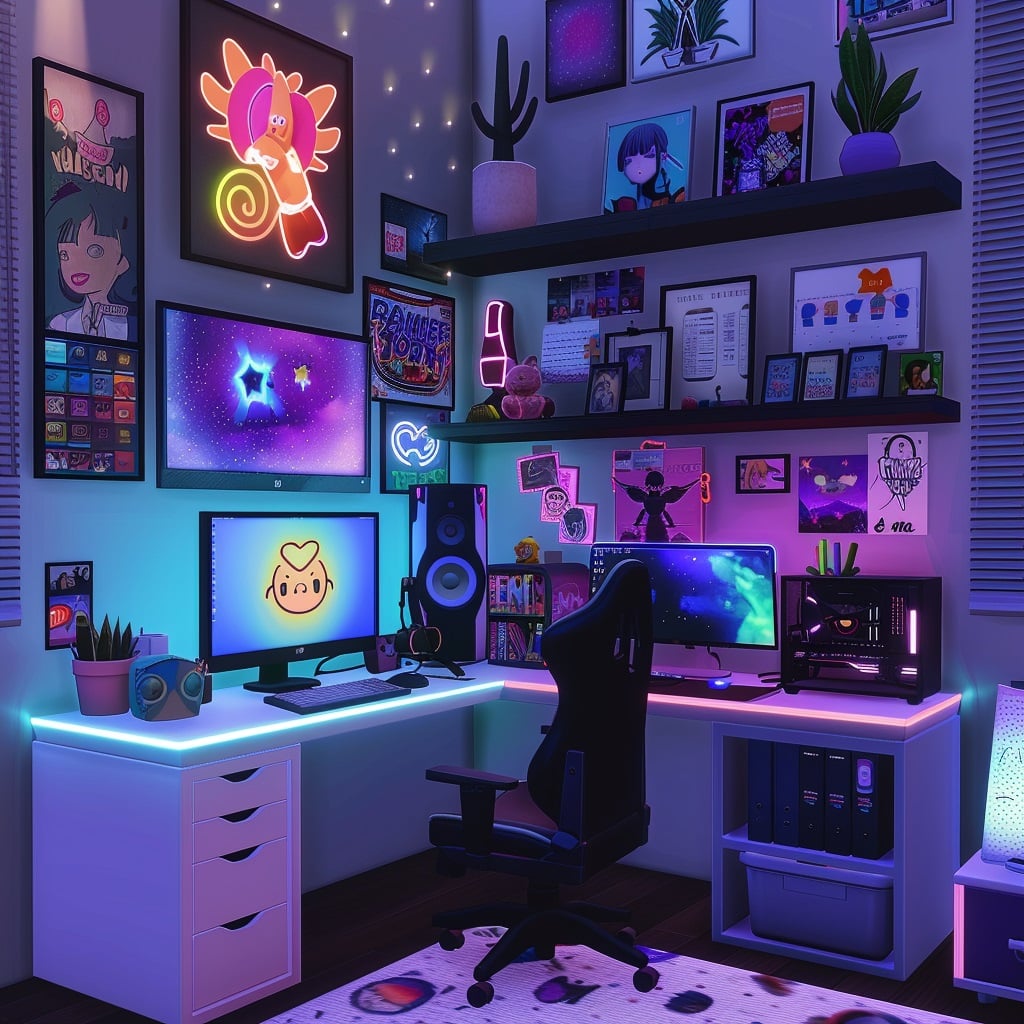
Step 5: Photograph at the Right Time
Gaming room CC photography benefits enormously from evening lighting – the LED elements, neon signs, and monitor glow all read better in a dimmer environment. Set your game time to 8–9 PM, turn off ceiling lights, and let the ambient sources in the room do the work.
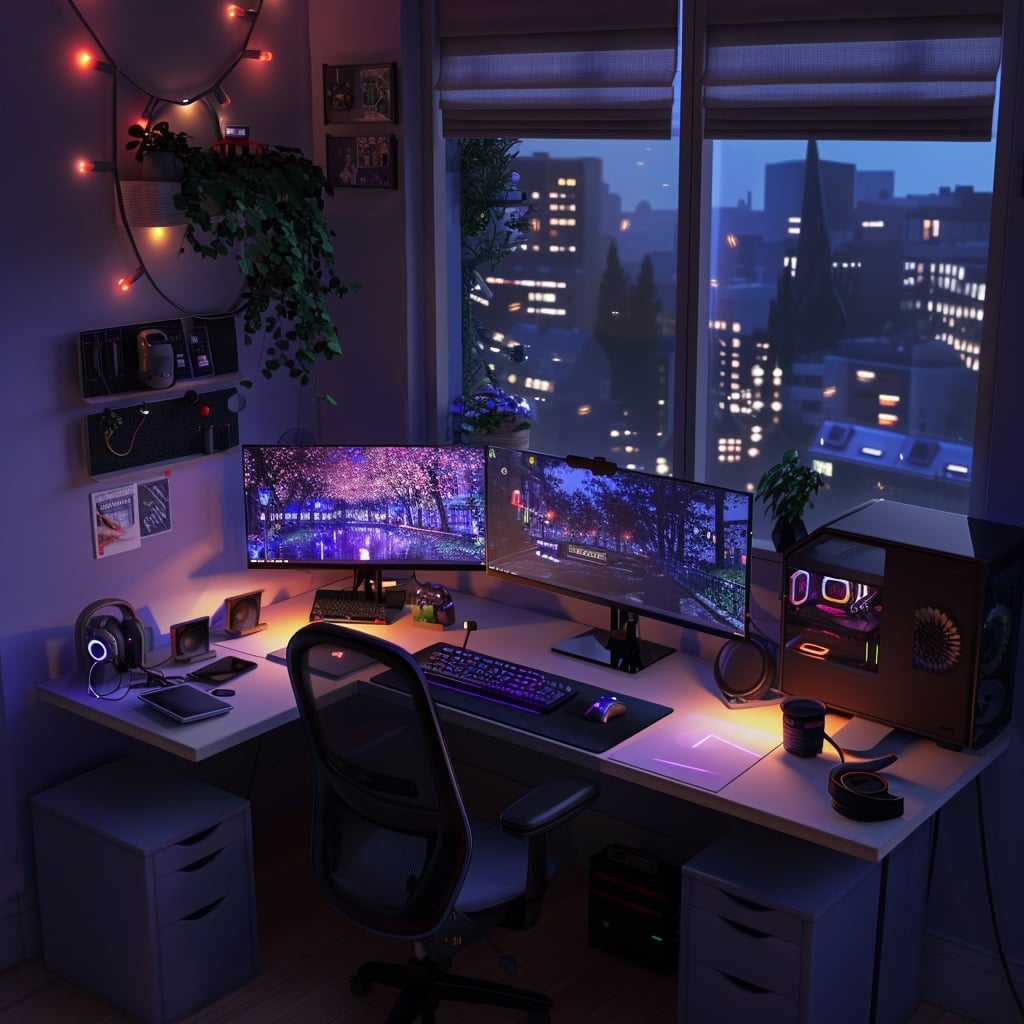
Build-to-Reality: Printify Your Sims 4 Gaming Room
Here’s the bridge that most Sims players don’t think about:
The gaming room you’ve spent an evening building in Sims 4 – the kawaii desk with the Nyanware setup, the perfect lighting, the Funko Pop shelf exactly right – is a beautiful image. And beautiful images become beautiful products.
Printify lets you upload any image and turn it into a product that prints and ships on demand. Zero upfront cost. You set the design, you set the price, Printify handles production and shipping.
Practical applications for Sims 4 players:
- Extended desk mat — Take a wide screenshot of your Sims 4 gaming room setup, print it as a desk mat for your actual gaming desk. The juxtaposition is perfect and people ask about it constantly.
- Framed print — A beautiful screenshot of your best CC-decorated gaming room, printed and framed, hung on the wall above your actual gaming desk.
- Phone case — Your Sim’s aesthetic as your phone case. Instant conversation starter.
- Poster — A build-mode overhead screenshot of your Sim’s perfect gaming room, printed as a decorative poster.
For Sims 4 content creators and bloggers specifically, Printify is an excellent way to create audience merchandise from your most popular builds — completely free to start, with products only printed when someone orders.
The Real-Life Cute Gaming Setup Essentials
Whether you’re building the kawaii pastel, cozy streamer, or minimalist clean aesthetic in real life, these five elements are universal:
1. The Desk – Your Foundation
The desk determines what’s possible. Flexispot electric standing desks start around $340 for the E6 gaming model and provide:
- Electric height adjustment — find your exact monitor distance, camera angle, and ergonomic height. One button press returns to your saved height every session.
- Memory presets — save your gaming height and standing height separately. Switch between them during long sessions.
- Generous surface — the 55″ × 28″ gaming model has room for a full dual-monitor setup, peripherals, and the aesthetic accessories (plushies, plants, neon signs) that define a cute setup.
- Color options — white, black, walnut, maple, bamboo desktop options that match every aesthetic covered in this post.
For Sims 4 sessions specifically — which regularly run 2–5 hours when you’re deep in a build — alternating between sitting and standing every 45–60 minutes meaningfully reduces physical fatigue and keeps creative focus sharper for longer.
2. The Peripherals — Where Aesthetic Meets Function
Razer makes the most comprehensive cute/aesthetic gaming peripheral lineup available, with two specific collections worth knowing:
Razer Quartz (Pink) Collection:
- Complete pink-matching peripheral family from headsets ($38–90) to keyboards ($159.99) to mouse mats ($29.99)
- Kraken Kitty V2 (cat-eared headset) is the signature kawaii gaming accessory
- Available in USB wired and wireless options depending on model
Razer Phantom White Collection:
- Translucent white chassis with visible RGB internals
- Keyboard, mouse, and headset all in matching translucent white
- Perfect for minimalist and dark academia setups where the technology itself is part of the visual story
Both collections perform at the same level as Razer’s standard black lineup – the aesthetic choices don’t come at a performance cost.
3. Lighting – The Atmosphere Maker
The single highest-impact low-cost upgrade to any gaming setup is lighting:
- Behind-monitor LED bias lighting — a strip of warm LED behind your monitor eliminates eye strain and creates the “glowing setup” look. Under $30 for most kits.
- Under-desk LED strips — creates ambient floor glow that photographs beautifully and looks great in person. Coordinate the color with your peripheral RGB.
- A neon sign — one neon sign with a relevant word, shape, or symbol transforms the background of a setup immediately. Custom neon signs from Etsy range $40–150 depending on size and complexity.
4. The Personality Layer – What Makes It Yours
Plushies, figures, small plants, posters, framed art. This layer is what separates a “nice desk” from “an aesthetic gaming setup.” Budget $30–50 for this layer and spend the time to curate it rather than accumulate it.
5. Cable Management – The Hidden Essential
No aesthetic survives visible cable chaos. Under-desk cable trays (~$15–25), cable sleeves, and velcro cable ties are the invisible foundation that makes everything else look intentional. Wireless peripherals help enormously here — Razer’s wireless keyboard and mouse options remove the cable clutter from the desk surface entirely.
Quick CC Reference: All Major Sets by Aesthetic
| Aesthetic | Key CC Sets | Creator | Source |
|---|---|---|---|
| Kawaii Pastel | Cute Gamer Set | SnootySims | CurseForge (361K+ DLs) |
| Kawaii Pastel | Kawaii Gamer Set Pts 1 & 2 | We Want Mods | wewantmods.com |
| Kawaii Pastel | Kawaii Neko Gaming Station | HYDRA | TSR / Patreon |
| Kawaii Pastel | Nyanware Set (15 items) | HYDRA | TSR / Patreon |
| Cozy Streamer | “The Perfect Night” Geek Set | Syboubou | TSR / Tumblr |
| Cozy Streamer | Video Station | Bárbara Sims | Patreon / Tumblr |
| Cozy Streamer | Aesthetic Gaming Set | ddaeng-sims | Tumblr |
| Dark Academia | Battlestation Set 2025 | SnootySims | CurseForge |
| Dark Academia | Gaming Room Furniture Pack | We Want Mods | wewantmods.com |
| Cottagecore Nerd | Simtendo Set | Community | TSR |
| Cottagecore Nerd | Unfold Set | Pierisim | CurseForge / TSR |
| Pop Culture Fan | Funko Pop Collection (19) | Jennisims | TSR |
| Pop Culture Fan | Video Game Posters Set 2 | xWISPAx | TSR |
| Minimalist Clean | Smiley Corner Set | SnootySims | CurseForge |
| Y2K / Retro | Cyber Pink Bedroom Set | SnootySims | CurseForge |
| Y2K / Retro | Opposite Teens Pack (44 items) | Simsi45 | TSR |
Frequently Asked Questions
What is the most popular Sims 4 gaming room CC?
The SnootySims Cute Gamer Set on CurseForge is the most downloaded gaming room CC in the community with over 361,000 downloads, featuring a pastel dual-monitor setup with six color swatches. HYDRA’s Nyanware Set and Kawaii Neko Gaming Station are close behind for kawaii-specific setups. Syboubou’s “The Perfect Night” Geek Set is the most recommended option for cozy streamer aesthetics. All of these are base-game compatible and free to download.
How do I find gaming room CC in Sims 4’s Build Mode?
Most gaming CC can be found using the in-game search bar in Build/Buy mode. Search the creator’s name (e.g., “SnootySims,” “HYDRA,” “Syboubou”) or descriptive terms like “gaming,” “PC,” “streaming,” or “kawaii.” Some CC items require the bb.moveobjects cheat for proper placement — type bb.moveobjects on into the cheat console (Ctrl+Shift+C) before placing desk accessories, headphone stands, or items that sit on top of other surfaces. Also enable bb.showhiddenobjects if you want access to all available deco objects.
What’s the best real-life pink gaming setup for Sims players?
The Razer Quartz collection is the most comprehensive pink gaming peripheral line available. Start with the Razer Kraken Kitty V2 headset (Quartz Pink, ~$74–90) as the signature piece, add the Razer BlackShark V2 X (Quartz Pink, ~$38–60) if you want a more budget-friendly headset option, and complete with the Razer Strider mousemat (Quartz Pink, ~$29.99) as the affordable desk foundation. The Huntsman V2 TKL keyboard (Quartz Pink, ~$159.99) is the premium keyboard addition. For the desk itself, a Flexispot standing desk in white provides the ideal light base for pink accessories.
Do I need expansion packs for Sims 4 gaming room CC?
Most gaming room CC is base game compatible (BGC). The notable exception is the Simtendo Set, which requires City Living (EP03) for the functional computer version — a BGC decorative controller version is available separately. Any CC item will note in its description whether specific packs are required. If you install a pack with requirements you don’t meet, the item will typically still appear in your game but may not function — it will appear in Buy Mode but Sims won’t interact with it.
How can I make my real desk look like my Sim’s gaming setup?
The most direct method is matching the aesthetic your Sim uses in-game. If your Sim has a kawaii pink setup, the Razer Quartz collection and pastel accessories bring that look into reality. Beyond peripherals: Printify lets you turn Sims 4 gaming room screenshots into custom desk mats, framed prints, or wall art — meaning your actual desk can literally feature artwork from your in-game desk. It’s a full circle that Sims 4 players find particularly satisfying.
What lighting makes Sims 4 gaming room screenshots look best?
Evening lighting consistently produces the best gaming room screenshots — set your game time to 8–9 PM. Turn off ceiling lights and let the room’s own light sources (monitor glow, neon signs, LED strips, the gaming setup’s own ambient light) illuminate the space. This makes all the CC lighting elements visible and creates the atmospheric quality that makes gaming room screenshots compelling. In Build Mode, use the bb.enablefreebuild cheat if needed, and experiment with different camera angles — a slightly elevated angle looking down at the desk at 45 degrees captures both the setup and the room context.
Conclusion: Two Setups, One Aesthetic
The best thing about this post’s premise is that neither half of it is more important than the other. Your Sim’s gaming room and your own gaming room are both real spaces that deserve real design attention.
Build your Sim’s kawaii pastel gaming room with HYDRA’s Nyanware Set and the SnootySims Cute Gamer Set. Screenshot it at 9 PM when the neon is glowing and the plushies are catching the light. Print that screenshot as a desk mat from Printify. Set it on your Flexispot standing desk, next to your Razer Kraken Kitty headset and Quartz pink keyboard. Open Sims 4.
You’ve made both rooms more beautiful by thinking about them together.
Your action steps:
- Pick the one aesthetic that fits both your Sim’s story and your real-life taste – don’t split them between two different vibes
- Download the CC for that aesthetic (all options in this post are free)
- Build the in-game room first – it’s faster and lets you figure out what you actually love about the aesthetic before spending money on real-world versions
- Identify the one or two real-life pieces that would make your actual desk look intentional (usually the desk mat and one peripheral)
- Screenshot your best in-game result and use Printify to make it into something physical
Recommended Tools & Affiliates
| Brand | What They Offer | Why Sims Players Love Them |
|---|---|---|
| Razer → | Quartz Pink + Phantom White peripherals | Match your Sim’s aesthetic IRL — headsets from $38, keyboards from $159 |
| Flexispot → | Electric standing desks from ~$340 | The foundation of every cute gaming setup — height-adjustable, aesthetic, healthy |
| Printify → | Print-on-demand desk mats, prints, merch | Turn your in-game gaming room screenshots into real desk accessories |
| Shockbyte → | Game server hosting from $1.99/month | For Sims players who also love multiplayer gaming |
| GG Servers → | Game server hosting from $3.00/month | Alternative hosting for gaming communities |
Keep Exploring on Pixels and Bloom
- 35 Best Sims 4 CC Furniture Finds – the full furniture CC resource, including office and gaming-adjacent pieces
- 31 Sims 4 CC Finds You Need in Your Game – broader CC essentials including clutter for your gaming room
- Cozy Gaming Room Ideas for Sims Players – the follow-up post going deeper on cozy aesthetics
- 35 Sims 4 House Inspiration Ideas – find the right home aesthetic to surround your gaming room
Affiliate Disclosure: This post contains affiliate links. Pixels and Bloom may earn a commission when you purchase through these links, at no additional cost to you. All opinions are our own and we only recommend products we believe will genuinely benefit our readers.