Pixel Art vs Digital Illustration: What’s the Difference?
Affiliate Disclosure
This post contains affiliate links. Pixels and Bloom may earn a commission when you purchase through these links, at no additional cost to you. All opinions are our own and we only recommend products we believe will genuinely benefit our readers.
If you’ve ever tried to explain pixel art to someone who isn’t familiar with it, you’ve probably run into a version of this response: “Oh, so it’s like digital drawing?” And while that’s not entirely wrong both are made on a computer, both produce images, it misses something fundamental. Pixel art and digital illustration are not the same thing. They’re not even close cousins who happen to share a workspace. They’re different art forms with different philosophies, different tools, different skill sets, different histories, and different creative goals.
Understanding that difference matters not just as trivia, but practically. If you’re deciding which path to pursue, or trying to explain what you make to someone who doesn’t know, or wondering why your pixel art instincts keep fighting with the digital painting tutorials you’ve been watching, clarity on this distinction will save you a lot of confusion.
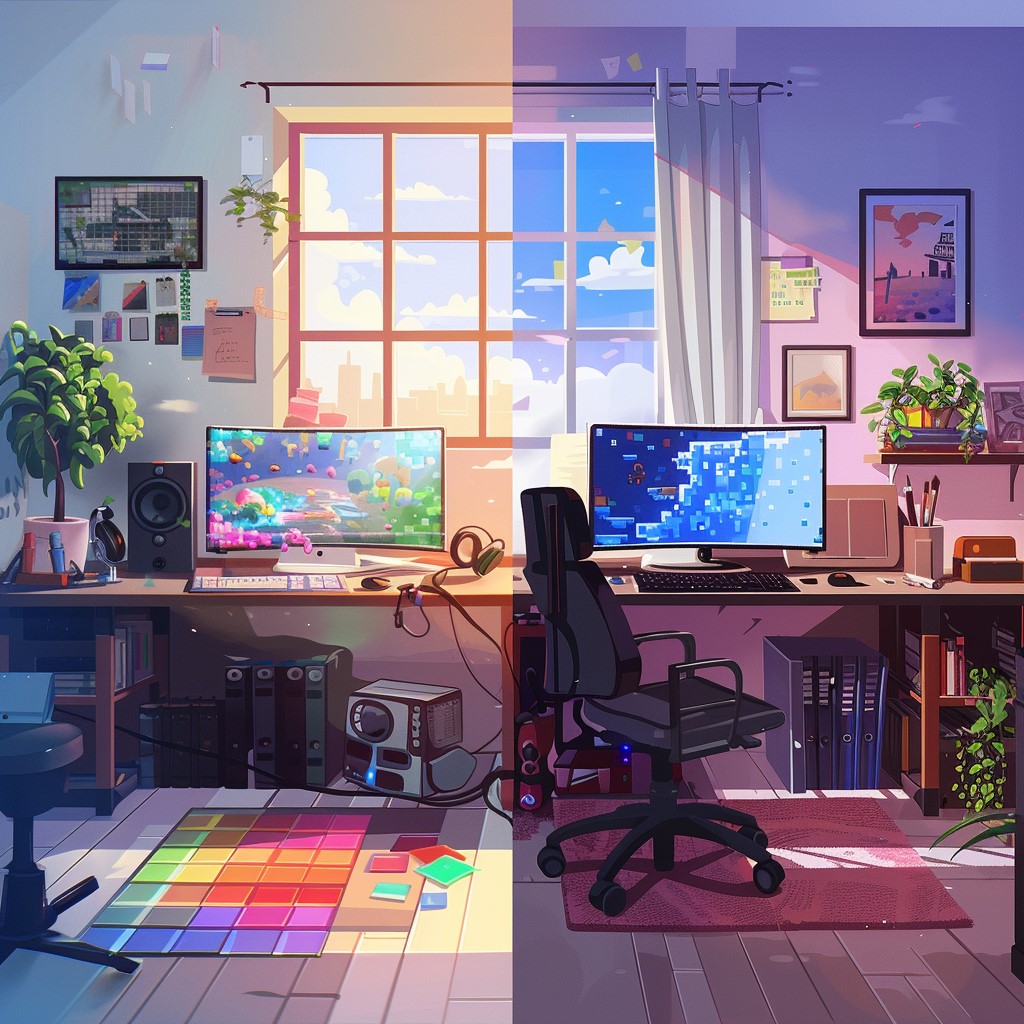
This post lays out the full comparison not to declare a winner (there isn’t one), but to give you a clear, honest picture of what each art form is, how they differ, and where they overlap. Whether you’re a committed pixel artist wondering about the wider digital art world, a digital illustrator who keeps getting tagged in pixel art posts and is curious why, or a complete newcomer trying to figure out which direction to start, this is the comparison you need.
If you’re new to pixel art specifically, our complete beginner’s introduction to pixel art covers the form in depth before you read this comparison. And if you want to see what each form looks like at its best in practice, our posts on cool pixel art pieces that went viral on social media and our character guides how to draw cute pixel art characters from scratch and how to create a Disney princess in pixel art showcase the pixel art side of the equation clearly.
Defining the Terms
What Is Digital Illustration?
Digital illustration is a broad term for artwork created using digital tools software like Adobe Photoshop, Procreate, Clip Studio Paint, Adobe Illustrator, Affinity Designer, or Krita that aims to replicate, extend, or reinvent the visual language of traditional illustration, painting, or drawing.
Digital illustration can mean many things: a detailed character portrait painted in Procreate that looks like a traditional oil painting. A flat-color vector illustration in Adobe Illustrator used for a brand identity. A manga-style comic page inked and colored in Clip Studio Paint. A loose, gestural figure study sketched in Photoshop. What these have in common is that they operate at high resolution, use full or near-full color ranges, apply smooth brushes and anti-aliased edges, and typically do not impose the kind of severe technical constraints that define pixel art.
Digital illustration is the dominant art form of commercial visual media today, it powers book covers, game concept art, animated films, editorial illustration, brand design, and an enormous independent art economy on platforms like Patreon, ArtStation, and Instagram.
What Is Pixel Art?
Pixel art is a specific form of digital art in which images are created and edited at the pixel level — placing individual pixels deliberately, working on small canvases with restricted color palettes, and embracing the visible, blocky quality of individual pixels as an intentional aesthetic element rather than a limitation to overcome.
Pixel art’s origins lie in the technical constraints of early computer and video game hardware — an era when screens could only display a limited number of pixels and a tiny palette of colors, and artists had to communicate everything within those bounds. What began as necessity has evolved into a deeply intentional art form with its own aesthetic philosophy, technical traditions, and global community.
For a complete history and conceptual breakdown of pixel art, our what is pixel art? guide covers everything from the 1970s origins to the current creative renaissance.
The Five Core Differences
1. Resolution and Canvas
This is the most fundamental technical difference between the two forms.
Digital illustration operates at high resolution — typically 300 DPI for print work and 72–150 DPI for screen work, on canvases measured in thousands of pixels. A standard portrait illustration canvas might be 3000×4000 pixels. A full-page book illustration could be 4500×6000 pixels or larger. The artist never sees individual pixels — they’re working at a scale where pixel-level detail is invisible, just as a traditional painter working in oils never thinks about the individual pigment particles in their paint.
Pixel art operates at intentionally low resolution. A finished pixel art piece might be 16×16, 32×32, 64×64, or 128×128 pixels in its native form — with each individual pixel clearly visible and each one the deliberate result of an artistic decision. The grid is not hidden — it’s the fundamental unit of the work.
This difference in resolution creates an entirely different relationship between the artist and their canvas. Digital illustrators work at a scale where they can be imprecise — a brushstroke of ten pixels within a 4000-pixel-wide canvas is essentially invisible. Pixel artists work at a scale where every single pixel matters and misplaced pixels are immediately obvious. There is no hiding in pixel art.
2. Tools and Approach
Digital illustration uses a toolkit designed to replicate and extend traditional art tools: pressure-sensitive brushes that respond to stylus weight and angle, blending modes that mix colors like wet paint, selection and masking tools for complex compositing, effects and filters that modify images non-destructively. The workflow is typically non-linear — you sketch broadly, refine progressively, and can make sweeping changes at any stage through layers, adjustment layers, and undo history.
The most important input device for serious digital illustration is a graphics tablet — a drawing surface with a stylus that captures pressure, tilt, and direction. The pressure sensitivity of a professional tablet (Wacom, Huion, XP-Pen) is essential for the kind of brush control that produces quality digital painting and illustration.
Pixel art uses a fundamentally different toolkit: a pencil tool that places single pixels without any anti-aliasing or pressure response, a fill bucket, selection and transform tools that work at the pixel level, and palette management tools for working within a limited color set. The workflow tends to be more linear and precise — decisions about individual pixels are made intentionally and sequentially, and major compositional changes require more deliberate effort than in illustration.
Pixel art is typically done with a mouse rather than a stylus, because the precise cursor control of a mouse translates more naturally to pixel-level placement than the natural drawing motion of a stylus. Many pixel artists use a high-DPI gaming mouse — a Razer precision mouse, for example — specifically for the fine cursor control it provides when placing individual pixels on a small canvas.
3. Color Philosophy
Digital illustration uses a full-spectrum color range with almost no limits. Artists can access millions of colors in RGB space, blend smoothly between shades, and use photographic reference colors directly. In addition, blending modes make it easy to create complex and subtle tones. Because of this, color decisions are often made intuitively and adjusted freely during the painting process.
Pixel art, however, works with deliberately limited color palettes—often just 4, 8, 16, or 32 colors for an entire piece. As a result, every color must serve a clear purpose. Instead of discovering color relationships while painting, artists usually plan the palette in advance. This restriction is not a weakness. In fact, it creates the harmony and visual consistency that make pixel art so recognizable.
Furthermore, pixel art has its own discipline of palette design. Artists build color ramps, choose balanced base colors, and often work within established palettes from libraries like Lospec. This approach has no real equivalent in mainstream digital illustration.
Because of these limits, pixel art develops strong visual “palette families.” For example, the warm muted tones of the PICO-8 palette feel very different from the vivid colors of the NES palette. Similarly, a cool hand-curated 16-color palette creates its own atmosphere. As a result, pixel art pieces that share the same palette often feel connected, almost like paintings from the same artistic movement.
4. The Role of Constraints
Digital illustration exists in a space of almost unlimited freedom. Any brush can work. Every color is available. Canvas size is flexible, and the level of detail depends entirely on personal style. Because of this, the real challenge is often not limitation, but decision-making.
For many digital illustrators, the hardest part is managing that freedom. They must decide what to simplify, what to emphasize, and when to stop adding detail. In other words, success depends on making strong creative choices when everything is possible.
Pixel art, on the other hand, is built on constraints. Small canvas sizes, limited palettes, single-pixel precision, and no smooth blending are all essential parts of the medium. These limits are not accidental—they define the art form itself. Without them, pixel art simply becomes digital illustration.
As a result, the creative mindset is very different. Digital illustration rewards expressive brushwork and large-scale thinking. Pixel art, however, rewards problem-solving, visual efficiency, and precision. Artists must communicate as much meaning as possible with very few pixels. Because of this, many people find that one style feels more natural to them than the other.
5. Technical Scalability and Display
Digital illustration files are usually created at high resolution. Therefore, they can scale down easily for different uses without losing quality. A large illustration can look great on both a phone screen and a printed poster because the resolution is already high enough.
Pixel art works differently. It has a specific display requirement: integer scaling with nearest-neighbor interpolation. In simple terms, this means the artwork must be scaled by whole-number multiples like 2x, 4x, or 8x. This process keeps each original pixel sharp and clearly visible.
However, if pixel art is scaled incorrectly using bilinear or bicubic interpolation, the result looks blurry. Most image software uses these methods by default, which can soften edges and ruin the crisp look of the artwork. As a result, the entire aesthetic can be lost.
This requirement is unique to pixel art. Because of this, artists must understand how to export their work correctly. For example, PNG is usually better than JPEG because it preserves sharp edges. They also need to prevent platforms from compressing or resizing the image badly. Our best pixel art software in 2026 guide explains these export settings in much more detail.
Where They Overlap
Despite their differences, pixel art and digital illustration share some common ground worth acknowledging.
Shared Skills
Color theory is fundamental to both. Understanding hue, value, saturation, and color relationships is equally important whether you’re building a 16-color pixel art palette or choosing the color temperature of shadows in a digital painting. Many of the color principles pixel artists use — warm highlights, cool shadows, limited saturation in shadows — come directly from traditional painting theory that digital illustrators also use.
Composition transfers between both forms. The principles of visual balance, focal points, leading lines, depth, and framing that make a strong digital illustration also produce strong pixel art scenes and characters.
Anatomy and proportion matter in both forms for character work. Understanding human proportions, simplified anatomy, and how to suggest structure at different scales is relevant whether you’re building a 48×48 chibi character in Aseprite or painting a full-figure portrait in Procreate. Our guides on character drawing — from how to draw cute pixel art characters from scratch to how to create a Disney princess in pixel art — apply proportion principles that are directly transferable to other digital character work.
Artists Who Work in Both
Many artists work fluidly across both forms. A digital illustrator who grew up with video games might create pixel art as a stylistic choice while also maintaining a high-resolution illustration practice. A pixel artist might use Procreate for concept sketching and reference preparation before switching to Aseprite for the final pixel work.
Some of the most compelling contemporary visual artists use the contrast between the two forms intentionally — creating pieces where a photorealistic digital painting serves as the background for pixelated character sprites, or where an illustration transitions from smooth painting to deliberate pixel art to comment on nostalgia, technology, or the nature of digital representation itself.
Pixel Art vs Digital Illustration: Practical Comparison Table
| Dimension | Pixel Art | Digital Illustration |
|---|---|---|
| Canvas resolution | Very low (16×16 to 128×128 typically) | Very high (2000px to 6000px+) |
| Color count | Severely limited (4–64 colors) | Unlimited (millions) |
| Primary tool | Mouse, pencil tool | Stylus/tablet, brush tools |
| Scaling method | Integer/nearest-neighbor only | Any scaling method |
| File format | PNG (lossless, crisp) | PSD, PNG, TIFF, JPEG |
| Learning curve | Lower entry, very high ceiling | Moderate entry, very high ceiling |
| Animation support | Strong (sprites, GIF) | Limited (frame-by-frame) |
| Software | Aseprite, Piskel, Pro Motion NG | Procreate, Photoshop, Clip Studio |
| Game development use | Sprites, tiles, UI elements | Concept art, backgrounds, characters |
| Primary aesthetic | Retro, nostalgic, graphic, crisp | Painterly, expressive, detailed |
Which Should You Learn First?
This is the most practical question for someone at the beginning of their digital art journey, and the honest answer is: it depends on what you’re drawn to and what you want to make.
Choose pixel art first if:
- You’re drawn to retro gaming aesthetics, indie games, or the Minecraft/Stardew Valley visual world
- You prefer working within clear constraints rather than managing unlimited freedom
- You want to start creating finished, satisfying work quickly (pixel art’s small canvas means you can complete a piece in one session)
- You’re interested in game development — pixel art skills are directly applicable to sprite creation, UI design, and tile map work
- You’re inspired by the pixel art community on social media (our 25 pixel art inspo accounts to follow on Instagram post shows you what’s possible)
- You want to create designs for products on Printify or other POD platforms — pixel art’s graphic, high-contrast aesthetic reproduces excellently on physical products
Choose digital illustration first if:
- You have a background in traditional art (drawing, painting, sketching) and want to continue developing that skill set digitally
- You’re drawn to painterly, detailed, realistic, or expressive imagery rather than graphic, constrained aesthetics
- You want to work in commercial illustration, animation concept art, book illustration, or character design for high-resolution media
- You prefer the immediacy and expressiveness of brush-based tools to the methodical precision of pixel placement
Or start with both in parallel — many people find that pixel art and digital illustration develop complementary skills. Pixel art teaches color discipline and visual economy; digital illustration develops free expression and mark-making fluency. Spending time in both forms makes you a more versatile, perceptive artist overall.
The Question of “Real Art”
It would be incomplete to discuss the pixel art vs digital illustration comparison without acknowledging the cultural baggage that sometimes accompanies it. There is a strain of opinion in some art circles that pixel art is “less than” digital illustration — that it’s somehow easier, more mechanical, or less creative because of its constraints.
This view is simply wrong, and worth addressing directly.
The constraints of pixel art do not make it easier — they make it differently difficult. Communicating a character’s full personality in a 32×32 canvas requires extraordinary visual economy and problem-solving. Constructing a color palette of 16 colors that produces the full visual range of a scene requires sophisticated color theory applied under severe restrictions. Creating an animation loop of 6 frames that reads as fluid and natural requires intimate understanding of motion and timing. These are not lesser creative challenges than those faced by digital illustrators — they’re different ones, and in some ways more demanding because there is nowhere to hide.
The pixel art community has consistently produced work of stunning artistic quality — from the richly detailed environments of Stardew Valley and Terraria to the animation mastery of pixel artists like Paul Robertson to the conceptual sophistication of artists like Saint11 and Waneella. This is not the output of a lesser art form. It’s the output of artists who have mastered a demanding medium.
How This Comparison Shows Up in Practice
If you’ve been following this blog’s pixel art series, you’ve been developing a pixel art practice across a wide range of subjects and techniques — from beginner exercises in our 30 easy pixel art ideas for absolute beginners post to complex character work in our Disney princess pixel art guide, from seasonal designs in our 50 Christmas pixel art designs and 47 Thanksgiving pixel art designs posts to the community and commercial dimensions of the form.
All of that work is pixel art. It operates within pixel art’s specific technical and aesthetic framework. And it develops skills that are genuinely distinct from — though not incompatible with — digital illustration.
If you want to expand beyond pixel art into digital illustration at some point, the color theory and composition knowledge you’ve built through pixel art practice will serve you well. But don’t feel any pressure to. Pixel art is a complete, rich, endlessly deep creative form on its own terms — and the work being made in this community right now, shared on platforms like Instagram and showcased in games and merchandise, is as vibrant and exciting as anything in the broader digital art world.
Building Your Creative Practice
Whatever direction you choose — pixel art, digital illustration, or both — the same principles apply: consistent practice, active study of work you admire, willingness to finish imperfect things, and engagement with a community that pushes you to grow.
For the workspace side of your practice: a Flexispot height-adjustable standing desk makes long creative sessions — whether you’re doing detailed pixel work or digital painting — significantly more comfortable and sustainable. The ability to shift between sitting and standing prevents the physical stagnation that can dull creative energy over a long session. It’s an investment that pays dividends regardless of which digital art form you choose.
For Minecraft players who want to bring pixel art into the game world — whether as builds, server themes, or community projects — Shockbyte and GG Servers offer reliable, affordable server hosting that keeps your creative community connected and lag-free.
Final Thoughts
Pixel art and digital illustration are two distinct art forms with different philosophies, different tools, different histories, and different strengths. Neither is superior. Neither is a prerequisite for the other. They share some foundational principles — color theory, composition, anatomy — but diverge fundamentally in their approach to resolution, constraint, palette, and the role of the individual pixel.
The clearer your understanding of this difference, the more intentional your creative choices become. When you choose to work in pixel art, you’re not defaulting to an easier form or making a technical compromise. You’re choosing a specific aesthetic language — one with a rich history, a passionate living community, and a visual power that no other art form quite replicates.
That’s a choice worth making confidently.
More Pixel Art Posts You’ll Love
- What Is Pixel Art? A Complete Beginner’s Introduction
- Best Pixel Art Software in 2026: Honest Review for Every Skill Level
- How to Draw Cute Pixel Art Characters from Scratch (Beginner’s Guide)
- How to Create a Disney Princess in Pixel Art: Grid, Colors and Tips
- Top Pixel Art Print-on-Demand Shops for Selling Your Designs
- 50 Cute Pixel Art Ideas to Draw When You Need Inspiration
- 30 Easy Pixel Art Ideas Perfect for Absolute Beginners
- 25 Kawaii Pixel Art Character Ideas You’ll Actually Want to Draw
- Cool Pixel Art Pieces That Went Viral on Social Media
- 15 Disney Pixel Art Designs Fans Have Recreated (And How They Did It)
- 10 Pixel Art PFP Ideas That Look Great on Any Platform
- 40 Small Pixel Art Grid Ideas You Can Finish in Under an Hour
- 25 Pixel Art Inspo Accounts to Follow on Instagram
- 20 Retro-Inspired Pixel Art Patterns and Where They Come From
- 50 Christmas Pixel Art Designs to Celebrate the Holiday Season
- 47 Thanksgiving Pixel Art Designs to Celebrate the Season of Gratitude
- 15 Stardew Valley Inspired Pixel Art Pieces You Can Recreate
- 10 Vaporwave Pixel Art Scenes Worth Recreating Yourself