40 Small Pixel Art Grid Ideas You Can Finish in Under an Hour
Affiliate Disclosure
This post contains affiliate links. Pixels and Bloom may earn a commission when you purchase through these links, at no additional cost to you. All opinions are our own and we only recommend products we believe will genuinely benefit our readers.
Not every pixel art session needs to be a six-hour deep dive into a complex scene. Some of the best creative work happens in the space of a single focused hour — a small canvas, a tight color limit, one simple subject, and the quiet satisfaction of finishing something completely before your coffee goes cold.
This post is built around that reality. Every one of the 40 pixel art ideas here is designed to be completable in 60 minutes or less on a 16×16 or 32×32 canvas with 4 to 8 colors. No sprawling compositions. No 200-piece sprite sheets. Just clean, small, finished pixel art that you can be genuinely proud of when the hour is up.
There’s real value in this kind of work beyond convenience. Small, fast pixel art trains your visual decision-making in ways that long sessions can’t — when you only have 256 pixels to work with, every single one has to earn its place. That constraint is one of the most powerful learning tools available to a developing pixel artist. Artists who regularly work at 16×16 alongside larger work consistently report that the discipline of the small canvas improves everything they make.
If you’re completely new to pixel art, pair this post with our complete beginner’s introduction to pixel art and best pixel art software in 2026 guides before you start — they’ll get you set up and drawing in under 20 minutes. If you’re an experienced artist looking for quick warmup ideas or daily practice prompts, this list works equally well as a session starter.
Ready? Set a timer. Let’s go.
How to Get the Most From This List
The one-hour rule is a creative constraint, not a stress test. If you’re genuinely enjoying a piece and want to spend longer, spend longer. The constraint is there to prevent perfectionism paralysis — to remind you that a small finished piece is worth infinitely more than a large unfinished one.
Work at 8x–16x zoom. At 16×16 or 32×32, your canvas is tiny. Working at high zoom makes each pixel clearly visible and prevents accidental misplacement. Use Aseprite’s split-screen preview panel to see your work at both working zoom and display size simultaneously.
Limit your palette before you start. Pick 4–6 colors before placing a single pixel. Having a preset palette is the single most effective way to prevent decision fatigue on a small canvas and keep the hour moving.
Finish the thing. If you reach the 50-minute mark and your piece isn’t quite where you want it, make the best finishing decisions you can in the remaining ten minutes and call it done. A completed imperfect piece teaches more than an abandoned quest for perfection.
Food and Drink (Ideas 1–10)
Food is the ideal subject for sub-hour pixel art — recognizable, colorful, rounded shapes that resolve cleanly on small grids. These ten ideas span breakfast to dessert with maximum pixel satisfaction.
1. Fried Egg (16×16) White oval with a golden-yellow yolk circle slightly off-center, a very subtle shadow on the underside of the white. Three colors: near-white, light grey shadow, golden yellow. The imperfect roundness of a fried egg is actually an advantage on a pixel grid — you don’t need perfect circles, just the suggestion of one.
Time estimate: 15–20 minutes
2. Slice of Watermelon (16×16) The classic triangle wedge view — bright red or pink flesh, white inner rind, green outer rind, and three or four black seed dots. This is four clean color zones and four colors total. The seeds are each a single pixel placed with intention — too many, and it looks messy; too few, and it doesn’t read as watermelon.
Time estimate: 20–25 minutes
3. Sushi Roll Slice (16×16) A cross-section of a maki roll: dark nori exterior, white rice ring, a small colored center (orange salmon, pink tuna, green avocado, or yellow egg). The concentric ring structure is one of pixel art’s cleanest compositions — it works perfectly on a 16×16 grid and is immediately readable.
Time estimate: 15–20 minutes
4. Boba Tea Cup (32×32) A clear cup with layered brown tea, round tapioca pearls visible through the cup wall, a fat striped straw, and foam at the top. The layered colors inside the cup — dark brown base, lighter milk tea, cream foam — tell the story with no additional detail required. Five or six colors maximum.
Time estimate: 35–45 minutes
5. Pizza Slice (32×32) A golden-brown crust triangle with tomato red sauce visible at the edges, yellow-white melted cheese, and two or three topping dots (pepperoni red circles, green olive circles). The three-zone triangle structure (crust edge, sauce, cheese) is the foundation — toppings are the finishing touch.
Time estimate: 25–35 minutes
6. Ramen Bowl (32×32, top-down view) A round bowl from above: dark broth, a pile of noodles rendered as curved yellow lines, half a boiled egg, a few toppings. The top-down view simplifies the bowl’s shape to a pure circle, which is much easier to render cleanly than the three-quarter perspective of a bowl from the side.
Time estimate: 40–50 minutes
7. Ice Cream Cone (16×16) Two rounded scoops of different colors (pick your flavors — the colors tell the whole story) on a tan diamond-grid cone. A single white highlight pixel on each scoop. The cone texture — just a few diagonal cross-hatch lines in a slightly darker tan — takes the cone from flat to recognizable.
Time estimate: 20–30 minutes
8. Coffee Cup With Steam (16×16) A white or cream mug with a small handle, dark coffee visible at the rim, and two or three wavy grey pixels of steam curling above it. Steam is one of pixel art’s most satisfying micro-animations — at 16×16, even two static wavy pixels read as rising steam with surprising effectiveness.
Time estimate: 20–25 minutes
9. Donut (16×16) A round donut shape (full circle with a central hole) in a warm brown, topped with a ring of pastel frosting color and three or four colored sprinkle dots. The hole is the design challenge at 16×16 — you need it to be present but not so large it dominates the design. A 4×4 or 5×5 hole in a 16×16 canvas reads correctly.
Time estimate: 20–30 minutes
10. Strawberry (16×16) Red rounded shape with white seed dots, a small green leaf top, and a single white highlight on the upper left. Three colors, clean silhouette, one of the most satisfying small pixel art subjects in existence. The seeds — each a single pixel placed at slight diagonal intervals — are the detail that makes it feel finished.
Time estimate: 15–20 minutes
Nature and Weather (Ideas 11–18)
Natural subjects at small canvas sizes teach you to communicate complex organic shapes through essential geometry. These eight ideas range from simple single objects to small atmospheric scene elements.
11. Mushroom (16×16) A round red cap with white spots on a pale cream cylindrical stem. The classic. Use three reds (base, highlight, shadow) for the cap and two neutral tones for the stem. The white spots are each a 2×2 cluster of white pixels — four spots placed across the cap reads as the right density without cluttering the design. This is one of our most recommended beginner subjects for a reason — it’s genuinely impossible to make it not look like a mushroom.
Time estimate: 15–20 minutes
12. Raindrop on a Leaf (16×16) A green leaf shape with a single clear water droplet on its surface — rendered as a small oval in a very slightly blue-tinted transparent tone with a bright white highlight pixel. This is a minimalist composition that teaches economy of detail: two objects, four or five colors, strong contrast.
Time estimate: 20–25 minutes
13. Crescent Moon (16×16) A golden or white crescent moon on a deep navy background. The moon itself is a circle with a slightly smaller circle removed from one side — this is easier to construct on a pixel grid than it sounds, and the resulting crescent shape is clean and satisfying. Add a few single-pixel stars in the background for context.
Time estimate: 15–20 minutes
14. Single Autumn Leaf (32×32) A maple leaf shape in deep orange with slightly darker vein lines and a short stem. The vein pattern — a central midrib from stem to tip with smaller side veins branching off — is a great exercise in controlled line work on an organic shape. Use three orange tones: bright highlight along the central vein area, warm mid-tone base, and deep rust shadow toward the edges.
Time estimate: 30–40 minutes
15. Small Sun (16×16) A golden circle center with short triangular rays extending outward in all eight directions. Three colors: golden yellow center, bright yellow rays, and a single bright highlight on the upper-left face of the sun. The rays are each just 2–3 pixels long at 16×16 — enough to suggest radiating energy without cluttering the design.
Time estimate: 15–20 minutes
16. Snowflake (16×16 or 32×32) A six-armed symmetrical snowflake in white and pale blue on a deep blue background. At 16×16, a simple cross-and-diagonal structure produces a clean snowflake in under 20 minutes. At 32×32, you have room for more complex arm patterns and small branching details. Aseprite’s symmetry mode (6-point radial) makes this significantly faster.
Time estimate: 20–35 minutes (depending on canvas size)
17. Cactus in a Pot (16×16) A small round terracotta pot with a squat green cactus body, two small side arms, and optional tiny pink flowers at the tips. Four colors: terracotta pot, dark green cactus, slightly lighter green highlight, small pink accent. This is one of the cleanest and most satisfying plant subjects for small canvas pixel art — the geometry is friendly and the result is universally appealing.
Time estimate: 20–25 minutes
18. Cloud with a Lightning Bolt (16×16) A white puffy cloud shape with a yellow zigzag lightning bolt emerging from the bottom. The contrast between the soft, curved cloud top and the sharp, angular lightning bolt creates natural visual tension. Use a slightly blue-grey shadow on the underside of the cloud to suggest the darkness of a storm cloud.
Time estimate: 20–25 minutes
Simple Characters and Icons (Ideas 19–27)
Icon-level characters and symbols are where the small canvas constraint produces some of its most powerful results. These ideas are small enough to finish quickly while being distinct enough to use as stickers, game sprites, or social media elements.
19. Ghost (16×16) The classic pixel art ghost — round white top, wavy bottom edge, two small oval dark eyes, and an optional tiny mouth. On a dark background this is one of pixel art’s most striking compositions. Try color variations: pink ghost, blue ghost, rainbow ghost. The shape is so clean and the format so forgiving that you can explore multiple color variants within a single hour.
Time estimate: 15–20 minutes per variant
20. Pixel Heart (8×8 to 16×16) The pixel heart is a fundamental icon — two bumps at the top, a V-point at the bottom. At 8×8 it’s pure geometry. At 16×16 you can add a highlight and shadow that give it volume. Try animated variants (pulsing, breaking, healing) if you want to extend into the full hour. This is covered in detail in our 30 easy pixel art ideas for absolute beginners post.
Time estimate: 10–20 minutes
21. Pixel Skull (16×16) A rounded white skull shape with two dark oval eye sockets, a small rectangular nose cavity, and a simple row of rectangular teeth at the bottom. The skull is a wonderful icon because its geometry is surprisingly forgiving — a wide range of proportions still read as a skull — while the precise placement of the eye sockets and teeth creates strong visual structure.
Time estimate: 20–25 minutes
22. Sword (16×16 or 32×32) A vertical or diagonal sword — triangular blade tapering to a point, a crossguard, and a handle with a pommel at the base. Silver-grey blade with a single bright highlight line, gold or brown crossguard, wrapped leather handle. Classic, clean, immediately readable. At 32×32 you can add runic engravings or a gemstone in the pommel as finishing details.
Time estimate: 20–35 minutes
23. Shield (16×16) A heraldic shield shape — wider at the top, coming to a point at the bottom — with a bold geometric design on the face (stripes, a cross, a diagonal split with two colors). The shield design on the face is your creative opportunity: keep it simple (2–3 geometric elements maximum) and choose high-contrast colors for the design versus the shield background.
Time estimate: 20–30 minutes
24. Potion Bottle (16×16) A round-bottomed glass bottle with a cork stopper, filled with a bright glowing liquid (pink, green, blue, or purple). Two or three bubbles rising through the liquid. A 1-pixel white highlight on the upper-left of the bottle glass. This is one of the most popular small pixel art fantasy icons — simple, clear, and endlessly customizable by color.
Time estimate: 20–25 minutes
25. Game Controller (32×32) A simple game controller outline — rectangular body with rounded corners, two analog stick circles, a D-pad cross, face buttons in classic colors (red, blue, yellow, green), and small trigger bumps at the top. The controller is a powerful gaming culture icon and a satisfying pixel art construction exercise in combining circular and rectangular forms.
Time estimate: 35–45 minutes
26. Star Badge (16×16) A five-pointed star with a metallic gold finish and a small outline-style ribbon banner across the center (like a sheriff badge or an award star). The ribbon is the detail that elevates this from a plain star — it suggests narrative importance. Use three gold tones for the star surface and keep the ribbon in a contrasting color (red, blue, or white).
Time estimate: 20–25 minutes
27. Magic Wand (16×16) A thin diagonal wand with a star tip that has a visible sparkle effect around it — three or four small single-pixel white or yellow dots in a loose cluster around the star. Dark wand body with a light wood grain line, bright star tip with a warm gold glow. Small enough to finish quickly, complete enough to feel magical.
Time estimate: 15–20 minutes
Animals at Micro Scale (Ideas 28–34)
Micro-scale animal pixel art — working at 16×16 or smaller — is one of the most demanding and rewarding skill challenges in the medium. Every pixel is critical. These seven ideas are achievable within an hour while teaching maximum visual economy.
28. Tiny Frog (16×16) A front-facing frog face — round green head, two prominent golden eyes on top (a pixel art frog’s eyes are always the top of its head), wide flat mouth, and small front legs visible at the sides. At 16×16 the frog is essentially just a face — body, legs, and feet are minimized — and that simplification is correct. The face reads as frog immediately.
Time estimate: 20–25 minutes
29. Small Fish (16×16) A side-view fish: rounded oval body, a simple triangular tail, one circular eye, and a basic fin. Choose a vivid color — tropical fish are the best reference — and add a single white highlight along the upper body. The entire design is achievable in four colors.
Time estimate: 15–20 minutes
30. Tiny Bird (16×16) A round-bodied bird perched on a single horizontal pixel line (a branch), with a small triangular beak, two small dark feet, and a slightly different color for the chest/belly versus the back. This is the essential “perched bird” silhouette that appears as a background detail in countless pixel art scenes — learning to draw it cleanly at 16×16 is genuinely useful beyond just this exercise.
Time estimate: 20–25 minutes
31. Ladybug (16×16) A red oval body with a central dividing line and three black dots on each side, a small black head with two tiny white dot eyes, and six short black leg lines. The ladybug’s geometry is beautiful on a pixel grid — the oval body, the symmetrical dots, the precise legs. Five colors maximum.
Time estimate: 20–25 minutes
32. Baby Chick (16×16) A yellow oval body with a tiny orange triangle beak, small dark dot eyes, and stub wings indicated by slightly darker yellow patches on the sides. The baby chick is maximum cuteness for minimum pixel count — at 16×16 it’s essentially two overlapping circles (large body, smaller head) with a handful of face details.
Time estimate: 15–20 minutes
33. Snail (16×16) A small grey-brown snail body with a spiral shell in two alternating colors. The spiral is the design challenge — at 16×16 you have room for roughly two and a half spiral turns, which is enough to read as a spiral without requiring precise geometry. A small face on the front of the body with two tiny antennae completes the design.
Time estimate: 25–30 minutes
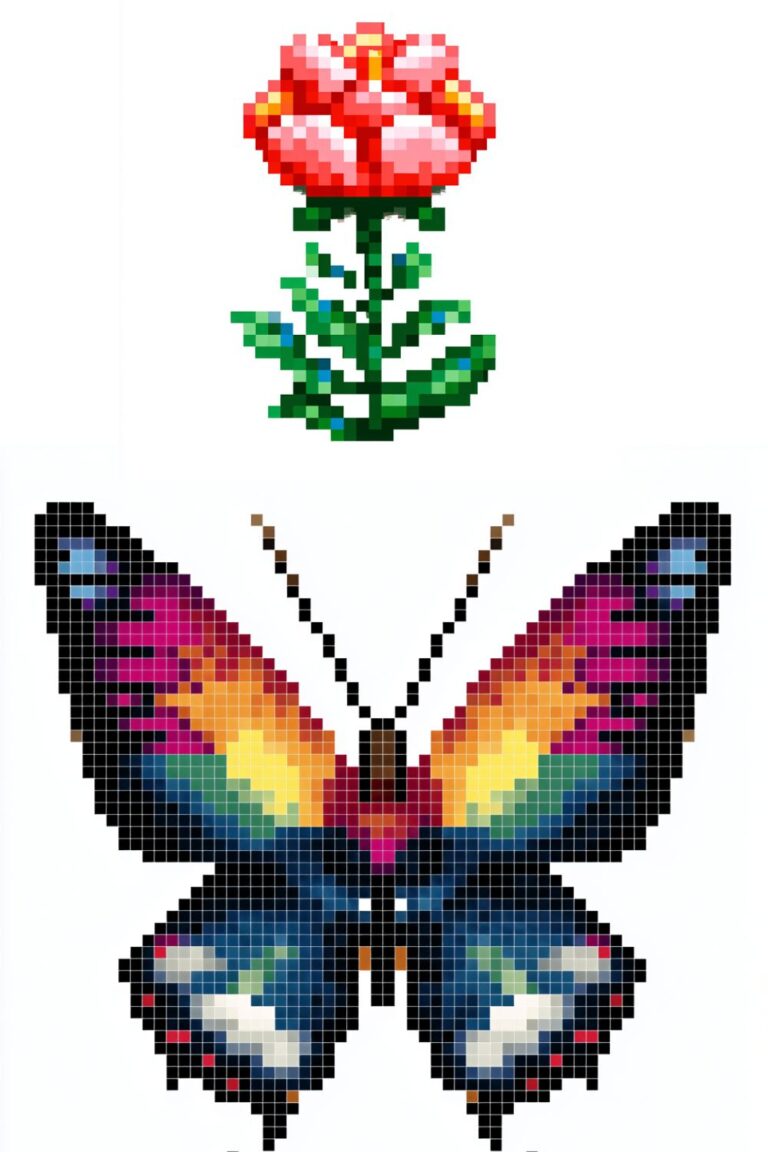
34. Butterfly (16×16) Two symmetrical wing pairs in a pattern of your choice — try monarch (orange and black), swallowtail (yellow with dark edges), or fantasy (iridescent blue-purple). Use Aseprite’s horizontal symmetry mode to design one wing, then mirror it. The body is a simple vertical oval connecting the two wing masses.
Time estimate: 20–30 minutes
Small Scene Thumbnails (Ideas 35–40)
These six ideas push slightly beyond single objects into small two or three element scenes — enough to tell a tiny story within the 60-minute window, especially at 32×32.
35. Moon Over a Hill (32×32) A large white or golden circle moon in the upper portion of the canvas, a simple dark rolling hill silhouette across the lower third, and one or two small trees on the hill as single-pixel silhouettes. Deep navy sky. This is a minimal landscape with strong atmospheric quality — the kind of piece that looks striking as a small sticker or phone background.
Time estimate: 25–35 minutes
36. Campfire (32×32) Three or four angled log lines in brown forming the campfire base, with an orange and yellow flame shape above — flickering tip of yellow at the top, wider orange body, darker base. A few small orange “ember dot” pixels scattered around the logs. Optionally: two dark silhouetted figures sitting on either side. The campfire’s warm palette against a dark background is one of pixel art’s most reliable atmospheric compositions.
Time estimate: 35–45 minutes
37. Small Boat on Water (32×32) A simple wooden boat shape — flat bottom, curved sides, a single short mast with a triangular sail — sitting on a two-tone blue water surface with a single wave line and a reflection beneath the hull. The reflection is the element that sells the “on water” reading — a slightly darker, slightly distorted mirror image of the hull’s lower half immediately below the waterline.
Time estimate: 35–45 minutes
38. Window With Rain (32×32) A simple rectangular window frame with light grey glass, diagonal light blue rain streak lines across the glass surface, and warm golden interior light visible through the lower portion — the bottom of a lit room glimpsed through the rain. The contrast between the cold rain and the warm interior light creates an emotionally resonant composition in a very small space.
Time estimate: 30–40 minutes
39. Bookshelf Slice (32×32) A close-up view of five or six book spines side by side — each book a different color, different width, and different spine design (simple horizontal lines, a small icon, a gradient). This is a pure color and geometry exercise that rewards a methodical approach. Books spines are rectangular and stack cleanly on a pixel grid — the challenge is giving each one enough visual distinction to read as a different book.
Time estimate: 30–40 minutes
40. Night Sky With Stars (32×32) A deep navy-to-black gradient sky with stars of three sizes — single-pixel dots for distant stars, 2×2 bright dots for nearer ones, and one or two 5-pixel “+” shapes for the brightest stars. The star distribution should feel natural rather than regular — scatter them loosely rather than spacing them evenly. Optionally add the silhouette of a single tree or mountain at the base.
Time estimate: 20–30 minutes
Turning Small Pieces Into Big Opportunities
Small pixel art has significant practical value beyond daily practice:
Sticker packs. A collection of ten or fifteen small, consistent pixel art icons makes a compelling sticker pack — a popular and well-selling product type on platforms like Redbubble and, with Printify, on physical sticker sheets. The designs in this post are specifically well-suited to sticker production: small, clean, high-contrast, and graphic. Our full guide to the top pixel art print-on-demand shops for selling your designs covers how to prepare and list pixel art sticker designs effectively.
Game sprites. If you have any interest in game development, small pixel art objects and characters are directly usable as game sprites, icon elements, and UI components. The complete beginner’s introduction to pixel art covers the connection between pixel art practice and game asset creation.
Daily practice series. Posting one small pixel art piece per day — a “pixel art daily” series — is one of the most effective ways to build an audience on social media. The consistency signals creative discipline; the variety shows range; the small size means each piece is achievable every day regardless of how busy you are. Our 25 pixel art inspo accounts to follow on Instagram post shows several accounts that built significant followings through exactly this daily practice model.
Minecraft pixel art. Small pixel art designs translate directly into Minecraft block art — a 32×32 pixel design maps to a 32×32 block mural with perfect precision. If you run or participate in a Minecraft creative server through Shockbyte or GG Servers, having a library of small pixel art designs gives you instant reference for your next in-game build.
Your Setup for Fast, Focused Sessions
Short, focused pixel art sessions benefit from a workspace that minimizes friction. The less time you spend navigating tools, fixing setup problems, or dealing with physical discomfort, the more of your hour goes into actual creative work.
Keep Aseprite (or your software of choice — full options in our best pixel art software in 2026 guide) permanently open with a template file: a 32×32 canvas with a preset 6-color palette you like, ready to start immediately. Having to recreate your working setup from scratch at the beginning of every session is a creativity killer.
For physical comfort across any session length, a height-adjustable desk from Flexispot keeps you in the right position for focused screen work. Even for a 60-minute session, the ergonomic quality of your seating and desk position affects both your physical comfort and your mental focus. And a high-DPI Razer mouse gives you the cursor precision that small-canvas pixel work demands — at 16×16, every pixel is significant, and the control difference between a standard mouse and a quality gaming mouse is genuinely noticeable.
Final Thoughts
Forty ideas. Small canvases. Sixty minutes. That’s all it takes to build a consistent, rewarding pixel art practice — one small, complete piece at a time.
The artists who develop most rapidly in pixel art are almost never the ones who work only on ambitious projects. They’re the ones who also work small, regularly, without precious attachment to any individual piece. The discipline of the small canvas is a gift — accept it, practice within it, and watch everything you make improve.
Pick the first idea on this list that excites you right now. Open your software. Set your timer. And make something finished.
For more structured starting points, our 30 easy pixel art ideas for absolute beginners post covers gentle entry-level subjects with detailed guidance. And when you’re ready to scale up — to take the skills sharpened by small-canvas work and apply them to something larger and more ambitious — our 50 cute pixel art ideas to draw when you need inspiration and how to draw cute pixel art characters from scratch guides are waiting.
Now stop reading and start drawing. ⏱️🎨
More Pixel Art Posts You’ll Love
- What Is Pixel Art? A Complete Beginner’s Introduction
- Best Pixel Art Software in 2026: Honest Review for Every Skill Level
- 30 Easy Pixel Art Ideas Perfect for Absolute Beginners
- 50 Cute Pixel Art Ideas to Draw When You Need Inspiration
- How to Draw Cute Pixel Art Characters from Scratch (Beginner’s Guide)
- 25 Kawaii Pixel Art Character Ideas You’ll Actually Want to Draw
- Top Pixel Art Print-on-Demand Shops for Selling Your Designs
- 10 Pixel Art PFP Ideas That Look Great on Any Platform
- 30 Pixel Art Avatar Ideas for Your Social Media Profiles
- Cool Pixel Art Pieces That Went Viral on Social Media
- 25 Pixel Art Inspo Accounts to Follow on Instagram
- 15 Stardew Valley Inspired Pixel Art Pieces You Can Recreate
- 20 Retro-Inspired Pixel Art Patterns and Where They Come From
- 50 Christmas Pixel Art Designs to Celebrate the Holiday Season
- 47 Thanksgiving Pixel Art Designs to Celebrate the Season of Gratitude
- Pixel Art vs Digital Illustration: What’s the Difference?