30 Easy Pixel Art Ideas Perfect for Absolute Beginners
Affiliate Disclosure
This post contains affiliate links. Pixels and Bloom may earn a commission when you purchase through these links, at no additional cost to you. All opinions are our own and we only recommend products we believe will genuinely benefit our readers.
Starting pixel art can feel intimidating, especially if you’ve scrolled through the breathtaking work on Instagram or Reddit and wondered how on earth anyone produces something that detailed and beautiful from a tiny grid. Here’s the truth: every one of those artists started exactly where you are. With a blank canvas, no idea what to draw, and a pixel that needed placing.
The ideas in this post are specifically chosen for absolute beginners — people who may be opening pixel art software for the first time, who may never have drawn digitally before, and who just need a friendly, achievable starting point. Each idea in this list works on a small canvas (16×16 or 32×32), uses minimal colors, and results in something genuinely recognizable and satisfying. No frustrating complexity. No advanced shading techniques. Just good starting points that build your confidence one pixel at a time.
If you haven’t yet chosen your software, our best pixel art software in 2026 guide recommends starting with Piskel (free, browser-based) or Aseprite (~$20, the community standard). Either works perfectly for every idea on this list. And if you want to understand the foundational concepts behind what you’re about to make, our complete beginner’s introduction to pixel art covers everything from canvas sizes to color palettes in plain language.
Ready? Let’s get you drawing.
Before You Begin: Quick Setup Tips for Beginners
Before diving into the ideas, here are three quick setup rules that will make your first pixel art session far more enjoyable:
1. Start on a small canvas. For this entire list, use either 16×16 or 32×32 pixels. Resist the urge to go bigger — a larger canvas doesn’t mean more room to be creative, it means more room to feel lost. Small canvases force clarity.
2. Zoom in far. Work at 8x–16x zoom so each pixel appears large on your screen. You should be able to see individual pixel squares clearly as you place them.
3. Limit your colors. Pick 4–6 colors before you start drawing. Having a preset palette prevents decision fatigue and teaches you to work within constraints — which is the fundamental skill of pixel art. Use a color from the Lospec palette library if you’re not sure where to start.
Now let’s draw something.
Everyday Objects
Everyday objects are the perfect starting point for pixel art beginners. Their shapes are simple, their colors are recognizable, and there’s no pressure to capture personality or emotion — just the essential form of a familiar thing.
1. Red Apple The most classic pixel art subject for a reason. On a 16×16 canvas: a round red shape, a short brown stem at the top, a single green leaf, and one white highlight pixel on the upper-left of the apple body. That’s it — four colors, maybe 40 placed pixels, and the result is completely and unmistakably an apple. Use three reds (base, highlight, shadow) to give it gentle roundness.
What you’ll learn: Placing a circular shape on a pixel grid, basic 3-tone shading, using a single highlight pixel for impact.
2. Yellow Star A five-pointed star on a 16×16 canvas in two or three tones of yellow-gold. Stars are among the cleanest pixel art shapes — the symmetry makes them satisfying to build, and the result is versatile as an icon, a badge, or a decorative element. Use Aseprite’s symmetry mode (or manually mirror each half) to keep both sides even.
What you’ll learn: Pixel symmetry, working with pointed shapes on a grid, clean edge construction.
3. Simple House A square base with a triangular roof, a central door, and two windows. Use four colors: red or orange for the roof, warm tan for the walls, brown for the door, and a light blue for the windows. On 32×32, you have room for a chimney with a small smoke curl.
What you’ll learn: Combining geometric shapes, using color to separate elements, adding simple atmospheric details.
4. Pencil A yellow hexagonal pencil body with a pink eraser top, a small metal band, and a pointed tip showing the wood grain and graphite. This is a satisfying pixel art exercise in clean diagonal lines and the correct stacking of distinct color zones. On 16×16, orient it diagonally for the most natural representation.
What you’ll learn: Rendering diagonal lines cleanly, working with multiple distinct horizontal zones on a single object.
5. Coffee Mug A simple round mug with a handle, steam rising from the top, and optionally a small pattern or text on the side. White or cream mug body, dark brown coffee visible inside the top, three wavy grey pixels above for steam. Friendly, warm, instantly readable.
What you’ll learn: Rendering a curved handle in pixels, suggesting liquid, basic steam effect.
6. Pixel Heart The iconic pixel heart — two bumps at the top, a point at the bottom, in classic red or your color of choice. The pixel heart is arguably the single most recognized pixel art symbol in the world. On 8×8, the shape is pure mathematics. On 16×16, you have room for a highlight and shadow that give it volume. Try variations: outlined heart, filled heart, rainbow heart.
What you’ll learn: The fundamental pixel art heart shape, working at ultra-small canvas sizes, creating variations on a theme.
7. Book A closed book in profile — a colored cover, visible white pages at the spine, and a simple title or design on the cover. On 32×32, you can suggest a bookmark ribbon and the slight curve of the cover. Books are wonderful pixel art objects because their rectangular geometry is naturally grid-friendly.
What you’ll learn: Rendering a simple rectangular object with depth, using color to convey materials (paper vs. cloth cover).
8. Rainbow A simple arching rainbow with seven color bands — red, orange, yellow, green, blue, indigo, violet — against a light blue or white sky. Optional: add small white cloud shapes at each end where the rainbow meets the ground. The rainbow is a color-theory exercise as much as a drawing exercise — working out how to fit seven distinct colors into a small, clean arc is genuinely useful practice.
What you’ll learn: Working with gradients and multiple color bands, rendering arcs on a pixel grid.
Animals
Simple animals are perennial favorites for pixel art beginners — their recognizable silhouettes and expressive faces make them satisfying to complete, and the “cute” factor of a well-executed pixel animal provides an immediate sense of accomplishment.
9. Simple Pixel Cat A sitting cat: oval head, pointed ears, simple facial features (two small eyes, a tiny nose triangle, a curved mouth), a round body, and a curved tail. On 16×16, keep it to a silhouette-plus-face. On 32×32, add stripe markings or a collar for personality. The cat is pixel art’s most versatile animal subject — once you can draw a cat, you can draw almost any quadruped.
What you’ll learn: Basic animal proportions at small sizes, rendering pointed ears in pixels, simple facial expression.
10. Duck A yellow duck seen from the side: round body, round head, flat orange beak, small eye, and a curved tail feather. On water (a flat blue-green line at the bottom), a duck immediately becomes a scene rather than just an icon. The duck is beautiful in its simplicity — eight colors maximum, completely readable at 16×16.
What you’ll learn: Profile-view animal composition, rendering a simple water surface, combining an animal with an environmental element.
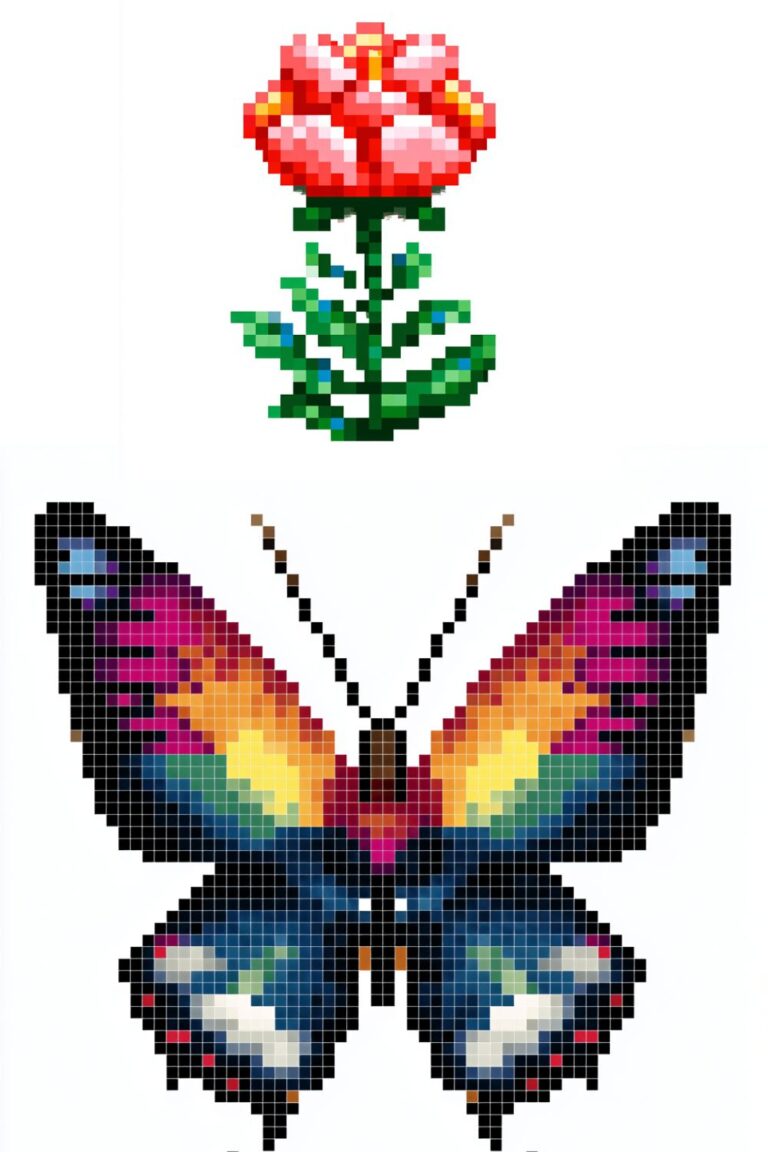
11. Butterfly Two symmetrical pairs of wings in your color of choice, with a simple oval body connecting them. Butterflies are perfect pixel art subjects because their wing symmetry means you only design one quarter of the image — then mirror it. Try a monarch butterfly (orange and black) or a fantasy butterfly (iridescent blue-purple).
What you’ll learn: Using symmetry tools, rendering wing patterns in limited pixels, working with high-contrast color combinations.
12. Fish A simple side-view fish with a triangular tail, round eye, and scales suggested by a few curved pixel marks on the body. Choose a vivid color — bright orange, deep blue, or tropical yellow — and add a simple pattern (stripes or spots) for interest. Fish are among the most forgiving beginner subjects because there’s wide variation in what “correct” looks like.
What you’ll learn: Rendering a simple animal silhouette, suggesting texture with minimal pixels, working with vivid saturated palettes.
13. Snail A small snail with a spiral shell and a simple smiley face. The spiral shell is the design challenge — work from the center of the spiral outward with increasingly large curves of alternating colors. Snails have a wonderfully patient, unhurried energy that comes through even in a 16×16 sprite.
What you’ll learn: Rendering a spiral shape in pixels, the relationship between shell and body proportions.
14. Bee A round yellow-and-black striped bee body with small white or translucent wings, tiny antennae, and an optional stinger. The black and yellow stripes are the defining visual element — keep them clean and evenly spaced. Add a simple smile and the bee immediately becomes friendly rather than threatening.
What you’ll learn: Rendering horizontal stripes, working with high-contrast black and yellow, designing simple insect anatomy.
15. Mouse A tiny grey mouse with large pink-lined ears, a long thin tail, small dark bead eyes, and tiny pink hands. Mice are pure cuteness at small canvas sizes — the oversized ears relative to the body convey vulnerability and sweetness. Add a tiny piece of cheese nearby for an instant narrative.
What you’ll learn: Rendering large ears in proportion to a small body, the cuteness effect of oversized features, adding narrative context with a simple prop.
16. Turtle A green turtle with a patterned hexagonal shell, stubby legs, and a gentle expression. The shell pattern — hexagonal segments in alternating shades of green and brown — is the most interesting design element. On 32×32, each hexagon is just 3–4 pixels across, which is enough to suggest the pattern without requiring perfect geometry.
What you’ll learn: Rendering a patterned shell, working with organic geometric shapes, balancing pattern complexity with readability.
Food and Nature
Food and nature subjects give beginners a chance to work with vivid, warm color palettes and naturally rounded shapes. These are excellent confidence-builders because the subjects are universally recognizable and the “cute” food aesthetic is extremely forgiving of minor inaccuracies.
17. Strawberry A bright red strawberry with green leafy top and tiny yellow seed dots scattered across the surface. The strawberry seeds (each just 1 pixel, placed at regular intervals) are a gentle introduction to the concept of surface texture in pixel art. Use three reds and don’t forget the white highlight on the upper curve.
What you’ll learn: Adding surface texture with single pixels, rendering leafy organic shapes, using strong red-green contrast.
18. Watermelon Slice A wedge of watermelon — bright pink or red flesh, green rind, white inner rind, and scattered black seed dots. This is a color zone exercise more than a shaping exercise — the clean separation between the three color regions (flesh, white, green) is what makes it read correctly. On 32×32, the seeds and the gradient from deep red center to lighter pink edges can be rendered with real care.
What you’ll learn: Working with clearly separated color zones, rendering a cross-section view, seed placement as texture.
19. Lemon A bright yellow oval with a small pointed end and a leaf on the stem. Three tones of yellow, a small white highlight on the upper surface, and a tiny green leaf — that’s the whole design. The lemon is an exercise in restraint: the temptation is to add more, but the power is in the simplicity.
What you’ll learn: Working with a minimal palette on a simple organic shape, the effectiveness of restraint.
20. Ice Cream Cone Two scoops of ice cream (pick your flavors — the colors tell the story) in a tan waffle cone with a subtle criss-cross texture pattern. The rounded scoops sitting above the geometric cone is one of pixel art’s most satisfying shape combinations. Add a small cherry on top for the classic finishing touch.
What you’ll learn: Combining organic (scoops) and geometric (cone) shapes, suggesting waffle texture, the classic cherry-on-top compositional cliché used well.
21. Mushroom A classic red-capped mushroom with white spots and a pale cream stem. The mushroom is perhaps the single most beginner-recommended pixel art subject — it’s geometric (dome cap + cylinder stem), has strong color contrast, and is immediately recognizable. Try variations: a blue mushroom, a rainbow mushroom, a glowing mushroom in the dark.
What you’ll learn: Basic dome and cylinder shapes, placing spot details, exploring color variations on a simple template.
22. Sunflower A circular brown-gold center surrounded by bright yellow petals radiating outward, on a tall green stem with large leaves. On 32×32, each petal is just 2–3 pixels wide and 4–5 pixels long — simple, but together they create a clear, joyful image. The sunflower’s naturally radial symmetry makes it a good candidate for symmetry-tool practice.
What you’ll learn: Radial symmetry, rendering a complex shape through repetition of simple elements, warm summer palette work.
23. Cloud A white puffy cloud with a very light blue shadow on the underside. The cloud shape — three or four overlapping bumps across the top, flat or slightly curved on the bottom — is a pixel art fundamental. Every landscape, every sky scene, every pixel art world needs clouds, and learning to draw a clean one is a foundational skill. Try variations: storm cloud (dark grey), rainbow cloud (pastel gradient), night cloud (silhouetted against a moon).
What you’ll learn: The standard pixel art cloud silhouette, using shadow on the underside for volume, variations as creative exploration.
Characters and Icons
Simple character and icon designs are the gateway to the more complex character work covered in our guide on how to draw cute pixel art characters from scratch. These beginner-level character ideas keep complexity minimal while introducing the core challenge of making a tiny arrangement of pixels feel like a personality.
24. Simple Smiley Face A yellow circle with two dot eyes and a curved smile. This is Day 1 of pixel art character design — the absolute minimum viable character. But don’t dismiss it: the exercise is in getting the circle clean, the eyes symmetrical, and the smile curve natural on a grid. Try different expressions (wink, surprised, sad, sleepy) as variations.
What you’ll learn: Rendering a circle in pixels, placing symmetrical facial features, expression variations.
25. Ghost A white sheet-ghost shape with two oval dark eyes and a small open mouth. The classic ghost silhouette — round top, wavy bottom — is one of the cleanest and most satisfying pixel art shapes. Works beautifully on a dark background. Try a pink ghost, a blue ghost, or a tiny baby ghost family.
What you’ll learn: The classic ghost silhouette, working effectively on dark backgrounds, the wavy-bottom pixel technique.
26. Mini Knight A small armored knight with a simple helmet visor, a square silver breastplate, tiny sword, and a small shield. At 32×32 with a 2-head ratio (very chibi), the knight reads as endearing and brave rather than intimidating. Keep the armor in silver-grey tones with a pop of color on the shield.
What you’ll learn: Basic armored character design, working with metallic silver-grey tones, adding a signature color accent.
27. Wizard Hat and Wand A standalone dark blue or purple wizard hat with gold stars and a matching wand beside it. This is a two-object composition — not a character, just their signature items. The challenge is making two separate objects feel like they belong together compositionally. Leave deliberate space between them for balance.
What you’ll learn: Two-object composition, rendering stars as surface details, balancing negative space.
28. Robot Face A square silver robot head with rectangular eyes, a grid-pattern mouth, antenna, and small rivets at the corners. Robots are ideal beginner pixel art subjects because their geometry is intentionally angular and mechanical — the grid limitations that beginners find challenging are actually correct for a robot. Lean into the squareness.
What you’ll learn: Geometric character design, rendering metallic surfaces, embracing the grid as aesthetic feature rather than fighting it.
29. Simple Pixel Tree A green triangle tree with a brown rectangular trunk, three tiers of green (dark at the edges, lighter in the center for volume), and a small yellow star on top. This is slightly different from the Christmas tree in our 50 Christmas pixel art designs post — this is a generalized, year-round tree, and getting the simple three-tier triangle shape right is a foundational landscape element you’ll use constantly.
What you’ll learn: The three-tier pixel tree structure, basic volume shading on a triangular shape, the trunk-to-crown ratio.
30. Pixel Art Self-Portrait Draw yourself. Pick your hair color, skin tone, eye color, and a distinctive item of clothing. This is your first pixel art original character — and it’s genuinely yours. It doesn’t have to look exactly like you. It just needs to capture something of you: your hair, your favorite color, the way you usually look. This is the piece you save, the one you look back at later and realize how far you’ve come.
What you’ll learn: Everything — this is a synthesis of every skill introduced in the previous 29 ideas, applied to your own original subject.
Tips for Getting Better, Faster
Study what you admire. When you see pixel art that excites you — on Instagram, Reddit, in a game — zoom in and look at how individual pixels are placed. How did they shade that curve? How did they render that hair? Active visual analysis of work you love is one of the fastest learning accelerators available.
Finish things. A completed imperfect piece teaches you more than an abandoned attempt at perfection. Set a time limit if it helps — 30 minutes, one hour — and commit to a finished piece within that limit.
Make it a daily habit. Even 15 minutes a day of pixel art practice produces noticeable improvement within weeks. The artists whose work fills the 25 pixel art inspo accounts to follow on Instagram post all share one thing: consistent, long-term daily practice.
Challenge yourself seasonally. Seasonal themes give you a built-in brief and a timed deadline. Our 50 Christmas pixel art designs and 47 Thanksgiving pixel art designs posts give you dozens of structured ideas for each major holiday season.
Taking Your Work Further
Once you’ve completed several designs from this list, you’re no longer an absolute beginner. You understand the grid, you’ve worked with limited palettes, and you’ve solved the visual problems of rendering real subjects in tiny pixel spaces. That foundation opens up everything.
Your natural next step is our post on 50 cute pixel art ideas to draw when you need inspiration — a broader collection with more varied and slightly more challenging subjects. After that, our guide on how to draw cute pixel art characters from scratch will take your first simple character attempts and develop them into real, expressive, personality-filled sprites.
For artists interested in the kawaii aesthetic that runs through so much of the best cute pixel art, our 25 Kawaii pixel art character ideas post explores that direction in depth. And for those who want to start turning their finished designs into income, our full guide to the top pixel art print-on-demand shops for selling your designs covers Printify and every major platform from setup to first sale.
Your Workspace Setup
Even for beginners, a comfortable workspace makes a meaningful difference to how long and how joyfully you practice. You don’t need anything elaborate — but a few considerations:
If you’re spending daily time at a computer for pixel art, an ergonomic desk setup becomes increasingly important. A height-adjustable desk from Flexispot lets you shift between sitting and standing, which keeps you physically comfortable and mentally fresh across longer sessions as your practice develops. It’s an investment that grows in value the more seriously you take your creative practice.
For input, any mouse works for beginner pixel art — but as your work gets more detailed, you’ll notice the difference that a precision Razer gaming mouse makes for accurate pixel placement. When you’re ready to upgrade your input device, it’s a worthwhile step.
And if pixel art is your entry point into a broader love of gaming and creative building, consider the Minecraft angle. Pixel art builds are one of Minecraft’s most beloved creative traditions, and a well-hosted server makes collaborative creative building far more enjoyable. Shockbyte is an excellent and affordable starting point for Minecraft server hosting, while GG Servers offers strong performance for communities that want consistent quality.
Final Thoughts
Thirty ideas. Small canvases. Limited palettes. No excuses.
Pixel art asks very little of you to start — just the willingness to place one pixel and see where it leads. The apple leads to the cat. The cat leads to the character. The character leads to the scene. The scene leads to the world. Every pixel artist reading the posts in this series started somewhere on that path, and many started with exactly the kind of small, simple, imperfect pieces on this list.
Your first piece won’t be your best. That’s not the point. The point is that you made it, you learned something from it, and now you’re ready to make the next one.
Start with the apple. Then draw the star. Then try a cat. You’ve got this. 🍎⭐🐱
More Pixel Art Posts You’ll Love
- What Is Pixel Art? A Complete Beginner’s Introduction
- Best Pixel Art Software in 2026: Honest Review for Every Skill Level
- 50 Cute Pixel Art Ideas to Draw When You Need Inspiration
- How to Draw Cute Pixel Art Characters from Scratch (Beginner’s Guide)
- How to Create a Disney Princess in Pixel Art: Grid, Colors and Tips
- 40 Small Pixel Art Grid Ideas You Can Finish in Under an Hour
- 25 Kawaii Pixel Art Character Ideas You’ll Actually Want to Draw
- Top Pixel Art Print-on-Demand Shops for Selling Your Designs
- Cool Pixel Art Pieces That Went Viral on Social Media
- 50 Christmas Pixel Art Designs to Celebrate the Holiday Season
- 47 Thanksgiving Pixel Art Designs to Celebrate the Season of Gratitude
- 25 Pixel Art Inspo Accounts to Follow on Instagram
- 15 Stardew Valley Inspired Pixel Art Pieces You Can Recreate
- 10 Pixel Art PFP Ideas That Look Great on Any Platform
- 30 Pixel Art Avatar Ideas for Your Social Media Profiles