10 Pixel Art PFP Ideas That Look Great on Any Platform
Affiliate Disclosure
This post contains affiliate links. Pixels and Bloom may earn a commission when you purchase through these links, at no additional cost to you. All opinions are our own and we only recommend products we believe will genuinely benefit our readers.
Your profile picture is the smallest and most-seen piece of art you’ll ever make. It appears in comment sections, follower lists, chat headers, game lobbies, Discord servers, and social media feeds often at sizes as small as 20×20 pixels on screen. It needs to communicate identity, personality, and craft at a glance, under severe display constraints, across every platform you use.
A pixel art PFP profile picture is uniquely well-suited to this challenge. Unlike a photograph or a smooth digital painting, pixel art is designed to work at small sizes. Its deliberate constraints, hard edges, and graphic clarity mean it doesn’t degrade or blur when scaled down the way other image types do. A well-made pixel art avatar at 128×128 pixels looks just as clean and intentional at 32×32 as it does at full size. That resilience is precisely why so many of the most recognizable and beloved profile pictures across the internet are pixel art.

In this post we’re covering 10 pixel art PFP ideas what to make, how to approach each type, what makes each one work at small display sizes, and how to set yours up correctly across every major platform. Whether you’re building a personal brand, representing yourself in a gaming community, or just want a profile picture that actually reflects your creative identity, there’s an approach here for you.
If you want to go deeper on the character design skills behind these PFPs, our guide on how to draw cute pixel art characters from scratch is the technical foundation. And if you want a broader look at pixel art identity design beyond just profile pictures, our companion post on 30 pixel art avatar ideas for your social media profiles expands the scope considerably.
Why Pixel Art Works So Well as a PFP
Readability at Small Sizes
First, platform profile pictures are displayed at very small sizes most of the time 32px on Twitter/X mentions, 40px on Instagram comments, and 64px in Discord server member lists. Because of this, photographs and smooth digital paintings often lose their detail and become unreadable blobs at smaller sizes. Pixel art, however, uses a graphic, high-contrast style that retains its identity and readability even at 20px across. This happens because its visual information is concentrated in essential shapes and colors rather than spread across fine detail.
Distinctiveness
In addition, the pixel art aesthetic is immediately recognizable and relatively uncommon as a PFP choice compared to photographs and conventional digital art. As a result, it makes you visually memorable in comment sections and follower lists. People often remember and recognize pixel art avatars more reliably than photographic ones because the stylization creates a strong and distinctive visual signature.

Portability
Another major advantage is portability. A pixel art PFP looks consistent across light mode and dark mode, across different platform interfaces, and across different screen qualities in a way that photographs rarely do. In other words, the strong color contrast and graphic simplicity of pixel art translate reliably across different display conditions.
Creative Identity Signal
Finally, a pixel art PFP signals something specific about you creative practice, gaming culture, aesthetic sensibility, and craft investment. For example, for anyone building a brand around digital art, gaming, or creative work, a pixel art PFP becomes an immediate and eloquent identity statement. Because of this, it does more than just look good, it communicates personality and purpose instantly.
The Technical Fundamentals: Size, Format, and Scaling
Before we get into the ideas, these technical foundations are essential for any PFP to work correctly across platforms.
What Size to Create Your PFP
Create your pixel art PFP at a small native canvas size 32×32, 48×48, or 64×64 then scale it up for upload using integer scaling with nearest-neighbor interpolation. This produces a crisp, clean scaled image that preserves the pixel art aesthetic. Never create a PFP at high resolution and try to make it look like pixel art the results are always unconvincing.
Recommended native → upload size workflow:
- 32×32 native → scale up 8x to 256×256 for upload
- 48×48 native → scale up 6x to 288×288 for upload
- 64×64 native → scale up 4x to 256×256 for upload
Most platforms resize your uploaded image to their required dimensions, but starting at 256×256 or larger prevents the platform’s compression from introducing blur artifacts.
Platform-Specific Requirements
| Platform | Display Size | Recommended Upload | Format |
|---|---|---|---|
| Twitter/X | 48×48 (feed), 200×200 (profile) | 400×400 PNG | PNG |
| 110×110 | 320×320 PNG | PNG or JPEG | |
| Discord | 32×32 (server list), 128×128 (profile) | 256×256 PNG | PNG (supports GIF for animated) |
| YouTube | 88×88 (comments), 800×800 (channel) | 800×800 PNG | PNG or JPEG |
| Twitch | 70×70 (chat), 300×300 (profile) | 600×600 PNG | PNG or JPEG |
| 32×32 (comments) | 256×256 PNG | PNG | |
| Steam | 64×64 (friends list) | 184×184 PNG | JPG or PNG |
| GitHub | 20×20 (commit history) | 256×256 PNG | PNG |
Format: Always PNG
Always upload pixel art as PNG, never JPEG. JPEG compression introduces artifacts that are particularly destructive to pixel art’s hard edges the characteristic crisp pixel boundaries become blurry and murky after JPEG compression. PNG is a lossless format that preserves every pixel exactly as you drew it.
Discord is the only major platform that supports animated GIF profile pictures natively if you want to explore animated PFPs, Discord is where they’ll work best.
The 10 Pixel Art PFP Ideas
1. The Self-Portrait Character
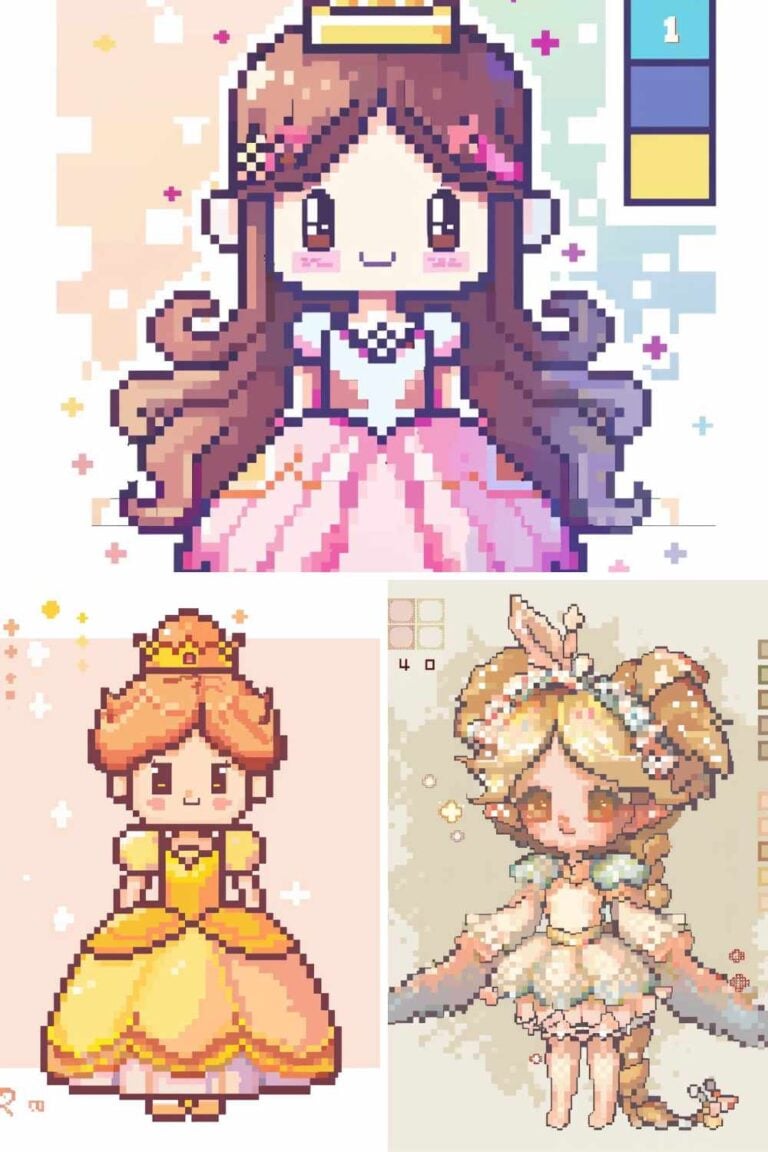
What it is: A stylized pixel art character that represents you your hair color and style, your characteristic clothing or accessories, your eye color, your general vibe rendered in a cute chibi or semi-realistic style.
Why it works as a PFP: It’s personal, original, and communicates your identity at a glance. When people see it repeatedly across platforms, they associate it specifically with you, it becomes a visual signature more reliable than a photograph.
How to approach it: Use a 48×48 or 64×64 canvas and a 3-head chibi ratio. Focus on your two or three most distinctive personal features, the hair is usually the dominant element, followed by a characteristic accessory (glasses, hat, specific clothing item). Your color palette should include your actual hair, eye, and skin tones rather than stylized substitutions, the personal accuracy is what makes the connection to your real identity legible.
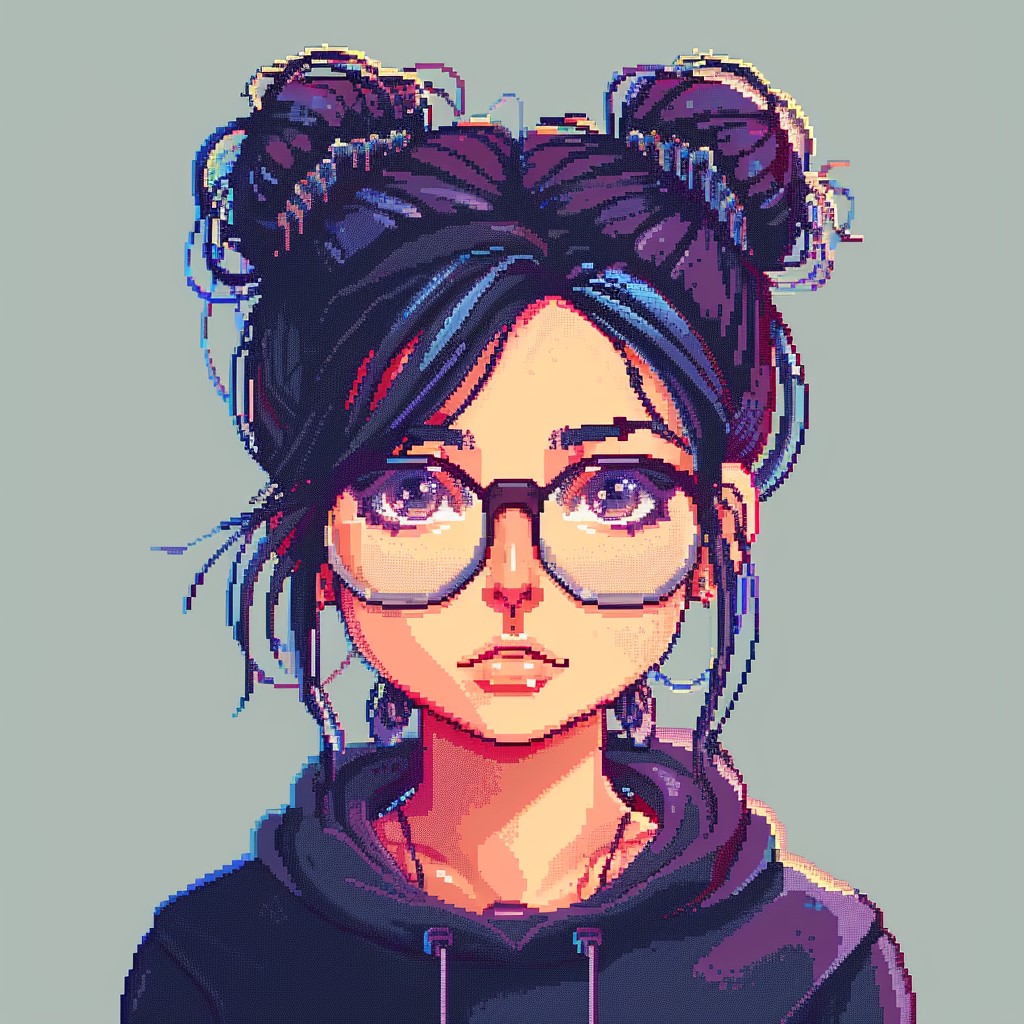
Don’t try to look exactly like you. Try to capture the feeling of you, your aesthetic, your personality, the way you present yourself. A slight exaggeration of your most distinctive features (if you have very curly hair, make it even curlier; if you always wear a specific color, make it the dominant palette choice) tends to produce a more effective PFP than a literal self-portrait.
Our how to draw cute pixel art characters from scratch guide walks through the complete process of building this kind of character from scratch, including face design, chibi proportions, and personality details.
Canvas size: 48×48 or 64×64 Difficulty: Intermediate
2. The Character With a Signature Background
What it is: A self-portrait or original character PFP with a designed background a solid color, a simple pattern, a gradient, or a small environmental element that frames the character and adds visual context.
Why it works as a PFP: A well-chosen background color dramatically improves PFP readability and visual impact. Without a background, your character competes with whatever platform background it appears on (white in light mode, dark grey in dark mode). A designed background ensures your PFP looks intentional and consistent across all display contexts.

How to approach it: The background’s primary job is to contrast with your character if your character is mostly warm-toned (brown hair, warm skin), choose a cool background (deep teal, muted blue-grey, soft lavender). If your character has a lot of detail in the head area, keep the background simple a solid color or minimal gradient. If your character silhouette is very clean, you can afford a slightly busier background (a simple star pattern, a subtle gradient, a small environmental element like stylized clouds or leaves).
Color temperature contrast between character and background is the single most reliable guide: warm character on cool background, or cool character on warm background. This contrast is what makes the character pop at small display sizes where fine details aren’t visible.
Canvas size: 48×48 or 64×64 Difficulty: Intermediate
3. The Mascot Character
What it is: An original animal, creature, or character mascot, not a self-portrait, but an invented personality that represents your online identity.
Why it works as a PFP: Mascot-style PFPs are among the most recognizable and beloved across gaming and creative communities. They allow for more creative freedom than self-portraits, can be drawn from multiple angles and in multiple expressions (useful for emotes, sticker packs, and channel branding), and often become iconic identifiers for the people who use them.

How to approach it: Think about what creature, animal, or character type fits your personality or your community niche. Gamers often choose fantasy creatures, warrior characters, or game-referenced designs. Artists choose designs that showcase their aesthetic sensibility. Content creators sometimes choose characters that reflect the theme of their content (a pixel art character holding a paintbrush, a gaming character with a controller).
Once you have your mascot concept, the design principles are the same as any kawaii or character pixel art, we cover both in our 25 Kawaii pixel art character ideas and how to draw cute pixel art characters from scratch posts. The key additional consideration for mascots is that they need to work not just as a PFP but as a brand element, they should be simple enough to be recognizable at 32×32 while distinctive enough to be memorable across many encounters.
Canvas size: 32×32 or 48×48 (simpler shapes work better as mascots) Difficulty: Intermediate
4. The Game Character Homage
What it is: A pixel art PFP based on a beloved video game character rendered in your own style rather than a direct copy of the game’s sprite.
Why it works as a PFP: Game character PFPs are instantly recognizable to fans of the same game, creating an immediate sense of community connection in comment sections, Discord servers, and game lobbies. When someone sees your Link PFP in a gaming Discord, they know something real and specific about you before you’ve said a word.

How to approach it: The key distinction here is your style versus a direct copy. Recreating an existing sprite exactly doesn’t demonstrate artistic skill and misses the most interesting creative opportunity reinterpreting a character you love through your own design sensibility. Try reimagining a 16-bit game character in a kawaii style, or a simple NES character with modern shading techniques, or a modern 3D game character translated into a 16-color retro aesthetic.
This reinterpretation approach where your design choices are visible within a recognizable character produces a PFP that communicates both community membership (I love this character) and creative identity (this is my artistic vision). That combination is more powerful than either element alone.
For Stardew Valley fans, our 15 Stardew Valley inspired pixel art pieces you can recreate post offers extensive inspiration for this approach. For Disney character approaches, our how to create a Disney princess in pixel art guide covers the specific techniques for beloved character recreations.
Canvas size: 32×32 or 48×48 Difficulty: Intermediate
5. The Abstract Pattern Portrait
What it is: A PFP that’s not a character at all instead, a striking abstract pixel art pattern, geometric design, or color composition that functions as a visual identity without depicting a recognizable subject.
Why it works as a PFP: Abstract PFPs work because distinctive visual patterns are highly recognizable even at tiny sizes sometimes more so than character faces, which can look similar to each other when very small. A bold geometric pattern, a distinctive color combination, or a striking abstract composition can create a more immediately recognizable thumbnail identity than a detailed character face.
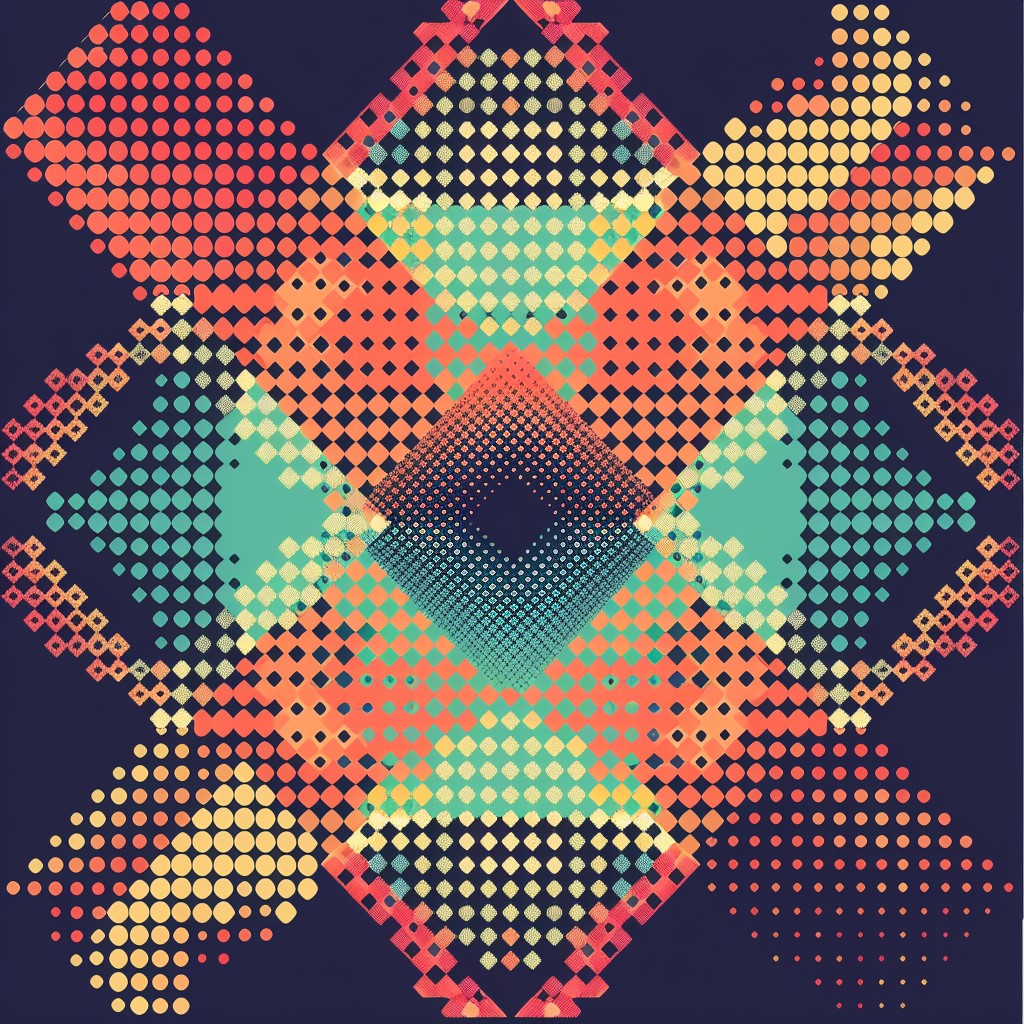
How to approach it: The most effective abstract PFPs have three qualities: a dominant shape that’s clearly readable at 32×32 (a diamond, a circle, an X pattern, a chevron), a limited color palette of 3–5 colors with strong contrast, and a distinctive color combination that you use consistently. The color combination is your brand if your abstract PFP is always teal and coral, or deep purple and gold, that combination becomes your visual signature across platforms.
Pixel art pattern and geometric design principles overlap significantly with the ideas in our 20 retro-inspired pixel art patterns and where they come from post many of the retro pattern concepts there work beautifully as abstract PFP compositions.
Canvas size: 32×32 (simpler works better for abstract) Difficulty: Beginner to Intermediate
6. The Seasonal or Rotating PFP
What it is: A consistent base character or design that you update seasonally Christmas hat version, Halloween version, summer version maintaining a recognizable core identity while refreshing the visual across the year.
Why it works as a PFP: Seasonal PFP updates are a well-established social media tradition that generates engagement people notice and comment when you update your PFP, and seasonal versions signal that you’re an active, engaged creator. The consistency of the core character maintains your recognizability while the seasonal variation shows personality and current presence.
How to approach it: Design your base character as a template keep the face, body, and general composition fixed, and build seasonal variations by adding accessories (Santa hat, witch hat, flower crown, graduation cap), changing the background color to a seasonal palette, or adding small seasonal elements (falling snow, autumn leaves, fireworks).
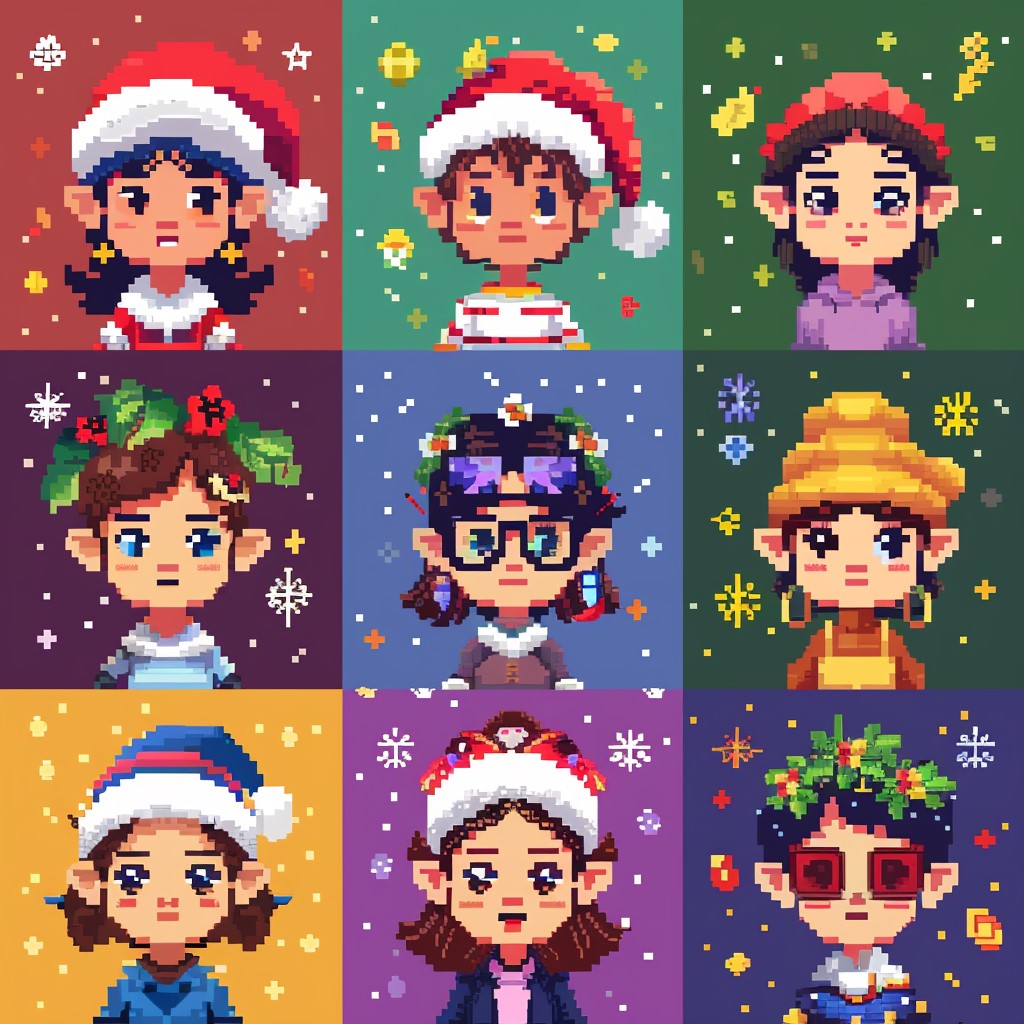
Each seasonal variant should be immediately recognizable as the same character as your base the variation should feel like your character wearing the season, not like a completely different design. This is the same creative exercise as the “seasonal costume” character variations we describe in our how to draw cute pixel art characters from scratch guide.
Our 50 Christmas pixel art designs and 47 Thanksgiving pixel art designs posts are full of seasonal accessory and background ideas that can be adapted directly to this PFP approach.
Canvas size: 48×48 or 64×64 (same size for all variants) Difficulty: Intermediate (once base character is designed)
7. The Chibi Animal With Accessories
What it is: A simple, round, kawaii-style animal face cat, fox, bunny, bear, frog, or any other animal with a signature accessory (hat, bow, glasses, flower crown, badge) that makes it uniquely yours.
Why it works as a PFP: Kawaii animal faces are some of the most popular and effective PFP formats in the pixel art community. They’re instantly appealing, work beautifully at small display sizes because of their simplified round shapes and large expressive eyes, and the accessory provides just enough individuality to distinguish your specific animal from every other bunny or cat PFP in existence.
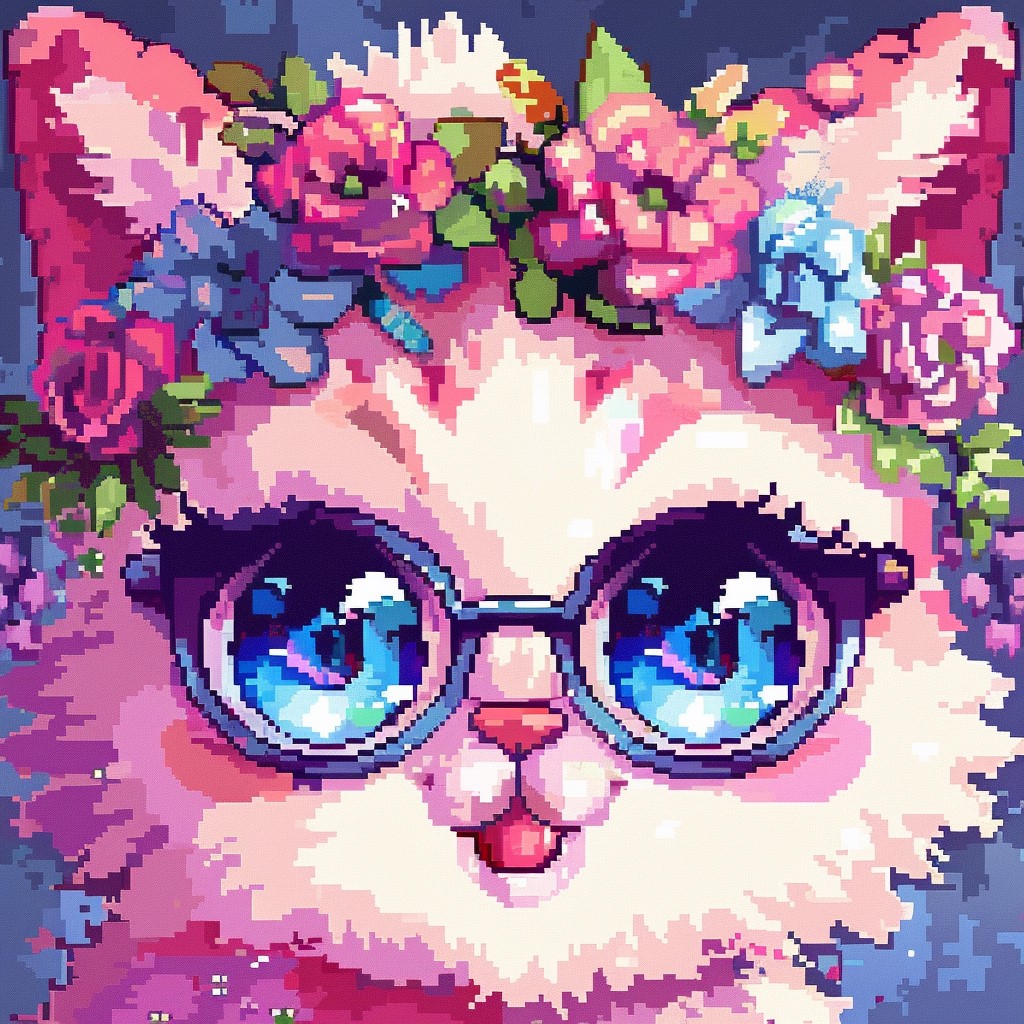
How to approach it: Choose your animal based on the personality you want to project: cats suggest independence and aesthetic sensitivity; foxes suggest cleverness and playfulness; bunnies suggest softness and creativity; frogs have a specific internet-beloved quality; bears suggest warmth and reliability. This is somewhat subjective, but the associations are real and worth considering.
The accessory is your personal signature make it specific and meaningful to you rather than generic. A tiny paintbrush tucked behind the ear, a small book in one paw, a specific style of hat that you associate with yourself. The specificity of the accessory is what makes the design feel like your animal rather than a generic template.
The 25 Kawaii pixel art character ideas post has extensive animal character designs in this style particularly the animal section, which includes design guidance for corgis, cats, penguins, bunnies, and many others that would work beautifully as PFP designs.
Canvas size: 32×32 or 48×48 Difficulty: Beginner to Intermediate
8. The Vaporwave or Retro Aesthetic Portrait
What it is: A self-portrait or character portrait rendered in a specific retro or vaporwave aesthetic limited palette, strong stylization, deliberate retro-gaming visual references that signals a specific cultural sensibility.
Why it works as a PFP: Aesthetic PFPs ones that communicate a specific visual culture work as instant community signals. A vaporwave aesthetic PFP (deep purples, pinks, and teals; 80s-inspired visual language) finds its community immediately in the spaces where that aesthetic is celebrated. A CRT-scanline effect overlay, a retro PC aesthetic, or a Game Boy color palette all communicate specific cultural affinities that their communities recognize and respond to.
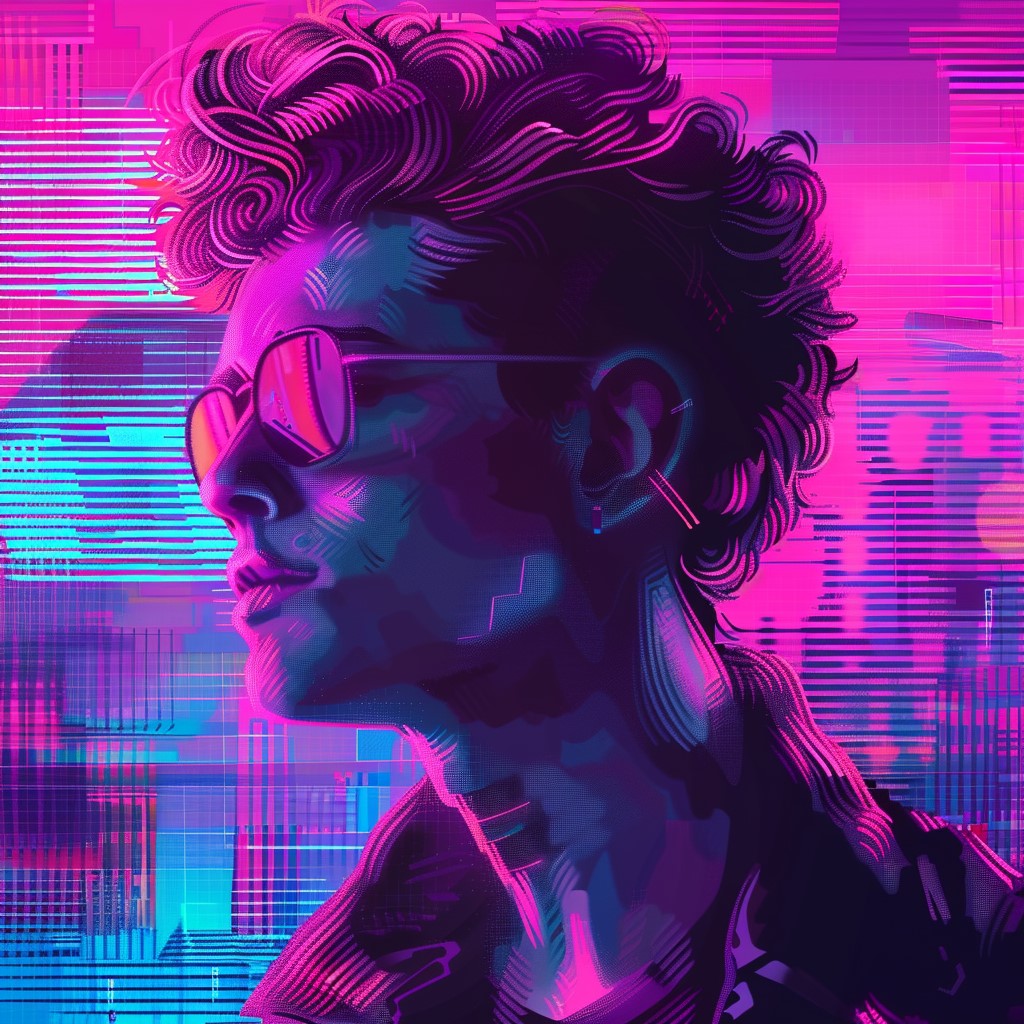
How to approach it: Choose your aesthetic reference first vaporwave, lo-fi, Game Boy, CGA, NES era, Y2K, cottagecore. Then research what makes that aesthetic visually specific: the exact color palettes associated with it, the characteristic visual elements, the stylistic conventions. Build your PFP within those specific constraints rather than approximating the aesthetic loosely.
Our 10 vaporwave pixel art scenes worth recreating yourself and 20 retro-inspired pixel art patterns and where they come from posts are rich resources for aesthetic reference and the specific visual languages of different retro and aesthetic movements.
Canvas size: 48×48 or 64×64 Difficulty: Intermediate to Advanced
9. The Animated PFP (For Discord)
What it is: A simple looping animation 3 to 8 frames that brings your character or mascot to life with a subtle, continuous motion.
Why it works as a PFP: On Discord, which natively supports animated GIF profile pictures (for Nitro subscribers), an animated PFP stands out dramatically in server member lists and chat interfaces. The motion catches the eye in a way no static image can, and the quality of the animation communicates craftsmanship to every pixel artist who sees it.
How to approach it: Keep the animation subtle and the loop short. The most effective animated PFPs use minimal movement: a gentle blink cycle (3 frames), a barely-perceptible idle breathing motion (4 frames), hair or a hat element moving slightly in a breeze (4 frames), or sparkle particles cycling around an object (3 frames).

The animation should enhance the character without dominating it viewers should feel the motion more than consciously notice it. Aggressive, flashy animation is exhausting to look at when it appears repeatedly in your peripheral vision in a chat interface. Subtle, atmospheric animation feels alive without being distracting.
For animation technique specifics variable frame timing, onion skinning, the sparkle particle system our 15 Disney pixel art designs fans have recreated and how they did it post covers several animation techniques that apply directly to PFP animation.
Canvas size: 32×32 or 48×48 (smaller files loop more smoothly) Difficulty: Intermediate to Advanced Platform note: Animated PFPs only display on Discord (Nitro), and some newer social platforms. They appear static on most other platforms.
10. The Simple Icon or Symbol
What it is: Not a character at all a small, bold, well-crafted pixel art icon that represents you. A simplified version of a meaningful object, symbol, or motif rendered with maximum graphic clarity.
Why it works as a PFP: Sometimes the most powerful identity is the most minimal. A single well-crafted icon a sword, a game controller, a paintbrush, a moon, a specific flower, a musical note can be more immediately recognizable and more distinctive than a complex character, because its simplicity means it reads perfectly at any size.
How to approach it: Choose a symbol that’s genuinely meaningful to you and that has a strong, readable silhouette. The silhouette test is critical for icon PFPs if you close your eyes halfway and the shape is still immediately identifiable, it works. If it could be confused with something else when small, it needs simplification.
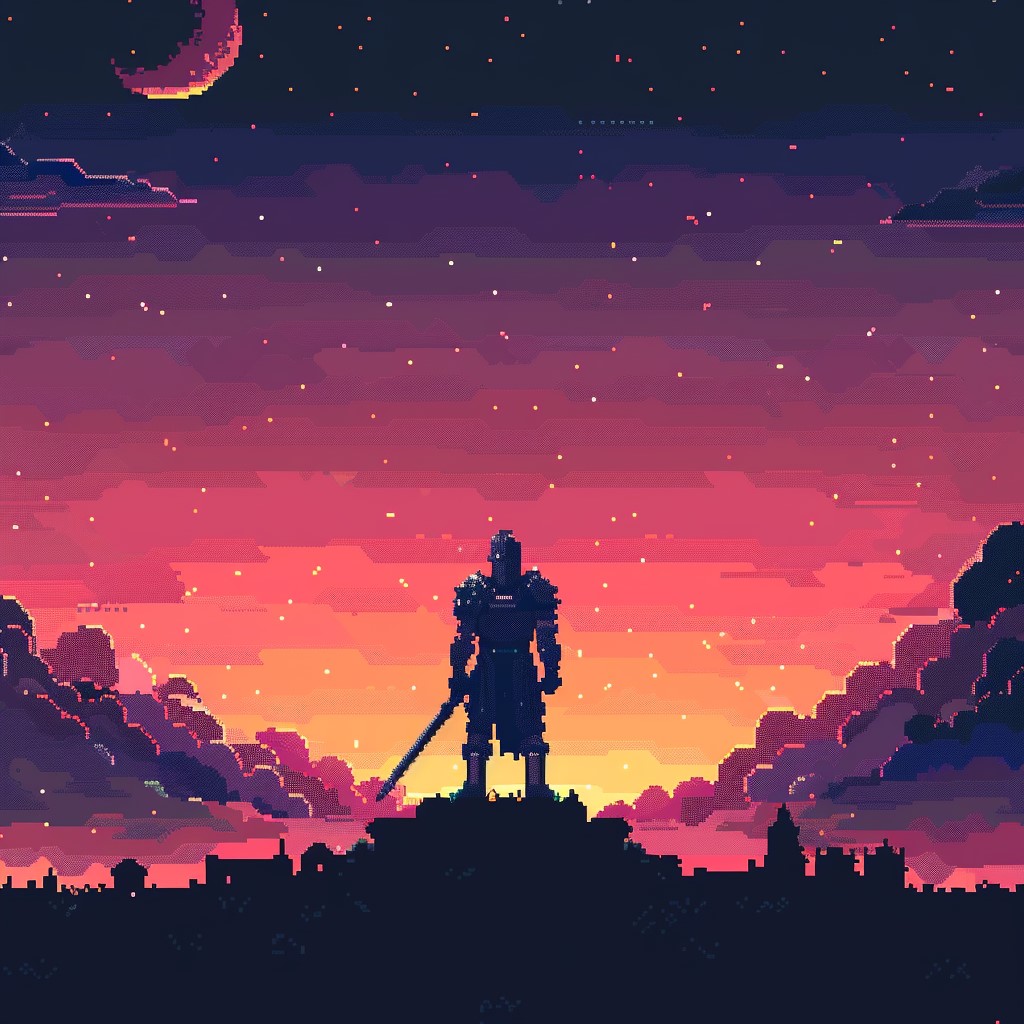
Render your chosen icon at 16×16 or 24×24 for maximum crispness. At this size, 3 to 5 colors is sufficient for full visual quality any more creates noise rather than richness. Place it centered in your canvas with at least a 2-pixel margin of background color on all sides for breathing room.
The 30 easy pixel art ideas for absolute beginners post covers several icon-style designs the heart, the star, the mushroom that work well as PFP compositions. The graphic simplicity that makes them good beginner exercises also makes them effective identity icons.
Canvas size: 16×16 to 32×32 Difficulty: Beginner
Making Your PFP Work Across Every Platform
The Cross-Platform Checklist
Before finalizing your PFP, run through this checklist:
At 32×32: Is the primary element (face, character, symbol) still clearly readable? Are the dominant colors still identifiable? Does it look like something rather than a colored blur?
On dark background: Does the PFP still pop? If your design relies on a white background to separate elements, consider adding an explicit border or background color.
On light background: Same question in reverse, if your design is very light-toned, does it disappear against a white platform background?
As a circle (Instagram, many platforms crop PFPs to circles): Is the key content centered and clear when the corners are removed? If important elements are in the corners, they’ll be cropped.
The Circle Crop Problem
Most major platforms crop profile pictures to a circle. This is relevant for several PFP types particularly characters with accessories or hairstyles that extend to the corners. Build your PFP with a circular crop in mind: keep the core subject within a central circle roughly 80% of the canvas diameter, with at least 10% background color margin on all sides before the crop boundary.
In Aseprite, you can create a reference layer with a circle drawn at your intended crop boundary and use it as a guide while designing.
Turning Your PFP Into a Brand Element
A great pixel art PFP doesn’t have to live only on social media. With Printify, you can put your PFP design on physical products enamel-pin-style stickers, patches, pins, t-shirts, and tote bags. If you’ve built an audience around your pixel art identity, a small merch run based on your PFP character can generate real income and strengthen community connection.
The process is straightforward: export your PFP design at 8x–16x scale using nearest-neighbor interpolation (as covered in our top pixel art print-on-demand shops for selling your designs guide), upload to Printify, choose your products, and publish to your Etsy shop or Shopify store. Your PFP character already has name recognition within your community that’s a significant head start for product sales.
Your Workspace for PFP Design
PFP design is some of the most precise, detail-dense work in pixel art. You’re working at small canvas sizes where every individual pixel is significant the position of a single eye highlight, the exact curve of a smile at 3 pixels wide, the placement of a 2×2 blush mark. This precision demands both a capable input device and a comfortable workspace.
A high-DPI Razer mouse provides the cursor precision that this level of detail demands. The difference between a standard mouse and a precision gaming mouse is especially noticeable at high zoom levels on small canvases the micro-adjustments needed for PFP quality pixel placement are noticeably more controlled with a quality input device.
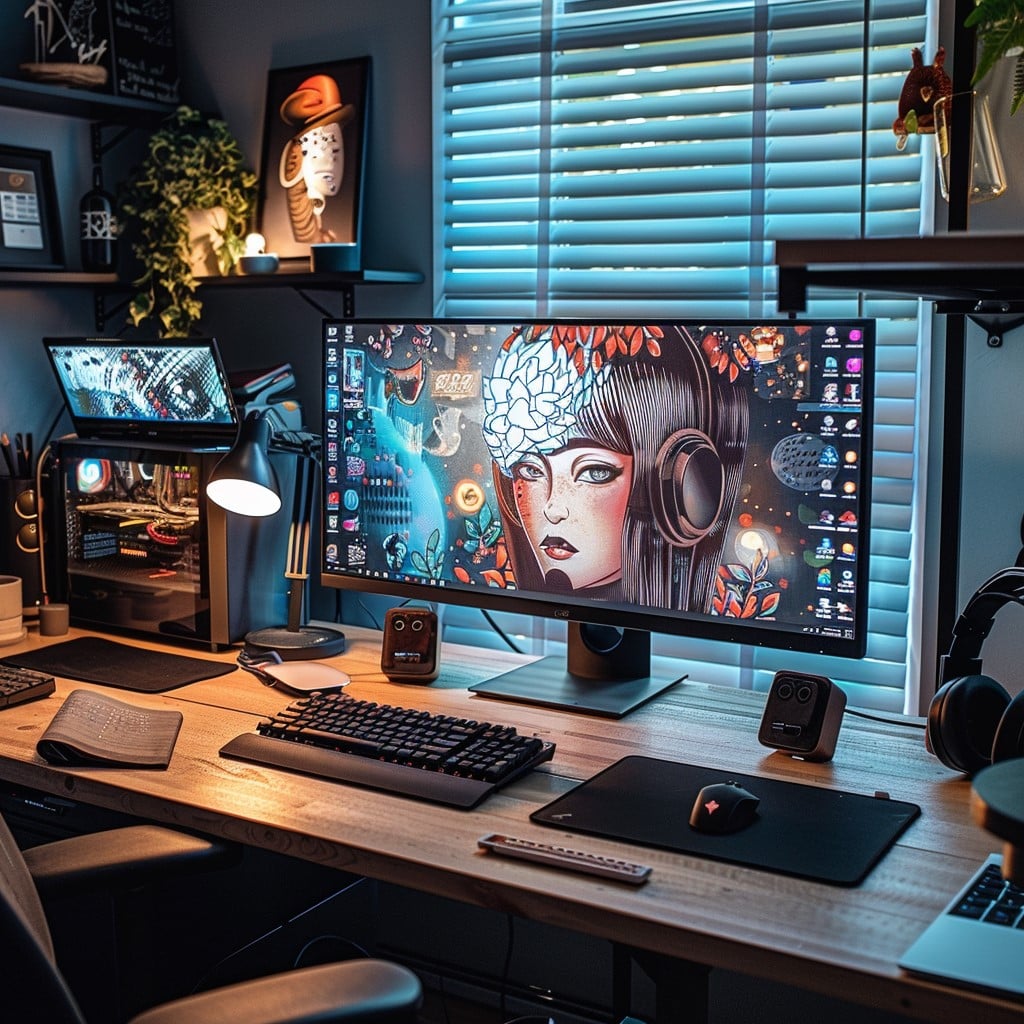
For the long, focused sessions that PFP design and iteration often involve especially if you’re designing multiple seasonal variants or an animated version a height-adjustable standing desk from Flexispot keeps your physical comfort at the level your creative focus deserves. The best creative work happens when your body isn’t sending distress signals, and a well-set-up ergonomic workspace is the foundation of sustainable creative practice.
Final Thoughts
Your pixel art PFP is your smallest portfolio piece and your most-seen creative work. It deserves real thought, real craft, and real time. The ten approaches in this post cover the full range from absolute beginner (the simple icon) through intermediate (the self-portrait character, the mascot) to advanced (the animated PFP, the vaporwave aesthetic portrait).
Start with the approach that excites you most right now. Make it with care. Test it across platforms. Refine it. And then let it do what a great pixel art PFP does naturally represent you with graphic clarity, creative personality, and pixel-perfect precision, wherever you go online.
For more avatar and profile design inspiration beyond profile pictures specifically, our companion post on 30 pixel art avatar ideas for your social media profiles expands the scope into header designs, community avatars, and more. And for the full picture of how pixel art supports personal branding and community building, explore our 25 pixel art inspo accounts to follow on Instagram post studying how successful pixel artists present themselves online is one of the best ways to develop your own approach.
More Pixel Art Posts You’ll Love
- 30 Pixel Art Avatar Ideas for Your Social Media Profiles
- What Is Pixel Art? A Complete Beginner’s Introduction
- Best Pixel Art Software in 2026: Honest Review for Every Skill Level
- How to Draw Cute Pixel Art Characters from Scratch (Beginner’s Guide)
- How to Create a Disney Princess in Pixel Art: Grid, Colors and Tips
- 25 Kawaii Pixel Art Character Ideas You’ll Actually Want to Draw
- Top Pixel Art Print-on-Demand Shops for Selling Your Designs
- 50 Cute Pixel Art Ideas to Draw When You Need Inspiration
- 30 Easy Pixel Art Ideas Perfect for Absolute Beginners
- Cool Pixel Art Pieces That Went Viral on Social Media
- 15 Disney Pixel Art Designs Fans Have Recreated (And How They Did It)
- 40 Small Pixel Art Grid Ideas You Can Finish in Under an Hour
- 25 Pixel Art Inspo Accounts to Follow on Instagram
- 20 Retro-Inspired Pixel Art Patterns and Where They Come From
- 15 Stardew Valley Inspired Pixel Art Pieces You Can Recreate
- 10 Vaporwave Pixel Art Scenes Worth Recreating Yourself
- 50 Christmas Pixel Art Designs to Celebrate the Holiday Season
- 47 Thanksgiving Pixel Art Designs to Celebrate the Season of Gratitude